Players who make broad aiming movements
If you play tactical ranked matches, choose a shape that suits broad mouse movements and check whether a cable is likely to get in the way.


For tactical ranked matches at your home office desk, the mouse should first suit your hand and grip. After that, consider freedom of movement, power and the office features you need. A wireless mouse lets you make broad movements without a cable, while a wired mouse never needs to be recharged. For work, features such as Bluetooth, switching between devices or free scrolling only matter if the specific model offers them.
If you play tactical ranked matches, choose a shape that suits broad mouse movements and check whether a cable is likely to get in the way.
During longer sessions, the shape and dimensions need to suit your hand and grip style; a low weight alone isn’t enough to decide.
If you use the same desk for gaming and office work, you’ll need to weigh up freedom of movement, connection types and the work features you need.
First, decide which shape you can move with control using your grip. Then you can work out whether a wired or wireless mouse better suits your desk, and which features you actually need for office work.
A good choice if: you prefer broad movements without a cable when aiming and can use the receiver with your gaming PC.
Things to consider: the receiver and power supply are part of everyday use; features for work, such as Bluetooth, aren’t automatically included.
A good choice if: you don’t want to stop to recharge and the cable won’t get in the way on your desk.
Things to consider: the cable can get in the way during broad sweeping movements; consider how it will run and choose a shape that suits you.
A good choice if: you want to use another connection to work with a computer as well as your gaming PC.
Things to consider: check which connections the specific model supports for your intended gaming setup; Bluetooth is no substitute for comparing fit or latency.
| Priority | What to check before buying | Who is it important to? |
|---|---|---|
| Fit and grip | See how the shape, dimensions and side buttons work with your grip. | If I’m holding a mouse for a long time, it should suit my hand and grip. Around 30% of consumers rank fit and grip control as their top priority. |
| Aiming and click control | Check independent tests of the exact model, as well as adjustable sensitivity and button mapping. | In a tactical match, anyone looking for consistent tracking and controlled clicks should not assume that higher maximum figures mean a better chance of hitting their target. Around 30% of consumers put aiming and click control first. |
| Freedom of movement and power | Check the cable route, receiver, USB ports needed and charging options. | A cable that gets in the way can disrupt your setup when making broad aiming movements; around 20% of consumers prioritise freedom of movement. |
| Features for working from home | Check device switching, scroll wheel features and the connections supported by the specific model. | If you use a gaming PC and a work computer at the same desk, you’ll need suitable connection and navigation features. Around 20% of consumers prioritise working-from-home use. |
Maximum figures don’t prove how well you can control your aim or what the overall latency of your setup will be.
Check the fit first, then compare independent tests of the exact model.
A model may offer different connection types for different uses; features vary by model.
Before buying, check the available modes, the receiver you’ll need and the connections on your gaming PC.
A mouse designed for FPS games may lack features for everyday office work, such as connecting to multiple devices or free scrolling. RTINGS notes these limitations in its test of the Razer Viper V3 Pro.
If you often switch between computers or work with long documents, weigh these features against your gaming needs.
The PRO range includes wireless models designed for competitive gaming; the main button technology varies between models.
The Viper V3 Pro is a symmetrical wireless mouse designed for competitive FPS gaming.
The OP1 8k v2 is a wired option for players who want to customise the main button switches and mouse feet.
According to SteelSeries, the Aerox 3 Wireless combines 2.4 GHz wireless for gaming with Bluetooth as an additional connection option.
The following Joybuy offers are wireless gaming mice for tactical games; some models also offer Bluetooth or wired operation for different desk setups.
 No image available
A 2.4 GHz wireless connection gives you freedom of movement if you don’t want a cable on your desk when aiming.
64 g; ergonomic right-handed shape; Focus Pro 30K; five onboard DPI profiles.
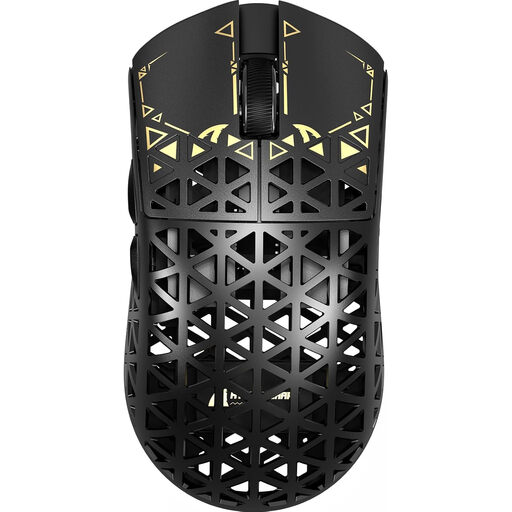 No image available
The different connection modes may suit you if you use gaming and work devices at the same desk.
39 g; PAW3950 MAX sensor; 2.4 GHz wireless, Bluetooth and wired USB mode.
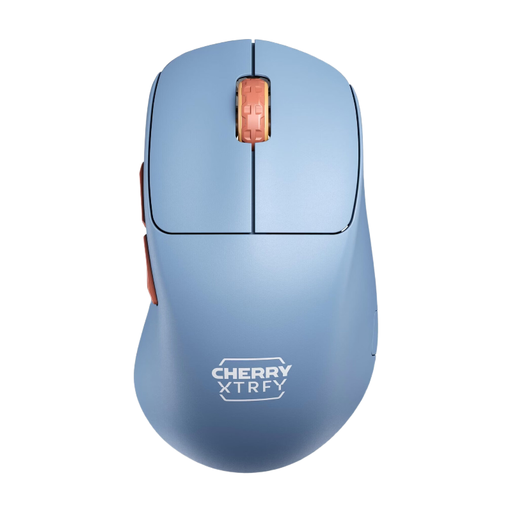 No image available
The right-handed shape and onboard settings are worth considering if you want to check the fit and configuration before buying.
53 g; Pixart 3395 sensor; 2.4 GHz wireless; CPI and polling rate settings on the mouse.
 No image available
With several connection options, this model could suit a desk used for both gaming and office devices.
63 g; PAW3311 sensor; up to 24,000 DPI; 2.4 GHz wireless, Bluetooth and USB-C mode; programmable buttons; charging dock.
 No image available
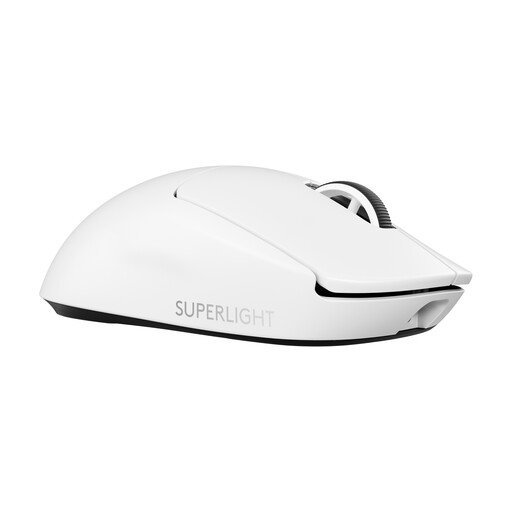
The wireless LIGHTSPEED connection is an option if you want freedom of movement without a cable while gaming.
60 g; HERO 2 sensor; 2.4 GHz LIGHTSPEED; five buttons; 8,000 Hz polling rate; USB-C charging.
Start with your grip and the shape. Maximum figures alone don’t tell you whether you can move a mouse with control in your hand; independent performance data can then help you compare the specific model.
Set the sensitivity and button mapping to suit your needs. If you’re using a wireless mouse, check that you have the right receiver and that it’s charged. The settings available vary by model.
The German Consumer Advice Centre distinguishes between your statutory rights against the seller and a voluntary manufacturer’s warranty. If a product is faulty, the first step may be repair or a replacement. Many online purchases are generally covered by a 14-day right to cancel; check the conditions and exceptions that apply to your specific purchase.
For certain electrical devices, the German Federal Network Agency lists CE marking, manufacturer details, instructions in German and a declaration of conformity among the points it checks as part of market surveillance. A shop listing alone doesn’t prove that a specific item meets these requirements.