Considerate night-time gamer
You play ranked matches while someone else in the room needs peace and quiet. For you, being able to check how loud the clicks are in your own room matters more than an especially high sensor spec.


If clicks might disturb the other person in your shared bedroom, start by checking how loud the mouse actually sounds in your room. Logitech G describes the PRO X2 SUPERSTRIKE’s HITS click as almost silent; this is a manufacturer’s claim, not an independent comparison of noise levels. If click noise matters less, focus on a shape that suits you, controlled movement and the right connection. High DPI or polling rates alone don’t prove a gaming advantage.
You play ranked matches while someone else in the room needs peace and quiet. For you, being able to check how loud the clicks are in your own room matters more than an especially high sensor spec.
You want controlled mouse movements and a shape that suits your hand and grip style. Click noise is less of a deciding factor for the person you share your room with.
You switch between devices or share your desk with others. The connection type, cable routing and usable profiles could all influence your choice.
In a shared bedroom, start by checking the click noise of the specific mouse and its buttons. Then consider how its fit, feel and connection suit the way you actually play and use your desk.
| Buying priority | What to check | Who it matters most to |
|---|---|---|
| Click noise | Listen to the main buttons, side buttons and scroll wheel in a quiet setting if possible; don’t treat a manufacturer’s claim as an independent measurement. | When I play while someone in the room needs peace and quiet, I want to hear how the buttons sound in that exact room. That’s why around 26% of consumers put quiet clicks first. |
| Control when moving the mouse | Check how the shape works with your grip and mouse mat; don’t assume that maximum DPI or polling rates mean better aim control. | What matters to me is being able to guide the mouse comfortably during both quick and controlled movements. Around 26% of consumers make control during tactical mouse movements their top buying priority. |
| Comfort during longer matches | Consider your hand size and preferred palm, claw or fingertip grip; try to assess the specific shape for yourself. | If my hand feels uncomfortable after longer matches, high sensor specs won’t help much. That’s why around 21% of consumers prioritise fit. |
| Connection at a shared desk | Check the available ports, the wireless connection you need, cable routing and the charging requirements of the specific model. | With limited space, I want a connection that works with my desk and devices. That’s why around 16% of consumers put connection type first. |
| Total cost and returns | Check the total price, what’s included and the returns policy before buying; distinguish your right to cancel from your rights if the goods are faulty. | I want to understand the total cost and the risk of choosing the wrong product before I decide. That’s why around 11% of consumers put cost first. |
For goods bought online from a trader, you generally have a 14-day right to cancel, starting from the day after delivery; exceptions and possible return costs apply. The European Union’s Your Europe website explains these terms. This is separate from your rights if the goods are faulty.
Noise claims apply only to the specific model and button they refer to. ASUS describes the optical switches in the ROG Keris II Ace as clicky; Logitech’s claim about the HITS click refers to a different technology.
Match each noise claim to the full model name and the specific button. Check the side buttons and scroll wheel too, rather than assuming a switch description tells you how loud the whole mouse is.
Maximum figures apply to specific models and may depend on certain connection modes or additional hardware. On their own, they don’t tell you whether the shape or movement control will suit you.
First, consider your grip, available movement space and the connection you’ll actually use. Compare maximum specs afterwards, if they’re relevant to how you play.
The CHERRY XTRFY M50 and M50 Wireless differ in features including their wired or multi-mode connections. The ASUS ROG Harpe Ace and Keris II Ace are different models too.
Before buying, check the full model name, connection type and what’s included against the specific product page.
The PRO X2 SUPERSTRIKE may suit buyers who want to explore the HITS click and its adjustment options. The PRO X SUPERLIGHT 2 is a different model with LIGHTFORCE hybrid switches.
The Viper V3 Pro is a wireless option with a symmetrical shape for buyers looking for a lightweight mouse for shooters.
The ROG Harpe Ace Aim Lab Edition is a lightweight mouse with several connection options; the ROG Keris II Ace is a different model.
The M50 Wireless is aimed at buyers who want a choice of connection types; the wired M50 is a different version.
The Aerox 3 Wireless is a wireless option for buyers who want to use their mouse with other devices too.
This selection includes gaming mice for competitive play, as well as models whose product descriptions highlight quiet clicks or flexible connections. Those descriptions don’t replace checking how the mouse sounds in your own room, or whether its shape and control suit ranked matches.
 No image available
For you if an ergonomically shaped wireless esports mouse suits your grip. The product description lists a weight of 64 g and a Focus Pro 30K sensor; those details alone don’t tell you how loud the clicks are or whether the mouse will fit you personally.
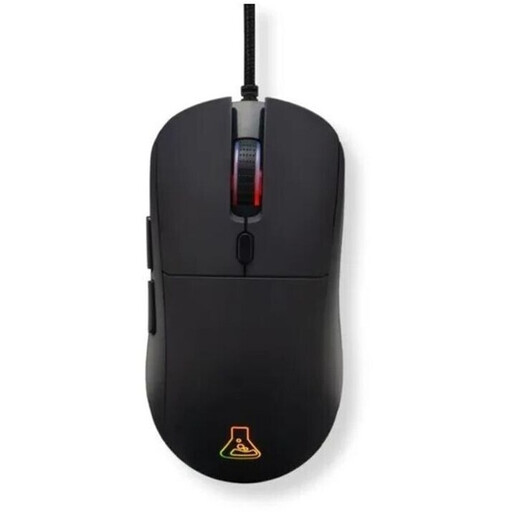 No image available
A wired gaming mouse may suit you if you can arrange the cable at your regular gaming spot. The product description lists RGB and 12,800 DPI; the maximum DPI figure alone doesn’t prove it will help you aim better.
 No image available
For you if you want to try a wireless gaming mouse with a HITS click. Logitech G describes this click as almost silent and says the actuation points and trigger reset can be adjusted. This is a manufacturer’s claim, not an independent noise measurement, and it doesn’t guarantee that the side buttons or scroll wheel will be quiet.
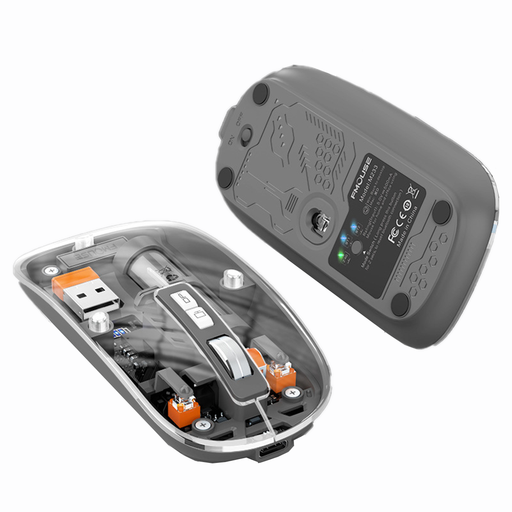 No image available
The product description calls this a wireless mouse and lists three modes, a rechargeable battery and silent clicks. The silent-click claim isn’t independent evidence of how loud the mouse will be in your bedroom; also check that its shape and control suit your ranked matches.
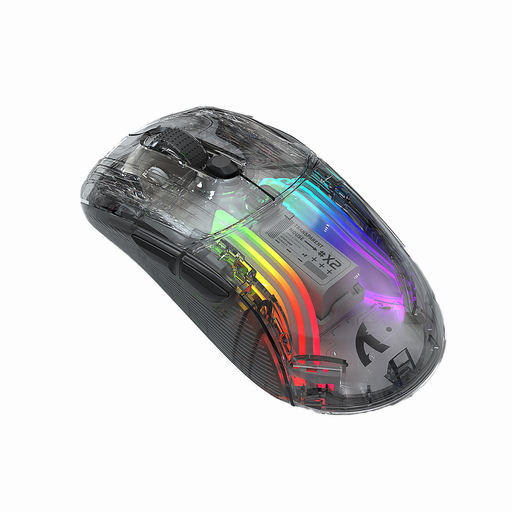 No image available
The product description lists three connection modes, a rechargeable battery and silent clicks. This claim doesn’t replace checking the noise level in your own room; the DPI figure alone also doesn’t tell you whether the mouse will suit your play style.
Not just because it promises silent clicks. CHERRY describes the GENTIX SILENT as an office mouse with quiet buttons and a 1,000 DPI sensor; that doesn’t mean it will meet your control needs in a match. Check which inputs and features you need for gaming.
For the PRO X2 SUPERSTRIKE, Logitech G describes settings for click haptics, actuation and reset in G HUB. Check that your chosen setting registers reliably and listen to how it sounds in your room; the manufacturer’s claim that it is ‘almost silent’ isn’t a measurement of every button and control.
For goods bought online from a trader, you generally have a 14-day right to cancel, starting from the day after delivery; exceptions and possible return costs apply. The European Union’s Your Europe website explains the right to cancel. This is separate from your statutory rights if goods are faulty; the Council of the European Union states that goods are covered by a minimum two-year guarantee. A voluntary manufacturer’s warranty is separate.
No. Under the German rules explained by the Federal Environment Agency, electrical equipment must be disposed of separately from household waste, for example at suitable collection or take-back points. If possible, remove any batteries and dispose of them separately first.