Considerate evening gamer
If you play beside someone who needs peace and quiet, buttons described as quiet may matter more than extra mouse buttons. CHERRY and Logitech highlight these features on specific models.


If you often click during a platform game and want to avoid disturbing someone who’s asleep, first check whether the main buttons on the specific model are explicitly described as quiet and whether it has enough buttons for your game. CHERRY highlights quiet buttons on the GENTIX SILENT; Logitech lists SilentTouch for the Signature M650, while HyperX specifies audible click feedback for the Pulsefire Haste 2. Extra gaming features alone don’t tell you how noisy a mouse is.
If you play beside someone who needs peace and quiet, buttons described as quiet may matter more than extra mouse buttons. CHERRY and Logitech highlight these features on specific models.
If you want to assign in-game actions to buttons you can reach easily, check that the specific model has enough suitable buttons. CHERRY lists three buttons and no thumb buttons for the GENTIX SILENT; HyperX lists six programmable buttons for the Pulsefire Haste 2.
If space is tight, weigh up wired or wireless operation, the connection you need and the power supply, as well as the fit. Logitech describes the Signature M650 as available in several sizes and the G305 as running on one AA battery.
First, work out which sounds and buttons matter for your game. Then check the fit and connection for your setup.
| What matters | What to check before buying | Who is this important to? |
|---|---|---|
| Click noise | Check model-specific details about the main buttons; assess the scroll wheel and other buttons separately. | If I play in the evening beside someone who’s asleep, I want to keep repeated clicks to a minimum. Around 33% of consumers prioritise quiet clicks. |
| In-game actions | List the mouse actions you need and compare them with the number of buttons and available assignment options. | If I want to trigger actions easily with my mouse, the buttons I need must be within reach and usable in the game. Around 27% of consumers put game controls first. |
| Fit | Consider your hand size, preferred hand and grip style; choose the right M650 variant. | If I use the mouse for repeated movements, it should suit my hand and grip style. Around 20% of consumers prioritise fit. |
| Connection and power | Check the USB connection, wireless receiver or Bluetooth, as well as the cable route and power supply. | If my desk is short on space, I want to plan for cables and the connections I need, rather than be caught out when setting up. Around 20% of consumers focus mainly on connection and power. |
A gaming mouse isn’t automatically quiet: HyperX specifically lists audible click feedback for the Pulsefire Haste 2, while CHERRY highlights quiet buttons on the GENTIX SILENT.
Compare the details for the specific model and assess the main buttons, scroll wheel and other buttons separately.
According to the manufacturer, the CHERRY GENTIX SILENT has three buttons and no thumb buttons. This could be limiting if you want to trigger extra in-game actions directly from your mouse.
Before buying, make a note of the actions you want to control with your mouse rather than your keyboard.
The Logitech G305 needs an AA battery; for the Signature M650, Logitech lists Bluetooth or a Logi Bolt receiver as connection options.
Check the connection method and power supply for the specific model.
The GENTIX SILENT is an everyday mouse described as quiet; the XTRFY range also includes gaming mice in a variety of shapes.
The Signature M650 is designed for productivity, while the G305 LIGHTSPEED is a wireless gaming mouse.
The wired Pulsefire Haste 2 is a gaming mouse with programmable buttons.
Razer describes the Cobra range as compact and the Basilisk range as feature-focused.
The Joybuy products below are gaming mice for wired or wireless setups. Check the click noise of the specific model separately.
 No image available
For a wireless gaming setup; the product name lists a weight of 54 g, a Focus Pro 35K sensor and 8000Hz HyperPolling.
 No image available
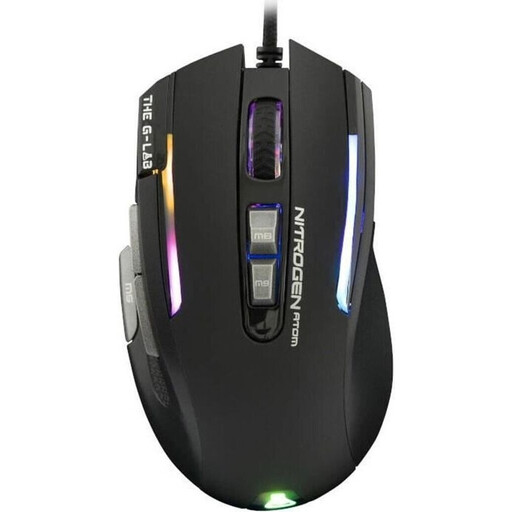
A wired gaming mouse if a cable suits your setup; the product name specifies 7200 DPI.
 No image available
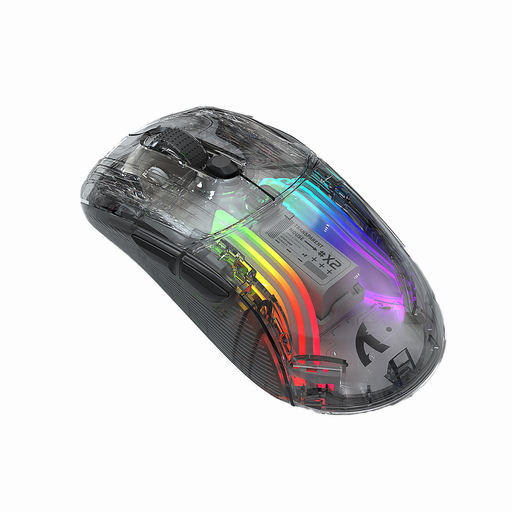
For wireless gaming or work; the product name lists three modes, a rechargeable battery, RGB lighting and quiet operation.
 No image available
For a setup where you want to choose between wired and wireless connections; the product name lists 12800 DPI and seven programmable buttons.
 No image available
For wireless gaming; the product name lists three connection types, five programmable buttons and a weight of 62 g.
No, not just because of the type of game. Check which actions you want to perform and assign to your mouse in the game you’re playing. A quiet three-button mouse may be enough; if you need extra button assignments, it will be more limiting than a model with programmable buttons.
First, check the connection: the CHERRY GENTIX SILENT needs USB-A; according to Logitech, the Signature M650 supports Bluetooth or a Logi Bolt receiver. Then test the button assignments in your game, and pay attention to the scroll wheel and side buttons during everyday use too.
The Logitech G305 runs on an AA battery. If you choose a wireless mouse, also check which receiver it needs and how you can replace it if it’s lost; a stated battery life can’t reliably predict how much power you’ll use.
When buying at a distance from a business seller, you generally have a 14-day right to cancel from the date of delivery; legal exceptions may apply. For faulty goods, you’re generally entitled to at least two years of statutory protection from the seller. Your Europe, the European Union’s consumer portal, distinguishes this statutory protection from a voluntary manufacturer’s guarantee.