Roommates who need peace and quiet
If someone sleeps in the same room or needs peace and quiet, focus on the noise made by the buttons you use most often. A mouse specifically described as quiet may offer fewer gaming buttons.


For support practice in a shared bedroom, first decide whether minimising noise or having lots of easily accessible functions matters more to you. If you want to assign plenty of commands to your mouse, check that you can comfortably reach the side buttons. If keeping things quiet is the priority, test the buttons you’ll actually use on the specific model, as a gaming mouse with lots of buttons isn’t necessarily quiet.
If someone sleeps in the same room or needs peace and quiet, focus on the noise made by the buttons you use most often. A mouse specifically described as quiet may offer fewer gaming buttons.
If you want to trigger several abilities directly with your thumb, consider how many side buttons you can comfortably reach with your grip and whether their layout suits your commands.
If you practise for long sessions or need a left-handed design, grip, handedness and thumb reach may matter more than the maximum number of buttons.
A good fit if: you want to assign lots of support abilities to individual mouse buttons and can reach the button panel easily.
The trade-off: Lots of buttons can take time to get used to, and their number says nothing about how loud the clicks are.
A good fit if: keeping noise to a minimum is your priority and you can still use the keyboard for most of your in-game commands.
The trade-off: According to CHERRY, the CHERRY GENTIX SILENT has three buttons and no thumb buttons.
A good fit if: you want to move some commands from the keyboard to the mouse but don’t need a large thumb grid.
The trade-off: You get fewer buttons for direct key bindings than with a 12-button side panel, and that doesn’t guarantee quieter operation.
| What matters | What to check when buying | Who it matters most to |
|---|---|---|
| Click noise | Check the main buttons, side buttons and scroll wheel on the specific model; don’t assume optical switches mean quiet clicks. | When I’m practising while someone in the room is trying to sleep, every frequent click matters to me. Around 34% of consumers put quietness first. |
| Direct ability key bindings | Count the commands you need and check that you can reach the side buttons comfortably. According to their manufacturers, the Razer Naga V3 Pro and SteelSeries Aerox 9 Wireless each have a 12-button side panel. | If I want to trigger lots of support abilities individually with my thumb, the layout is key. Around 33% of consumers prioritise having plenty of key bindings. |
| Grip and handedness | Check the handedness, grip and thumb reach for the specific design; consider a model explicitly made for left-handed users if needed. | During longer practice sessions, I want to be able to reach the buttons reliably with my grip. Around 20% of consumers prioritise a shape that suits their hand. |
| Connection and setup | Check the connection to your gaming device and the wireless mode available; for wireless models, also consider the receiver and power supply. | If I want to choose a wired or wireless connection to suit my gaming device and setup, an easy installation matters to me. Around 13% of consumers put connectivity first. |
Side buttons and the scroll wheel can also get plenty of use during support practice. A general description doesn’t prove that every input you use often is quiet.
Check the noise made by the buttons you’ll actually use regularly, rather than assuming that features of other models or switch types apply.
According to CHERRY, the CHERRY GENTIX SILENT has three buttons and no thumb buttons, while the SteelSeries Aerox 9 Wireless has a 12-button side panel.
First decide which abilities you need to assign to the mouse. Choose a mouse with fewer buttons only if you can still access the other commands easily on your keyboard.
Product variants can differ, and an abbreviated model name doesn’t always make it clear which version you’re looking at.
Before buying, check the full model and variant name on the product detail page against the mouse you want.
The Naga range is aimed at players comparing different side-button layouts for assigning lots of commands.
The Aerox 9 Wireless has a large side-button panel, while the Aerox 5 Wireless has fewer side controls.
The ambidextrous PRO 2 LIGHTSPEED has customisable magnetic side buttons, making it an option if a large MMO button grid isn’t your main priority.
The GENTIX SILENT is a quiet alternative to compare, while the separate XTRFY range includes gaming mice.
This Joybuy selection includes gaming mice with programmable buttons for support key bindings. The number of buttons doesn’t prove that a mouse is quiet; check the noise made by the specific model.
 No image available
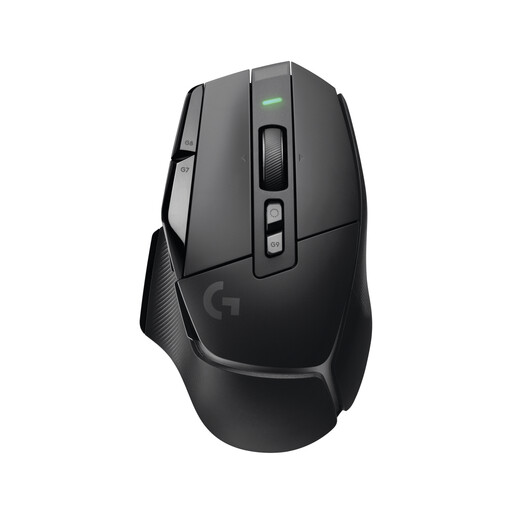
An option if you want to assign lots of support commands directly to your mouse.
19 programmable buttons; 2.4 GHz wireless and Bluetooth.
 No image available
An option if you want to trigger several in-game commands directly from your mouse.
13 programmable controls; according to the product description, the DPI button is reversible and removable.
 No image available
An option if you want to assign several abilities to your mouse and use a wired connection.
11 programmable buttons; 2.1 m USB cable.
 No image available
An option if you want to assign a few in-game commands directly and choose between different connection types.
Seven programmable buttons; Bluetooth, 2.4 GHz and USB-C are listed in the product name.
 No image available
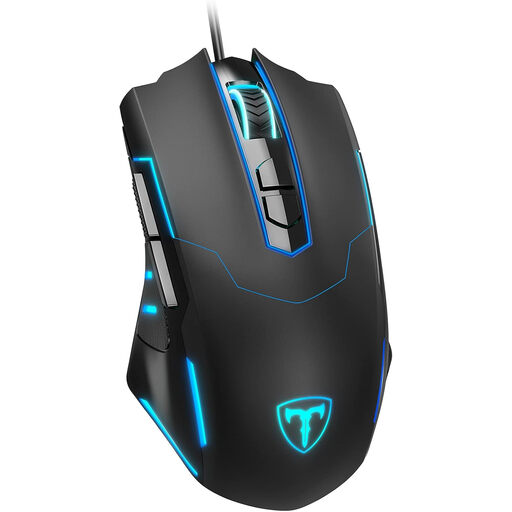
An option if you want to assign a few commands directly and prefer a wired mouse.
Seven programmable buttons; according to the product description, the side buttons are set to forward and back by default. The lighting can be switched off, according to the description.
First decide which abilities you want to reach directly with your thumb, then check the button layout and configuration software for the specific model. Razer says you can customise the Naga V3 Pro using Synapse; the total number of programmable controls doesn’t tell you how many you can reach comfortably.
No. Logitech G describes the LIGHTFORCE switches in the PRO 2 LIGHTSPEED as having a mechanical-feeling click. So pay attention to the noise made by the buttons you’ll use frequently in a shared room.
For online consumer purchases in Germany, you generally have a 14-day right of withdrawal. Check the terms of your specific purchase; your rights if a product is faulty are separate from any voluntary guarantee.
For its market surveillance, the German Federal Network Agency lists factors including the CE mark, product identification, manufacturer details and German instructions with any required warnings. Check the information for the specific product and listing rather than relying on a search result alone.