What to look for when buying
Start by checking the shape and grip, then consider the weight and connectivity for your desk. Finally, decide whether you really want to use mouse buttons for extra team commands.
| What matters to you |
What to check when buying |
Who it matters most to |
| Comfort for work and gaming |
Shape and dimensions; whether the buttons are easy to reach with your usual grip. |
If you use the same mouse for long periods at work and while gaming, it should feel comfortable in both situations. Around 26% of consumers put a good fit first. |
| Controlled aiming movements |
Weight and mouse feet; whether you can set the sensitivity to a level you can control. |
If you regularly make large movements in shooters, look for a feel that you can control easily. Around 26% of consumers prioritise aiming control. |
| Connectivity and room to move |
Cable routing or space for a wireless receiver; power supply and available ports. |
If a cable restricts your movement at a desk you use for both work and gaming, compare wireless models and their charging requirements. Around 21% of consumers prioritise connectivity and room to move. |
| Buttons for team commands |
Position of the buttons you need; support from the mouse software, game and chat app. |
If you want to use push-to-talk or frequent team commands, you should be able to reach the relevant buttons with your usual grip. Around 16% of consumers prioritise team commands that are easy to access. |
| Charging and extra effort |
Wired operation or battery; requirements and included accessories for the extra features you want. |
If you want to keep charging and extra effort to a minimum, check the power supply and what you’ll need for the features you’ve chosen. Around 11% of consumers put this first. |
Joybuy products for shooters and your desk
These models include lightweight wired and wireless options, as well as mice with extra inputs for your PC setup.
 No image available
Razer Viper V3 Pro Wireless Esports Gaming Mouse
A lightweight wireless option if you don’t want a cable running across your desk while you aim.
Razer gives this model a weight of 54 g and says it has a second-generation Focus Pro sensor.
View at Joybuy
 No image available
HyperX Pulsefire Haste 2 Wired Gaming Mouse
A wired option if you’d rather not charge your mouse and can route the cable neatly at your dedicated PC setup.
HyperX gives the wired Pulsefire Haste 2 a weight of 53 g. Check the exact version in the listing: the wireless version is a different model.
View at Joybuy
 No image available
Logitech G PRO X2 SUPERSTRIKE LIGHTSPEED
A wireless gaming mouse for anyone who wants to keep cables off their desk.
Logitech G describes adjustable actuation and reset points for the main buttons on the PRO X2 SUPERSTRIKE. Check whether this level of customisation suits the way you play.
View at Joybuy
 No image available
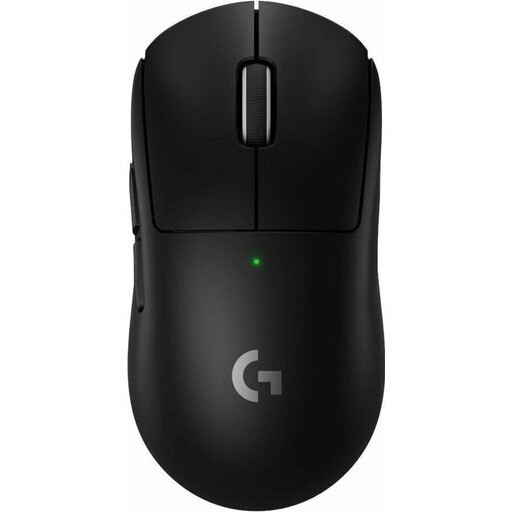
Logitech G PRO X SUPERLIGHT 2 LIGHTSPEED
A lightweight wireless option if weight and freedom of movement without a cable are important to you.
Logitech G gives the PRO X SUPERLIGHT 2 a weight of 60 g.
View at Joybuy
 No image available
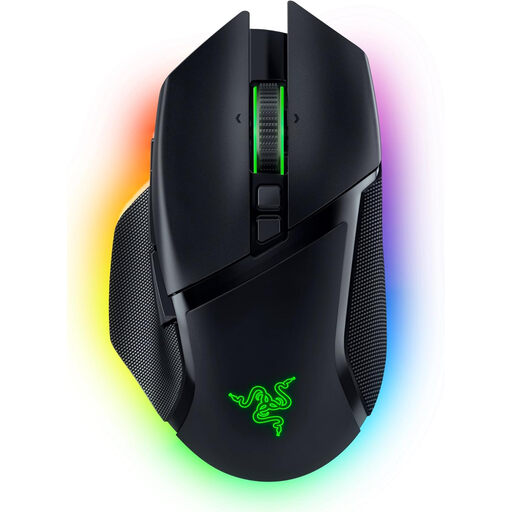
Razer Basilisk V3 Pro Adjustable Wireless Gaming Mouse
A wireless option if extra programmable inputs matter more to you than an especially lightweight design.
Razer lists 11 programmable buttons and a weight of 112 g without the cable. Check that the buttons suit your grip and that your game or chat app supports the shortcuts you want to assign.
View at Joybuy
Frequently asked questions
How do I set up a mouse button for push-to-talk?
First, check whether the mouse software lets you assign the button you want, then set up the command in your chat app. Discord explains how to configure keybinds in its desktop app; you’ll need a compatible version of Discord and the app you’re using. Having an extra mouse button alone doesn’t guarantee that you can assign it as needed.
Do I always need replaceable batteries for a wireless mouse?
No, it depends on the model. According to HyperX, the Pulsefire Haste 2 Wireless can be charged using a cable. Check the power supply and what’s included with the specific model. The German Environment Agency also recommends checking whether batteries are replaceable and whether spare parts are available.
What are my rights in Germany if a mouse I bought online doesn’t fit or is faulty?
According to the Verbraucherzentrale, online purchases generally come with a 14-day right to cancel; check the applicable deadlines and exceptions in each case. If a product is faulty, statutory rights against the seller are separate from a voluntary manufacturer’s or retailer’s guarantee.
Can I put an old mouse or a removable battery in household waste?
No. The German Environment Agency says that waste electrical equipment, batteries and rechargeable batteries should be collected separately. If a battery can be removed easily, it should be taken out and handed in separately when you return the device.
Does all mouse software work with every operating system?
Don’t assume so: HyperX currently lists Windows as the operating system for NGENUITY. If you need software for team commands or profiles, check that it supports your operating system and exact mouse model. This doesn’t tell you whether software from other brands will work.


