Players with limited mouse space
If your keyboard or monitor limits how far you can move your mouse, measure the space that’s actually available. Razer recommends considering DPI, surface and play style together when choosing a mouse pad.


First, measure the space you have to move your mouse, then choose one that suits your grip. A high maximum DPI won’t solve a lack of space. A wireless mouse keeps your movement area clear, while a wired one doesn’t need a battery – what matters most is fit, sensitivity and the route your cable will take.
If your keyboard or monitor limits how far you can move your mouse, measure the space that’s actually available. Razer recommends considering DPI, surface and play style together when choosing a mouse pad.
If you frequently lift your mouse or guide it with your fingers or in a claw grip, compare its width and side contours rather than focusing on weight alone.
If a cable crosses your limited mouse space, or you want to use your mouse with several devices, compare the connection type, receiver space and charging requirements of the specific model.
First, measure the space you have to move your mouse. Then check the grip and cable route, and only after that decide which sensitivity settings you really need.
| What matters | What to check before buying | Who it matters most to |
|---|---|---|
| Space to move your mouse | Measure the usable area, including space to lift and reposition your mouse; check that your pad and sensitivity settings suit it. | If my mouse hits the keyboard or edge of the desk, I want to know how much usable space I actually have first. Around 29% of consumers put clear movement space first. |
| Fit and grip | Compare the width, length and side shape; consider how easy it is to grip the mouse when lifting it repeatedly. | If I guide my mouse with my fingers or use a claw grip, I want its contours to feel secure in my hand. Around 23% of consumers prioritise a suitable grip shape. |
| Cable and connection | Check the cable route or space for a wireless receiver, and compare the connection options on the exact model. | If a cable crosses my limited movement area, I want to keep it clear; others prefer not to rely on a battery. Around 18% of consumers say the connection or cable is their main concern. |
| Training settings | Check which CPI/DPI settings you can save or switch between, and whether you need software to do so. | If I want to keep my training sessions consistent, I want to track my sensitivity settings and restore them when needed. Around 18% of consumers prioritise customisable settings. |
| Charging and aftercare | For wireless mice, check the charging port and where you’ll charge it. When buying online, check the seller’s returns policy and terms for faulty goods. | If I want to avoid the hassle of charging or returning a mouse that doesn’t fit, I check these terms before ordering. Around 12% of consumers prioritise power or aftercare. |
A high maximum figure from the manufacturer doesn’t prove that a setting will suit the space you have, or that it will improve your training.
First, measure your available movement space. Then test which sensitivity lets you make controlled turns and adjustments in-game.
A low weight doesn’t tell you whether the width and side shape will suit your hand. COMPUTER BILD notes that a slightly cramped hand position is a drawback of the CHERRY XTRFY M50 Wireless.
Compare the dimensions and contours and, if possible, try your usual grip and lift the mouse repeatedly.
A cable can cross your mouse space; a wireless mouse needs room for its receiver and charging.
Before choosing, map out your movement area and plan where the cable will run, or where you’ll place the receiver and charge the mouse.
The OP1 8k v2 is a slim, wired option to compare if you can route its cable neatly across your desk.
The PRO X SUPERLIGHT 2 is worth considering if a cable would get in the way in your limited movement area.
The Viper V3 Pro is a wireless, FPS-focused option if you want to adjust the sensitivity.
The M50 Wireless is an option if you want to use different connection types as well as train for shooters.
The Harpe Ace Aim Lab Edition is a lightweight wireless option if you’re interested in Aim Lab-related setting features.
The U2 is a medium-sized wireless alternative if you use a claw grip and want to adjust settings without relying on drivers.
This selection includes wireless and wired mice. On a small desk, the right choice depends on whether you’d rather keep the cable route clear or avoid charging breaks.
 No image available
If you want to keep a cable out of your movement area and are looking for an ergonomic right-handed shape, check whether this wireless model fits your hand.
64 g; five DPI profiles; USB charging.
 No image available
A wireless option if you want to keep your mouse space clear and use programmable buttons; remember to charge it regularly.
54 g; six programmable buttons; onboard memory; USB-C charging.
 No image available
If you want to avoid charging breaks and can route a cable neatly across your desk, compare the symmetrical shape with your grip.
Approx. 52–53 g; symmetrical shape; 1,8-m cable; six buttons; sensor up to 26.000 DPI.
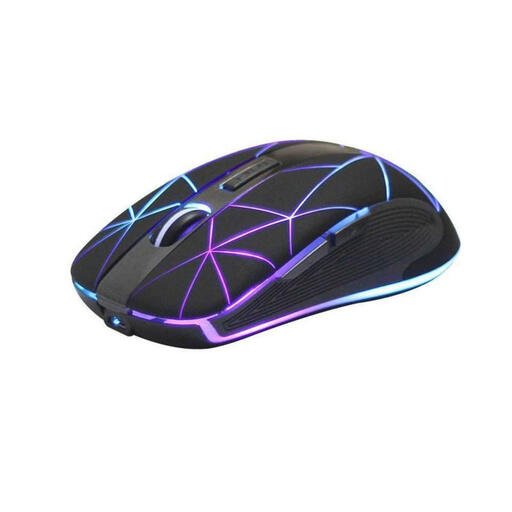 No image available
If you’re looking for a wireless mouse with five buttons, check that its shape and available sensitivity settings suit you before using it for aim training.
Rechargeable; USB charging; ergonomic shape according to the product description.
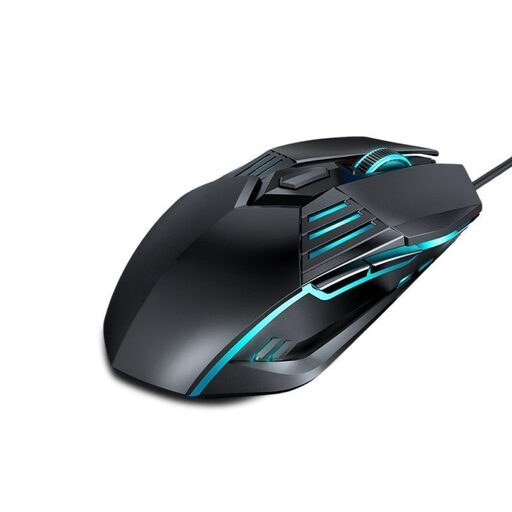 No image available
If you’re looking for a wired mouse with switchable sensitivity levels, plan its cable route on your small desk.
DPI settings: 1.200, 1.800, 2.400 and 3.600.
No. What matters is whether you can aim and turn with control within your available mouse space, using your chosen mouse and in-game sensitivity. The maximum CPI/DPI figure shows the available setting range; it doesn’t tell you which setting is right for every training session.
First, make room for the receiver and charging. If the mouse offers several connection types, check the instructions for the exact model to see which mode is active; wireless, Bluetooth and wired operation use different connections.
Keep the surface you use your mouse on clean and check whether parts of your specific model can be replaced. Endgame Gear lists replaceable main switches and two sets of mouse feet for the OP1 8k v2. The German Environment Agency advises that old electrical mice must not be put in household waste; easily removable batteries should be returned separately.
For a standard online purchase from a business seller, Your Europe, the EU’s information portal, generally gives a 14-day cancellation period from delivery; exceptions and possible return costs may apply. If goods are faulty, you’re entitled to a legal guarantee from the seller for at least two years. This is separate from any voluntary manufacturer’s warranty.