Players with limited mouse space
If you build at a small desk, you need a mouse you can control comfortably with your usual grip in the space available. A small desk area doesn’t automatically mean you need a small mouse.


For a small mouse area, the shortest mouse isn’t automatically the right choice. What matters is your grip and having enough room to move. The German Federal Institute for Occupational Safety and Health recommends a mouse that isn’t too large and is as flat as possible for computer work. Then choose between wireless for an uncluttered cable-free space, a wired mouse with no batteries to manage, or extra programmable buttons – depending on what suits your device and game.
If you build at a small desk, you need a mouse you can control comfortably with your usual grip in the space available. A small desk area doesn’t automatically mean you need a small mouse.
If you regularly perform the same actions, check whether you can assign them to easy-to-reach mouse buttons and whether your game supports the key bindings you want.
If a cable could get in the way on your desk, consider wireless and weigh up whether charging or changing batteries fits your routine better.
First, check that the shape and available movement space suit your hand. Then consider the cable route, button customisation and the power supply for the specific mouse.
| What matters when buying | What to check before buying | Who it matters to |
|---|---|---|
| Shape and room to move | Check the clear space next to your keyboard, as well as the mouse shape and how it fits your grip. | When I’m building at a small desk, the mouse needs to suit my grip and leave enough room to move. Around 31% of consumers put shape and room to move first. |
| Unrestricted mouse movement | Check the cable route or connection type, and the ports on your device. | If the cable could catch on other things, I want to be able to move the mouse freely. Around 25% of consumers prioritise uninterrupted mouse movement for this reason. |
| Easy-to-reach buttons | Check the number of buttons on the specific model and the key-binding options in your game. | For frequent building actions, I want buttons I can reach without changing my grip and assign in the game. Around 25% of consumers see button customisation as a priority. |
| Power supply | Check whether the specific model is rechargeable or needs replaceable batteries. | If I want to play wirelessly, I need to know whether charging or changing batteries fits my routine better. Around 19% of consumers give the ongoing upkeep the most weight. |
Razer lists the Orochi V2 as weighing under 60 g without a battery. When comparing weights, check whether the figures refer to the mouse with or without a battery.
Check the power supply for the specific model and what is included in its stated weight.
DPI alone doesn’t tell you whether a mouse will feel comfortable to use in the space you have. Extra buttons are only useful if you can reach them with your usual grip and your game supports the key bindings.
Start with shape, available space and grip; then check the buttons against the building actions you perform regularly.
A wireless receiver and Bluetooth are different connection types. Power supplies also vary: the Orochi V2 uses a battery, while HyperX says the Pulsefire Haste 2 Mini Wireless can be charged and used at the same time via cable.
Check the connection type, available ports and charging or battery setup for the specific model.
The Orochi V2 is a compact wireless option if you’re considering a shorter mouse shape and wireless use.
The Pulsefire Haste 2 Mini Wireless is a smaller wireless option, while the Pulsefire Haste 2 offers a wired alternative.
The Aerox 5 Wireless is worth considering if you’re looking for several customisable buttons.
The G305 LIGHTSPEED is a wireless mouse powered by an AA battery, making it an option if you’d rather change batteries than charge regularly.
The ROG Harpe Ace Aim Lab Edition is another wireless option if you want to compare shapes and connection options.
This selection includes wireless gaming mice with different connection options and button configurations. For each model, check that the connection suits your device and that the buttons are easy to reach and useful in your game.
 No image available
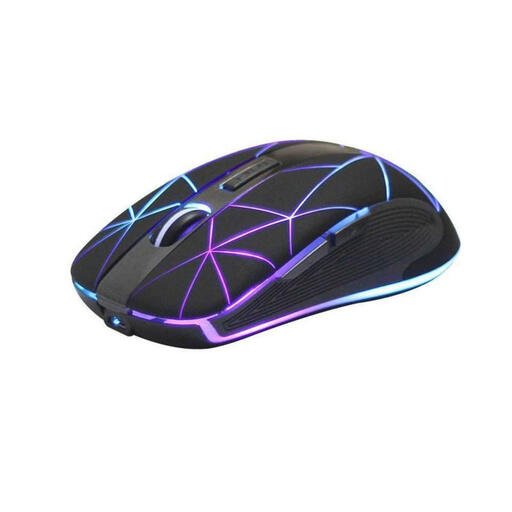
Wireless use and five buttons could suit you if you want to assign frequently used in-game actions to mouse buttons.
Five buttons; rechargeable battery; USB charging.
 No image available
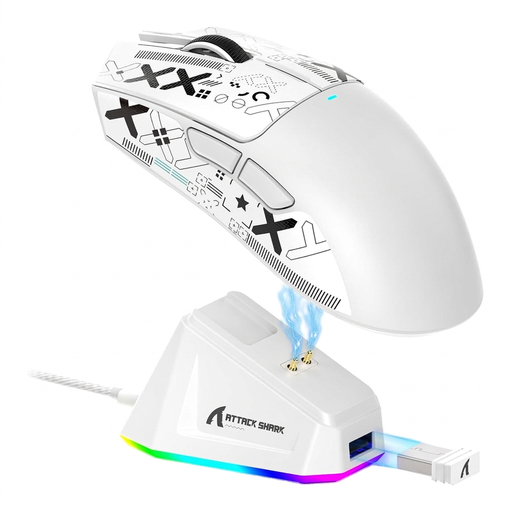
Wireless connectivity and five programmable buttons could suit you if you want to keep your desk free of cables and assign in-game actions to buttons.
62 g; tri-mode connection; PAW3311 sensor; 22,000 DPI; RGB charging dock; grip tape included; Matte White.
 No image available
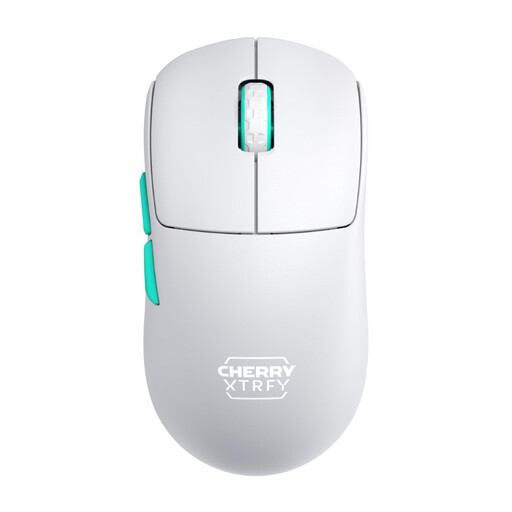
The listed 2.4 GHz wireless connection keeps the cable off your desk.
53 g; symmetrical design with a low front; rechargeable; 2.4 GHz wireless; white.
 No image available
Six buttons and customisable key bindings could suit frequent building actions. The product description says the shape is designed for medium to large hands.
63 g; Bluetooth, 2.4 GHz wireless and USB-C; six buttons; charging dock.
 No image available
Seven programmable buttons and several connection options could suit you if you want to assign building actions and choose a connection that works with your device.
67 g; Bluetooth, 2.4 GHz wireless and USB-C; PAW3311 sensor; 12,000 DPI; 8 kHz; seven programmable buttons; 400 mAh battery.
No. What matters is having enough clear space to move and a shape you can control comfortably with your usual grip. A compact design is worth comparing, but it doesn’t guarantee a good fit for you.
First check which inputs your game allows, then assign regularly used actions to mouse buttons you can reach easily. The available configurations depend on the game and the software for your chosen model.
Check whether you can connect a wireless receiver or would rather use Bluetooth, and whether the mouse is rechargeable or needs replaceable batteries. The Razer Orochi V2 uses a battery; HyperX says the Pulsefire Haste 2 Mini Wireless can still be used while charging via cable.
For online purchases in Germany, you generally have a 14-day right to cancel from the day you receive the goods; exceptions and the terms of the specific contract apply. Verbraucherzentrale distinguishes this from the statutory warranty for faulty goods, which is the seller’s responsibility and doesn’t automatically apply to the manufacturer.
No. The German Federal Ministry for the Environment says that old electrical equipment should be taken to authorised take-back or collection points, and used batteries must be returned separately. Consumers can drop off batteries from old devices free of charge at retailers or municipal collection points.