Start by choosing a shape you can control with your grip in the desk space you actually have; a high DPI setting won’t make up for a poor fit. For push-to-talk, you need a button that’s easy to reach and can be mapped, as well as the right setup in your voice app. If a cable gets in the way, a wireless mouse frees up space but you’ll need to consider its power supply and where to plug in a receiver, if required. You’ll still need a microphone and voice app for voice chat.
Who this selection is for
Players with limited mouse space
If you’re aiming on a cramped desk, the mouse shape and grip should suit your hand. A compact body or interchangeable back shells may be worth considering, though neither guarantees a perfect fit. PC Games Hardware’s guide highlights ergonomics as an important buying consideration; Razer describes the Cobra as compact, while CHERRY lists two interchangeable back shells for the M42V2.
Teams using push-to-talk
If you want to speak or mute yourself during practice, check that you can comfortably reach the button you want and assign it in your voice app. Discord Support notes that Discord keybinds are only available in the desktop app; Razer lists push-to-talk as an example of a button mapping for the Basilisk V3.
Players who want to avoid a cable getting in the way
If a cable gets in the way on your small desk, wireless can free up room to move. You’ll also need to consider power and connectivity. SteelSeries and Logitech G list different connectivity and battery features for their respective wireless models.
What to look for when buying
Start with your grip and the desk space available, then check button mapping and connectivity. A talk button is no substitute for a microphone or voice app.
| Consideration |
What to check |
Who it matters to |
| Fit and room to move |
Compare the shape of the specific model with your available desk space, grip and button reach. |
If I play in a tight space, I need a mouse I can move with control using my grip. Around 36% of consumers put fit and room to move first. |
| Button for team chat |
Check the button’s position with your grip and test its mapping in your voice app and game. |
If I want to use push-to-talk or mute, the button needs to be easy to reach and mustn’t conflict with an in-game action. Around 29% of consumers prioritise a button for team chat. |
| Cable management or wireless |
For a wired mouse, check how the cable will run across your desk; for a wireless model, compare the connectivity and power supply for the exact model. |
If the cable gets in the way when I move, I want to keep my desk clear and know how the wireless mouse connects and gets its power. Around 21% of consumers focus mainly on wireless use. |
| Ease of use |
Check whether the button mapping you want requires software, and what connectivity or power supply the mouse uses. |
If I want to practise without a complicated setup, I need to know what configuration is required and whether charging or changing batteries will fit into my routine. Around 14% of consumers prioritise ease of use and ongoing costs. |
Common buying mistakes
-
Confusing a high DPI setting with a mouse shape that fits
A high sensor resolution won’t fix a shape that doesn’t suit you or buttons that are awkwardly placed.
First check your grip, available room to move and button reach; then adjust the sensitivity to suit your game.
-
Assuming a programmable button will make voice chat work straight away
The button triggers an input, but it doesn’t transmit your voice. You’ll need to set up push-to-talk in your voice app.
Test the button you want to use with your microphone, voice app and game. You’ll need the desktop app for Discord keybinds.
You’ll also need a microphone for voice chat, and you must set up your chosen button mapping in the app and game.
-
Focusing only on the lack of a cable with a wireless mouse
Wireless keeps the mouse cable out of the way, but power and connectivity are still things to consider.
Check the connectivity, charging or battery requirements, and what’s included with the specific model.
Depending on the model, you may need to charge it regularly or use a USB port for a receiver.
Key brands at a glance
CHERRY XTRFY
The M42V2 is a wired option to consider if you’re looking for a symmetrical shape with an adjustable back.
- CHERRY lists a weight of 45 g, two interchangeable back shells and plug-and-play operation for the M42V2.
- The back shells don’t guarantee a comfortable grip, and you’ll need to manage the cable on a small desk.
Razer
The Cobra is a compact wired mouse for right-handed users. The Basilisk V3 is an alternative if extra button mappings matter to you.
- Razer describes the Cobra as compact and wired. For the Basilisk V3, the manufacturer lists 10+1 programmable buttons, with push-to-talk and ping as examples of possible mappings.
- Check the shape and button reach of each model individually; extra buttons can’t make up for a poor fit or limited room to move.
SteelSeries
The Aerox 3 Wireless is an option to consider if the mouse cable gets in the way on your desk.
- SteelSeries lists a weight of 68 g, 2.4 GHz wireless and Bluetooth for the Aerox 3 Wireless.
- Consider the power requirements of this exact model variant; weight and battery life details can’t be assumed to apply to other Aerox versions.
Logitech G
The PRO X SUPERLIGHT 2c is a compact wireless option for buyers who like its shape and grip.
- Logitech G lists a weight of 51 g and battery life of up to 95 hours for the 2c.
- These are manufacturer figures for the PRO X SUPERLIGHT 2c, not measurements from this article or details for the differently named SUPERLIGHT 2.
BenQ ZOWIE
The EC3-CW is an example of a compact, asymmetrical wireless shape for right-handed users.
- BenQ lists size S, a weight of 76 g and plug-and-play operation for the EC3-CW.
- BenQ marks this model as discontinued, so don’t assume it’s currently available to buy.
Joybuy products for small desks
This selection includes wireless mice to keep the cable out of the way, as well as wired models with extra button mappings and a compact wired mouse.
 No image available
AJAZZ AJ159 APEX
For a cable-free desk and extra button mappings: the description lists a symmetrical shape for small to medium-sized hands and software-based remapping.
Wireless, Bluetooth and USB-C wired modes; magnetic charging dock included.
View at Joybuy
 No image available
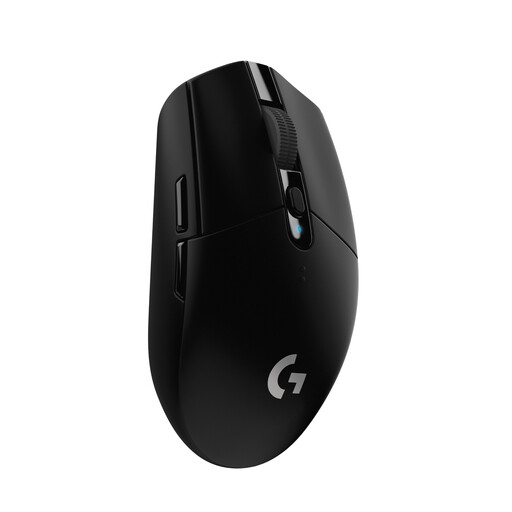
Logitech G G305 LIGHTSPEED
For a cable-free desk and extra assignable buttons; check that the receiver and battery power suit your setup.
LIGHTSPEED wireless with an integrated USB nano receiver and six programmable buttons. The product details list one AA battery and up to 250 hours of use.
View at Joybuy
 No image available
Logitech G G502 HERO
For buyers who want to map multiple game and communication inputs to their mouse; route the cable so it doesn’t get in the way on a small desk.
The product description lists 11 programmable buttons, an adjustable weight system, Logitech G HUB and a 2.1 m USB cable.
View at Joybuy
 No image available
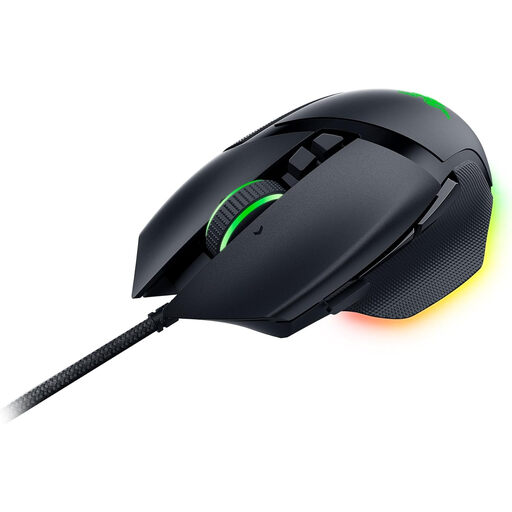
Razer Basilisk V3
For extra game or communication inputs, provided you can comfortably reach the buttons with your grip; the cable needs a suitable route across your desk.
The product description lists 11 programmable buttons, a right-handed shape with a thumb rest and a USB Type-A cable.
View at Joybuy
 No image available
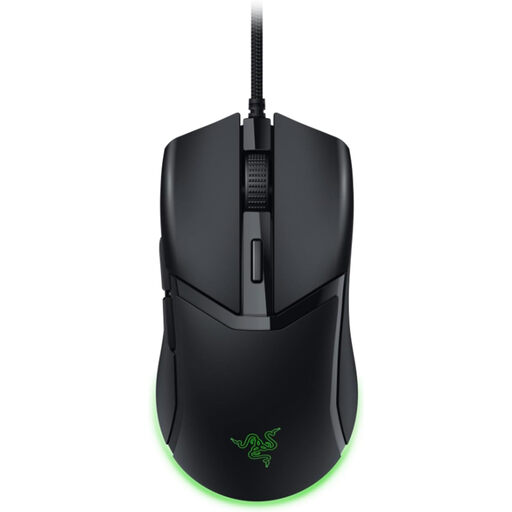
Razer Cobra
This compact wired mouse may suit a cramped desk; check that the right-handed shape and cable route work for your setup.
The product description lists a USB connection and a Speedflex cable.
View at Joybuy
Frequently asked questions
Can the mouse transmit my voice during team practice?
No. The mouse triggers an input; you’ll need a microphone and a suitable app to transmit your voice. Discord Support distinguishes between voice activity and push-to-talk.
How do I set up push-to-talk in Discord?
In the Discord desktop app, assign a button to push-to-talk under Keybinds, then check that it doesn’t conflict with an in-game action. Discord Support notes that this keybind feature isn’t available in the browser or mobile app.
Do I need to charge a wireless mouse?
That depends on the model and its power supply. Check the exact variant to see whether it uses a rechargeable battery or disposable batteries, how it connects and what’s included.
What rights apply when shopping online in Germany?
For qualifying distance purchases from a business seller, you generally have a 14-day right to cancel from the date of delivery, subject to legal exceptions. Your Europe also explains that faulty goods are generally covered by a statutory guarantee of at least two years against the seller; this is different from a voluntary manufacturer’s warranty.
What should I know about markings and disposal?
The Bundesnetzagentur explains that products covered by relevant EU harmonisation rules must carry the CE marking; the marking alone is not an independent product test. Don’t put an old mouse in your household rubbish. The German Environment Agency recommends removing batteries where possible and disposing of them separately.


