Players with limited mouse space
If you have little room to move your mouse on your small desk, look for a wireless connection and a shape that you can move comfortably within that space. A compact mouse won’t necessarily suit every hand.


When building a zoo at a small desk, choose a mouse that suits your hand and the space you have available; a wireless model keeps your desk clear. Then check that the scroll wheel, accessible buttons and connection options suit the controls in the specific game you play. A larger body or extra controls may take up more desk space, and manufacturer claims don’t prove that you’ll build faster.
If you have little room to move your mouse on your small desk, look for a wireless connection and a shape that you can move comfortably within that space. A compact mouse won’t necessarily suit every hand.
If you often switch between the camera, selecting items and placing them while building, an easy-to-reach scroll wheel and customisable buttons matter more than the highest possible DPI. For example, a Planet Zoo controls guide in the Steam Community describes using the scroll wheel for camera actions; other games may use different controls.
If you play for longer periods, check that the shape and grip suit your hand, and choose a power option with a charging or battery-replacement routine that works for you.
First, measure the space available for your mouse and compare it with the model’s shape and range of movement. Then check the game controls you actually need, along with the receiver, connections and power supply.
| What matters | What to look for when buying | Who will find it most important |
|---|---|---|
| Freedom of movement | Check the space available for the mouse, the shape of its body and the connection type; a receiver or charging dock may also need room. | If there’s barely enough room to move my mouse on my small desk, I want to use the space without a cable getting in the way. Around 36% of consumers put freedom of movement in a small space first. |
| Scroll wheel and buttons | Try the wheel click and scrolling, and check how easy extra buttons are to reach; make sure your game lets you assign controls to them. | If I often switch between the camera, selecting items and placing them while building a zoo, I want key controls to be easy to reach. Around 29% of consumers prioritise building controls. |
| Fit in your hand | Compare the shape and dimensions with your hand and grip; don’t choose based on weight or compact size alone. | During longer sessions, I want to be able to hold the mouse securely, even if the smallest model doesn’t suit my hand. Around 21% of consumers put hand comfort first. |
| Power supply | Check the battery type, charging options and whether you can use the mouse while it’s charging; also allow for the space taken up by charging accessories. | If I want to avoid an unexpected interruption, a battery-replacement or charging routine that suits me is important. Around 14% of consumers prioritise power and ongoing costs. |
Having limited desk space doesn’t tell you whether you’ll be able to use the mouse comfortably for long periods.
Compare its shape with your hand, try the grip and buttons, and measure the space you have to move it around.
Battery-life claims can vary depending on the battery type, rechargeable battery and wireless mode, so they aren’t necessarily directly comparable.
Check the power supply and the conditions stated for each model, and decide whether you’d rather charge it or replace the batteries.
A technical specification doesn’t prove that a mouse will give you an advantage in the game you play.
Check how the buttons are actually assigned, and whether you can comfortably reach and use any extra functions.
The G305 is a 2.4 GHz mouse with a USB receiver and an AA battery, for players who don’t mind replacing batteries.
The compact Orochi V2 offers Bluetooth and 2.4 GHz wireless connectivity, making it an option for desks with limited space.
The Aerox 3 Wireless combines 2.4 GHz wireless and Bluetooth in a lightweight, perforated body.
The SKILLER SGM50W uses 2.4 GHz wireless and lets you keep playing over a cable while it charges.
This selection includes wireless mice that keep your movement area clear, including models with programmable buttons, several connectivity options or specialist scroll-wheel features.
 No image available
A wireless option with programmable buttons if you want extra game controls within easy reach.
64 g; right-handed shape; five programmable buttons; 2.4 GHz wireless.
 No image available
A wireless option for limited movement space if you want to use programmable buttons.
54 g; six programmable buttons; 2.4 GHz wireless; USB-C charging.
 No image available
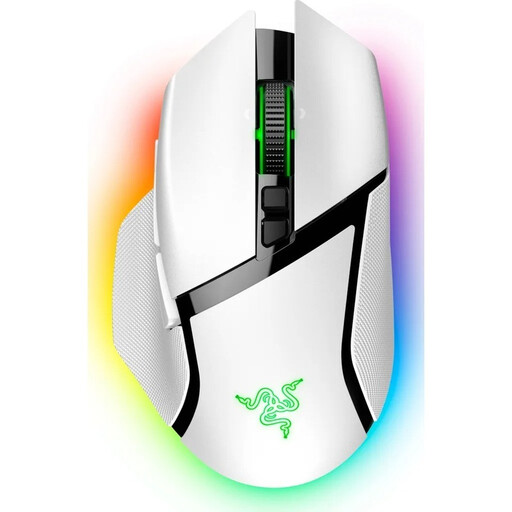
A wireless option for frequent navigation if you want to use different scrolling modes and assignable buttons.
2.4 GHz wireless, Bluetooth and USB-C; eleven programmable buttons; HyperScroll wheel with free-spin and tactile modes.
 No image available
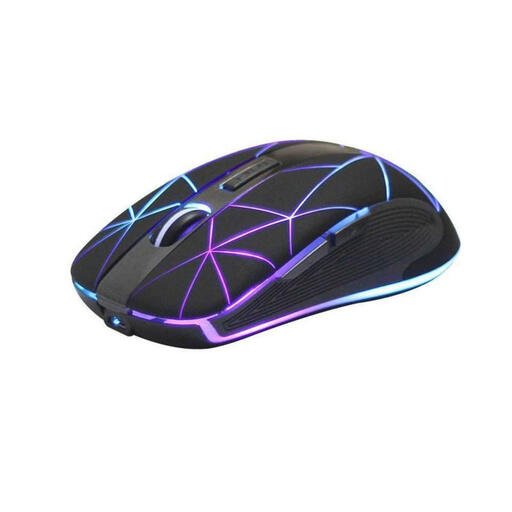
A rechargeable wireless mouse with five buttons if you want extra controls and a cable-free desk.
Five buttons; USB charging; ergonomic shape according to the product description.
 No image available
A wireless option with several connection types and assignable buttons; the charging dock takes up extra desk space.
62 g; 2.4 GHz wireless, Bluetooth and USB-C; five programmable buttons; RGB charging dock.
There’s no specific minimum DPI requirement for zoo-building games. First, check that you can control pointer movement, scrolling and placing items comfortably within the space available for your mouse; a high advertised maximum resolution doesn’t prove that you can.
It depends on the model: according to the manufacturer, the Logitech G305 uses a USB wireless receiver, while the Razer Orochi V2 offers Bluetooth or 2.4 GHz wireless. Check your computer’s connections and what’s included with the version you choose.
According to the manufacturer, you can do this with the Sharkoon SKILLER SGM50W using the USB cable supplied. This doesn’t apply to battery-powered models such as the Logitech G305.
Check the battery type used by the specific model. The German Environment Agency says that in Germany, used batteries must be collected separately from unsorted household waste and recycled.
In Germany, consumers generally have a right to cancel a distance contract; the Verbraucherzentrale (German Consumer Advice Centre) states that the period is generally 14 days. Check when the period starts and whether any legal exceptions apply to your contract. The right to cancel is separate from claims relating to a faulty product.