What should you look for when buying?
First, measure the usable mouse space next to your keyboard. Then consider which individual commands you actually want to trigger directly from the mouse.
| Consideration |
What should you look for? |
Who is this important for? |
| Room to move |
Check the shape of the mouse and the space available to move it. If it’s wired, allow for the cable route too. |
If my keyboard and the edge of the desk limit my movement, I want to know whether the mouse, my grip and the cable route will all fit. Around 36% of consumers put available movement space first. |
| Access to commands |
Check that you can reach the buttons you want reliably and that the assignments comply with your game’s rules. |
If I want to trigger frequent individual commands directly from the mouse, reliable access matters most to me. Around 29% of consumers prioritise direct access to commands. |
| Fit |
Try the grip and side buttons with your own hand; a low weight alone doesn’t mean the shape will suit you. |
If I want to hold the mouse securely during longer sessions and reach the side buttons without changing my grip, fit is essential. Around 21% of consumers put it first. |
| Connection and charging |
Check the connection type, space for the receiver and charging requirements. Find out whether the charging accessories you want are included. |
If I want to keep cables to a minimum on a small desk and plan for charging or a receiver, I compare the connection types. Around 14% of consumers prioritise the practicalities of connecting their mouse. |
Joybuy products for ranked games at a small desk
This selection includes wireless gaming mice for a cable-free movement area, including models with programmable buttons.
 No image available
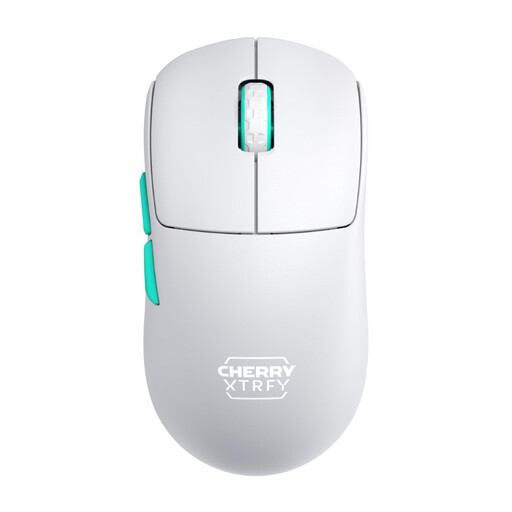
CHERRY XTRFY M68 Wireless, 2.4 GHz, 53 g, White
For shoppers looking for a cable-free movement area and a symmetrical mouse shape. Joybuy lists 2.4 GHz wireless and a weight of 53 g; the product name describes the design as symmetrical, with a low front.
View at Joybuy
 No image available
Razer Naga V2 HyperSpeed, 19 programmable buttons
For shoppers who want to assign several individual commands directly to the mouse. Joybuy lists 19 programmable buttons, along with 2.4 GHz wireless and Bluetooth; the product description lists an AA battery as the power source. Check that you can reach the buttons and that your game’s rules allow automated input sequences.
View at Joybuy
 No image available
AJAZZ AJ200 AI MC Wireless Gaming Mouse
For shoppers considering a cable-free movement area and a choice of connection options. Joybuy lists a weight of 63 g and BT, 2.4 GHz and USB-C; the product name also mentions a charging dock.
View at Joybuy
 No image available
AULA SC620 Wireless, 7 programmable buttons, 67 g
For shoppers who want to trigger a few individual commands directly from the mouse and choose from several connection options. Joybuy lists seven programmable buttons, a weight of 67 g, and BT5.0, 2.4 GHz and USB-C.
View at Joybuy
 No image available
AJAZZ AJ159 APEX Wireless Gaming Mouse, charging dock set
For shoppers considering a symmetrical shape and magnetic charging dock. The product title describes the shape as symmetrical and suitable for small to medium-sized hands, and lists a PAW3950 sensor and tri-mode connectivity. Check that the shape suits your grip.
View at Joybuy
Frequently asked questions
How do I set up a gaming mouse at a small desk?
Measure the free space next to your keyboard and check that you can reach the buttons you need while holding the mouse. If it’s wired, plan the cable route; if it’s wireless, allow for the receiver and charging. A low weight alone doesn’t mean the shape will suit your hand.
Are more programmable buttons automatically better for ranked games?
No, more buttons aren’t automatically the better choice. PC-WELT reported accidental inputs with the G502 HERO (19 April 2026) and noted that the Aerox 9 takes time to get used to (10 January 2024). What matters is whether you can reach the buttons you need reliably.
Are macros allowed in every ranked game?
There’s no universal answer without checking the rules of the specific game or competition. Check the rules before using automated input sequences; programmable mouse buttons don’t automatically mean every assignment is allowed.
What are your rights when buying a mouse online in Germany?
For eligible online purchases from a trader, you generally have a 14-day right to cancel, starting from delivery; Your Europe, the European Union’s consumer portal, gives the delivery date as the start of the period. Faulty goods are covered by a legal guarantee from the seller for at least two years. This is separate from any voluntary manufacturer’s warranty.


