What should you look for when buying?
First, measure the clear space beside your keyboard and check where a cable or wireless receiver could go. Then compare the mouse’s dimensions and shape with your grip. Extra buttons and scrolling modes matter most if you’ll actually use them in your games.
The Federal Institute for Occupational Safety and Health highlights the need for enough room for a mouse, keyboard and support for your hand and arm. The checks below apply this advice to a small desk.
| What matters |
What to check before buying |
Who is it important to? |
| Space and cable routing |
Measure the usable space beside your keyboard and compare it with the mouse’s dimensions. Check where a cable or wireless receiver could go. |
If there’s hardly any room beside my keyboard, I want to keep space to move and avoid an annoying cable. That’s why around 40% of consumers put having a clear area for their mouse first. |
| Fit for your hand |
Compare the mouse’s length, width and height with one you know. Check that there’s enough room for your hand and forearm. |
If I’m clicking for a long time, I want a mouse that suits my hand and grip, even if a larger body takes up more desk space. Around 30% of consumers prioritise how well a mouse fits their hand. |
| Controls and scrolling |
Count the buttons you’d actually like to customise, then check how easy they are to reach and whether you’ll need specific software. |
If I want quicker access to recurring game commands or different scrolling modes, I’ll check that the features suit the way I play. Around 20% of consumers prioritise the controls. |
| Power and ongoing costs |
Check the connection, wireless receiver and battery or charging method. If you’re choosing a wired model, consider how the cable will run, too. |
If I want to avoid replacing or charging batteries as much as possible, I still need to make room for the cable if I choose a wired model. Around 10% of consumers put ease of use and ongoing costs first. |
Joybuy products for small desks
The Joybuy products below are wireless gaming mice. Check the dimensions and how well each mouse fits your hand. With the AJAZZ, you’ll also need to allow extra room for its charging dock.
 Image unavailable
Razer DeathAdder V3 Pro Wireless (White)
The wireless connection keeps the mouse cable out of the way. Check that the right-handed shape suits your grip and that a 128 mm-long mouse will fit on your desk.
Product details list a weight of 64 g and dimensions of 68 × 128 × 44 mm. Five DPI profiles and dedicated DPI buttons are also listed.
View at Joybuy
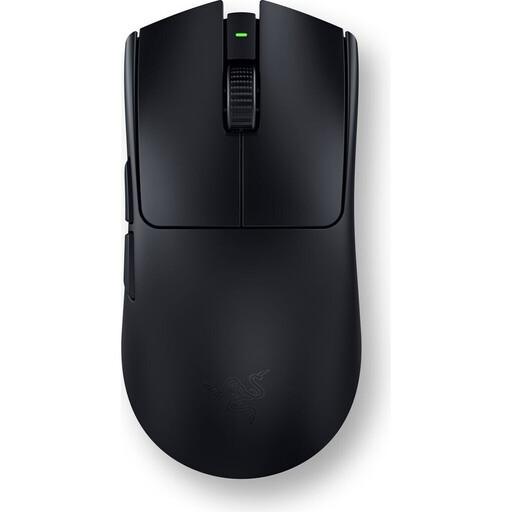 Image unavailable
Razer Viper V3 Pro (Black)
If you want to play wirelessly and assign commands you use often, the product details list a symmetrical shape and six programmable buttons.
The stated weight is 54 g, and the dimensions are listed as 12,7 × 6,4 cm. Check that the shape and button positions suit your hand.
View at Joybuy
 Image unavailable
AJAZZ AJ159 APEX with magnetic charging dock
If you want to switch between wireless connections, the product description lists 2.4 GHz wireless, Bluetooth and USB-C.
The description notes a symmetrical shape for small to medium-sized hands and customisable button assignments. The included charging dock takes up extra space on your desk.
View at Joybuy
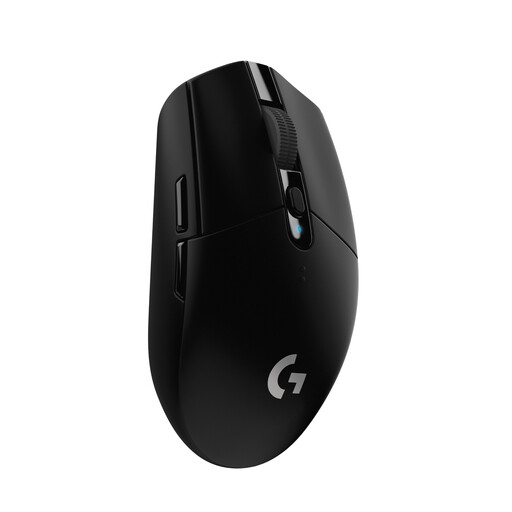 Image unavailable
Logitech G G305 LIGHTSPEED (German packaging)
The wireless connection keeps the mouse cable out of the way. Before buying, compare the listed dimensions with the space available on your desk.
Logitech lists dimensions of 116,6 × 62,15 × 38,2 mm. The mouse weighs 99 g with an AA battery and has six programmable buttons and a USB nano receiver.
The AA battery needs replacing when necessary and must be disposed of separately.
View at Joybuy
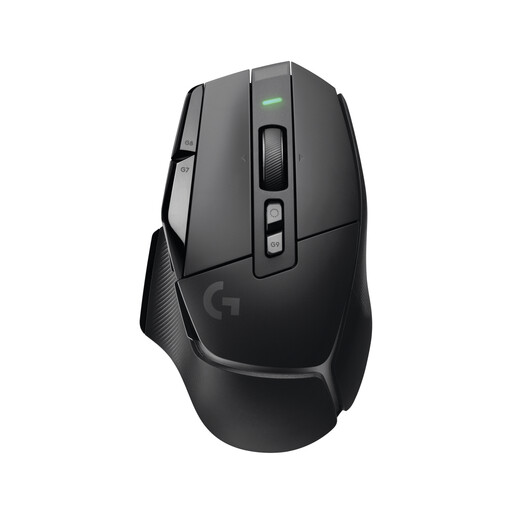 Image unavailable
Logitech G G502 X LIGHTSPEED
If you want wireless use alongside several customisable controls, this model is listed as having 13 programmable controls.
According to the product details, the scroll wheel has two modes: Hyperspeed free-spin and precise ratcheting. Check that the shape and controls suit your hand and the space available.
View at Joybuy
Frequently asked questions
Do I need the highest possible DPI for a gaming mouse on a small desk?
A high maximum DPI setting alone doesn’t mean a mouse will suit your desk or grip better. First check how much room you have to move and how well the mouse fits your hand. Also make sure you can adjust the pointer speed to suit you.
How do I set up the mouse if I want to reassign buttons?
Check which software works with the specific model and your operating system before relying on advanced button assignments. Logitech lists G HUB for advanced G305 settings, Corsair iCUE for more complex KATAR PRO XT macros, and Razer Synapse for Basilisk V3 features.
How should I dispose of a used mouse and its battery?
In Germany, electrical waste must be collected separately and not put in household rubbish. If you can remove the battery easily, take it out before handing in the mouse and dispose of it separately at a battery collection point.
What happens if the mouse develops a fault after you buy it?
When you buy from a trader in the EU, you generally have a statutory guarantee claim against the seller for at least two years from the date you receive the goods. This is separate from any additional manufacturer’s warranty. The remedy available depends on the fault and the relevant legal requirements.
Can I return a mouse bought online?
For a distance purchase from a trader, you generally have 14 days from delivery to cancel the contract. Check the cancellation information and return costs. These distance-selling rules don’t apply in the same way to private sales.


