Gamers with limited mouse space
You need to fit your mouse and keyboard close together, while still leaving enough room for a comfortable hand position and movement.


First, choose a mouse that fits your hand and lets you reach the scroll wheel, middle button and right button comfortably. SEGA describes using these buttons to control the camera in Two Point Hospital, while the German Federal Institute for Occupational Safety and Health recommends considering your mouse, hand and arm support together. A wireless mouse keeps its cable out of your way, while a wired mouse doesn’t need a battery or wireless receiver.
You need to fit your mouse and keyboard close together, while still leaving enough room for a comfortable hand position and movement.
You often use right-click, middle-click and click-and-drag, so you’ll want to consider how easy these controls are to reach.
You want to assess the mouse’s shape and how you hold it before choosing based solely on low weight or a high sensor rating.
| Consideration | What to check | Who it matters to most |
|---|---|---|
| Space and cable management | Check the available space beside your keyboard against the mouse’s dimensions. For wireless models, make sure the USB receiver or Bluetooth connection is compatible with your device. | When there’s little room beside the keyboard, I want to fit both mouse movement and hand support into the available space. Around 36% of consumers put available movement space first. |
| Camera and object controls | For Two Point Hospital, SEGA describes rotating the camera by holding down the middle mouse button and moving it by holding down the right mouse button. Check that you can reach these buttons comfortably. | If I’m moving the camera and clicking and dragging frequently, I want to use the middle and right buttons with confidence. Around 29% of consumers prioritise the basic controls used in the game. |
| Hand fit and posture | Check the shape and grip against your hand, and see whether you can rest your hand and forearm comfortably on the desk. | If I’m playing for longer, I want a mouse that fits my hand rather than focusing only on low weight. Around 21% of consumers prioritise fit and posture. |
| Power | For wireless models, check the battery type or charging options. For wired models, consider the cable route and whether you have a spare USB port. | With a wireless mouse, I want to know whether I’ll need to charge it or replace the battery. With a wired model, the cable’s route matters. Around 14% of consumers prioritise power and ongoing costs. |
A smaller mouse won’t automatically give you a comfortable hand and arm position. The German Federal Institute for Occupational Safety and Health recommends considering your mouse, hand support and available desk space together.
Choose a shape that suits your hand and check how much room you’ll have for movement and support beside the keyboard.
A weight quoted without a battery isn’t directly comparable with one that includes it. Logitech lists the G305 at 75 g without a battery and 99 g with an AA battery; Razer’s stated weight of under 60 g for the Orochi V2 is explicitly without a battery.
Check whether the quoted weight includes a battery or cable, and consider how the mouse is powered.
A high maximum DPI rating doesn’t mean the buttons you need for camera and object controls will be easier to reach.
First, check the grip and shape, and find a pointer speed that suits you. Compare maximum DPI only if you actually need it.
Wireless models need a compatible connection and a power source. A wired mouse, on the other hand, needs a suitable cable route across your desk.
Before choosing, consider whether a cable or the need to charge or replace a battery would be more of a nuisance on your desk.
The G305 LIGHTSPEED is a wireless model with an AA battery; the G203 LIGHTSYNC is a wired alternative with six buttons.
The Orochi V2 is aimed at shoppers looking for a compact wireless gaming mouse with Bluetooth and 2.4 GHz wireless connectivity.
The Pulsefire Haste 2 Mini Wireless is a smaller, rechargeable wireless model.
The KATAR PRO XT is a compact wired option with a symmetrical shape.
The Rival 3 Gen 2 is a wired gaming mouse to compare with compact alternatives.
The Joybuy products below include wired and wireless gaming mice, with a range of button, connection and power options for smaller desks.
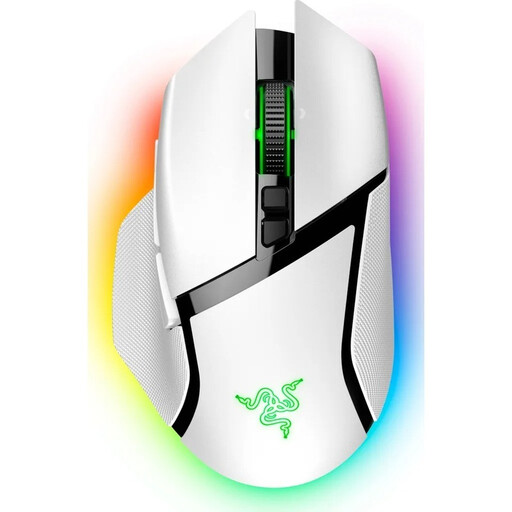 No image available
If you want to avoid a mouse cable and assign functions to extra buttons, the product description lists a wireless connection and 11 programmable buttons.
Bluetooth and wireless connectivity; scroll wheel with tilt and free-spin modes; USB-C wired operation. The stated right-handed shape measures 75,4 × 130 × 42,5 mm – check that it will fit on your desk.
 No image available
If you prefer a wired mouse with a symmetrical shape, the product description lists six buttons and a USB cable.
Weighs approximately 52–53 g without the cable; the cable is listed as 1,8 m long. Allow for the cable route across your desk.
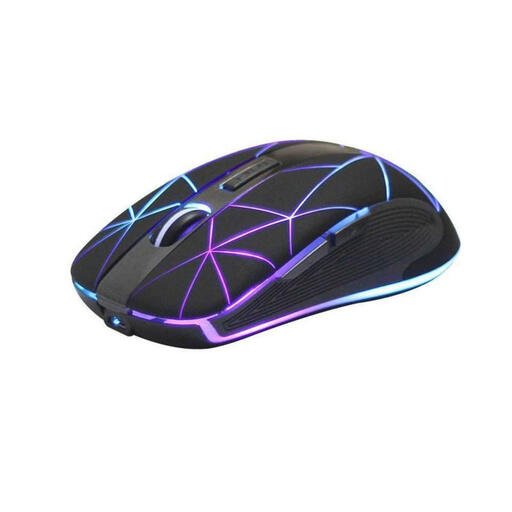 No image available
If you’re looking for a wireless mouse with five buttons for gaming and work, the product title lists both uses.
Rechargeable via USB; optical mouse.
 No image available
If you want wireless connectivity and programmable buttons, the product description lists five programmable buttons.
2.4 GHz wireless, Bluetooth and USB-C; 62 g; magnetic RGB charging dock and included grip tape.
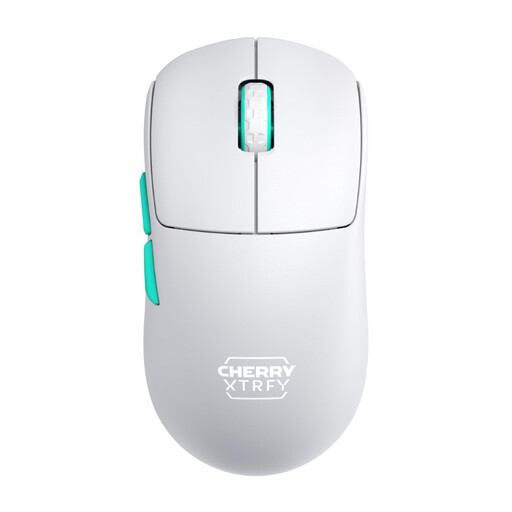 No image available
If you want to keep the mouse cable out of your way, the product description lists a 2.4 GHz wireless connection.
Symmetrical shape; 53 g; rechargeable and usable while charging. The primary configuration has three buttons.
Not necessarily. SEGA describes rotating the camera by holding down the middle mouse button, moving the camera by holding down the right mouse button, and clicking and dragging objects. First, check whether you can use these basic controls comfortably with your grip; extra buttons can be useful too.
Check that your device supports the mouse’s connection method. The Logitech G305 needs a spare USB port for its wireless receiver; according to their manufacturers, the Razer Orochi V2 and HyperX Pulsefire Haste 2 Mini Wireless both offer 2.4 GHz wireless and Bluetooth.
Check the battery type for your specific model and replace it when needed. The German Environment Agency advises against putting used batteries and rechargeable batteries in household waste. Instead, use collection points at retailers or local authority collection points.
For online purchases from a trader, you generally have a 14-day right to cancel, starting from delivery; exceptions and conditions apply. According to Your Europe, faulty goods also come with statutory rights against the seller, including at least two years’ protection under EU law from the date you receive the goods. An additional manufacturer’s guarantee doesn’t replace these rights.