What should you consider when buying?
First, check whether the specific game supports mouse controls and how much space you have available. Then compare wired and wireless options, as well as the effort involved in powering and setting them up.
The percentages below relate to consumers choosing a gaming mouse for platform games on a small desk. Each person’s most important buying consideration is shown.
| Consideration |
What to look for |
Who is it particularly important to? |
| Shape and handling |
Check the available mouse space, the dimensions of the version you’re considering and its grip. |
If you play in a confined space, the mouse needs to suit your hand and grip. Around 36% of consumers therefore prioritise size and fit. |
| Freedom from cables |
Check the receiver connection, where you can position the receiver and the power source. |
If a cable gets in the way on your small desk, having clear space for your mouse is essential. Around 29% of consumers therefore prioritise wireless gaming. |
| Controls that suit your game |
Check whether the game supports a mouse and which actions you need and can assign to buttons. |
If you want certain inputs to be easy to reach, the control options in your specific game matter more than any single sensor rating. Around 21% of consumers prioritise having the right controls. |
| Ease of use |
Compare the battery type or rechargeable battery, conditions affecting battery life and what’s included. |
If you want to minimise battery changes or charging, weigh up the power source against the space a cable takes up. Around 14% of consumers prioritise ease of use. |
Joybuy products
This Joybuy selection includes wired and wireless mice for gaming, some of which are also suitable for other uses. Compare the connection type, shape and details of the specific version with the space you have available.
 No image available
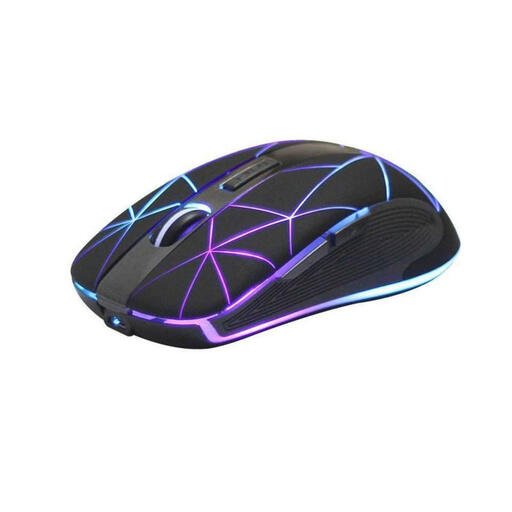
RM200 wireless optical mouse
If you want to avoid having a mouse cable across your desk, a wireless model could be a good option.
The product name lists five buttons, a rechargeable battery and USB charging. The description says it’s suitable for work and gaming.
Joybuy
 No image available
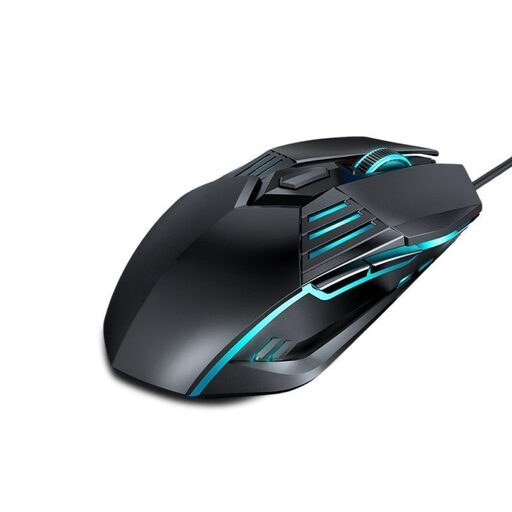
G560 wired gaming mouse
If you prefer a wired gaming mouse, you’ll need to allow for the cable on your small desk.
The product name lists lighting and a DPI switch. The description specifies four sensitivity levels.
Joybuy
 No image available
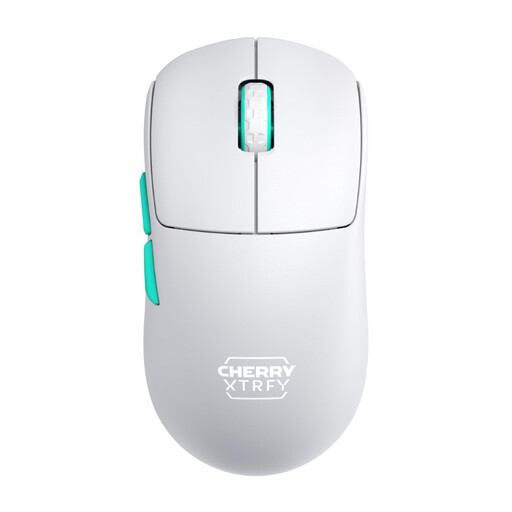
CHERRY XTRFY M68 Wireless
If you want to use a mouse without a cable across your desk, the product name specifies 2.4 GHz wireless connectivity.
The product name lists a weight of 53 g, a symmetrical shape, a rechargeable battery and a white finish. A USB-A port is specified for the 2.4 GHz receiver, so check that you have one available.
Joybuy
 No image available
AJAZZ AJ200 AI MC
If you want to switch between wired and wireless connections, the product name lists USB-C, 2.4 GHz and Bluetooth as options.
The product name lists a weight of 63 g, a PAW3311 sensor and a charging dock. The description says the shape is designed for medium to large hands.
Joybuy
 No image available
AJAZZ AJ159 APEX
If you’re looking for a symmetrical shape for small to medium-sized hands, the product name identifies these hand sizes as its intended use.
The product name lists a weight of 56 g and three connection options: 2.4 GHz, Bluetooth and USB-C. It also lists a magnetic charging dock.
Joybuy
Frequently asked questions
Is the highest possible DPI essential for platform games?
No, not on its own. First, check whether the specific game supports mouse controls and whether the grip and available space work for you. Adjustable sensitivity can help you fine-tune the mouse, but it won’t determine the button layout you need for an unspecified game.
What should I consider when using a wireless mouse on a small desk?
Check the receiver connection and the power source for the specific model. Logitech says the G305 uses an AA battery; CHERRY says the CHERRY XTRFY M50 Wireless can connect via 2.4 GHz, Bluetooth or cable. These connection options don’t automatically apply to every wireless mouse.
How should I dispose of a mouse with a battery in Germany?
Dispose of electrical and electronic equipment separately from household waste. If possible, remove the batteries before disposal and take them to a separate collection point. Separate collection of old electrical and electronic equipment is required under § 10 ElektroG; the Federal Environment Agency explains how to dispose of removable batteries separately.
What are my rights when buying a mouse online in Germany?
When you buy online as a consumer, you generally have the right to cancel your order, usually within 14 days of receiving the goods, as explained by the Verbraucherzentrale. If a product is faulty, your statutory rights are against the seller and are separate from any voluntary guarantee. Check the terms of your specific purchase.


