Gamers with limited mouse space
When your keyboard and other items share a small desk, having room to move your mouse matters. A compact mouse could be a good option, but it still needs to suit your hand and grip.


For detective games on a small desk, a compact mouse with adjustable sensitivity is often a better choice than a model whose main appeal is its high performance figures. What matters is the room you have to move it and a comfortable grip. Choose wireless if a cable gets in the way on your limited desk space, or wired if you want to avoid charging and can manage the cable neatly. A high maximum DPI and extra buttons aren’t essential in themselves.
When your keyboard and other items share a small desk, having room to move your mouse matters. A compact mouse could be a good option, but it still needs to suit your hand and grip.
If you examine clues and navigate menus, you’ll want to adjust the pointer sensitivity and position of the buttons to suit the way you use your mouse.
If you prefer a clear space for your mouse on a small desk, you can choose a wireless model, bearing in mind that you’ll need to charge it and connect via a receiver or Bluetooth.
| What matters | What to check before buying | Who it matters to |
|---|---|---|
| Movement space and mouse size | Measure the space available for your mouse and compare it with the mouse’s dimensions. Also check whether you can adjust the sensitivity. | When my keyboard and other items restrict how far I can move my mouse, I want to know exactly how much usable space I have. Around 31% of consumers put available movement space first. |
| Pointer control and buttons | Look for adjustable sensitivity settings and check where the extra buttons are positioned. Make sure any required software works with your system. | When examining clues and navigating menus, I want good control over the pointer and easy access to important commands. Around 25% of consumers prioritise click control. |
| Fit for your hand | Check the mouse’s width, thumb rest and button positions against your hand and grip. The word “Mini” doesn’t guarantee a good fit. | When clicking repeatedly, I want a shape that feels comfortable in my hand, rather than choosing a mouse based on its small size alone. Around 25% of consumers prioritise hand comfort. |
| Cable and power | Compare connection options, the ports required and how you’ll charge the mouse. For wired models, check whether you can route the cable neatly. | On a cramped desk, I don’t want a cable in the way, and I’m happy to charge the mouse instead. Around 19% of consumers put going cable-free first. |
A smaller mouse can save space on a small desk, but that doesn’t tell you whether its shape and grip will suit your hand or whether you’ll have enough room to move it.
Compare the available space with the mouse’s dimensions and, if possible, try out its shape before deciding to keep it.
Names such as HyperX Pulsefire Haste 2 and Haste 2 Mini Wireless, or Razer Cobra and Cobra Pro, don’t necessarily mean the models have the same connectivity or features.
Check the full model name and connection type on the specific product page.
Wireless models need a power source, and battery life claims depend on the manufacturer’s stated conditions.
Check the charging port, whether you can use the mouse while it’s charging and the conditions behind the battery life claim. Depending on the model, you may need to take a break to charge it or replace its battery or batteries later.
Logitech G says the G705 is a wireless gaming mouse designed for smaller hands.
The wired Cobra is a compact option if you can route the cable neatly across your desk.
The Pulsefire Haste 2 Mini Wireless is a more compact wireless option in the Pulsefire Haste 2 range.
According to CHERRY, the M8 Wireless is a symmetrical 2.4 GHz wireless mouse with a low-profile front.
The wired ROG Keris is a right-handed option if programmable buttons matter more to you than going cable-free.
This selection includes both wireless and wired gaming mice. For a small desk, the key considerations are available movement space, pointer control and how you’ll manage the cable or charging for each model.
 No image available
The product description says its symmetrical shape is designed for small to medium-sized hands. Check whether it suits your grip.
The description lists 2.4 GHz wireless, Bluetooth and USB-C, as well as a set with a magnetic charging dock.
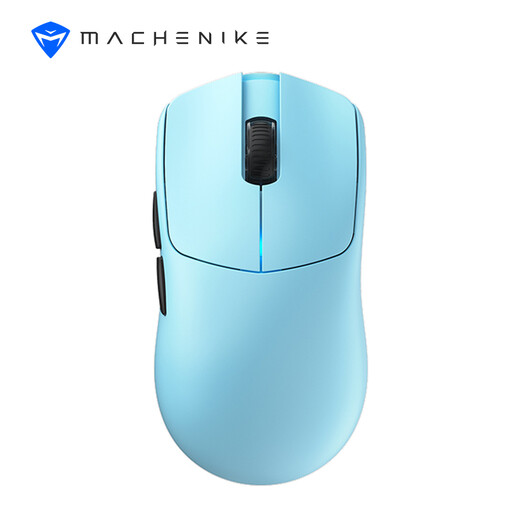 No image available
If you want to try different pointer speeds in a confined space, the description lists several DPI settings to choose from.
Listed specifications include a weight of 49 g, a length of 122 mm and six DPI settings up to 26,000 DPI. Connection options include 2.4 GHz wireless, Bluetooth and USB-C.
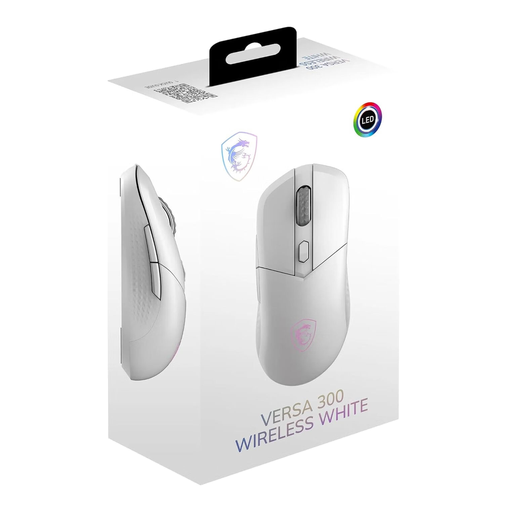 No image available
Described as a right-handed mouse, this could be a good fit if its shape and button positions are comfortable and easy for you to reach.
The description lists a weight of 60 g, eight DPI settings from 400 to 8,000, and 2.4 GHz wireless, Bluetooth and USB-C wired connectivity.
 No image available
The wired version means you won’t need to plan around charging, but you’ll need to route the cable neatly on a small desk.
The description lists a weight of around 53 g without the cable, six buttons, DPI presets and a 1.8 m USB cable. HyperX NGENUITY is listed for custom settings.
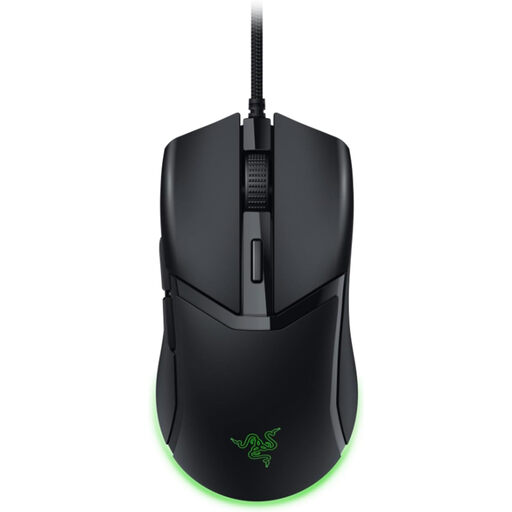 No image available
If you want to avoid charging and can route the cable neatly across your desk, this wired version could be a good option.
The description lists a compact shape and sensitivity settings in 50-DPI increments.
No, not just because of the genre. What matters more is whether you can adjust the sensitivity to suit the space available for your mouse and the way you like the pointer to move. For example, Razer lists 50-DPI increments for the Cobra; that doesn’t mean there’s one setting that works for every game or every player.
Before buying, check which connections your computer supports and where you can place the receiver or cable. HyperX lists a 2.4 GHz receiver and Bluetooth for the Pulsefire Haste 2 Mini Wireless. According to HyperX, the USB-C to USB-A cable is for charging and lets you use the mouse in wired mode.
Follow the care instructions provided by the manufacturer. Germany’s Federal Environment Agency advises against disposing of old electrical equipment in household waste. Batteries or rechargeable batteries that can be easily removed should be taken separately to an appropriate collection point.
For online purchases by consumers, there is generally a 14-day right to cancel; you must notify the retailer that you wish to cancel. If a newly purchased item is faulty, you can generally exercise your statutory warranty rights against the seller within two years. The Verbraucherzentrale distinguishes these legal rights from a voluntary guarantee; exceptions and the terms of the specific purchase should be taken into account.
Radio equipment placed on the market in the EU is subject to the Radio Equipment Directive, which sets requirements including safety, electromagnetic compatibility and radio spectrum use, as explained by the European Commission. According to Your Europe, manufacturers apply the CE marking to products covered by harmonised EU rules that require it, to indicate conformity. The marking is not a certificate issued by a central EU body. A product listing alone does not confirm that an individual model complies.