Who is a compact gaming mouse suitable for?

Players with limited mouse space

When your mouse, keyboard and room to move all have to fit on a small desk, the mouse’s footprint and cable routing become important things to consider. Some wireless models are described by their manufacturers as compact.

Players who prioritise fit

If you play for longer sessions, give more weight to your hand shape and grip style than to individual sensor figures. COMPUTER BILD highlights ergonomics as an important factor when choosing a gaming mouse.

Players who customise their button layout

If you want to assign frequently used inputs to extra buttons, check whether you can reach them with your usual grip and whether the model you’re considering can save your custom layout.

What should you look for when buying?

What matters What to check when buying Who is it important to?
Movement space and cable routing Clear space next to the keyboard; a suitable Bluetooth mode or USB receiver. If I need to fit my mouse and keyboard on a small desk, the cable shouldn’t restrict my movement. Around 36% of consumers put available space first.
Hand shape and grip comfort Check the shape and button positions against your own hand; consider right-handed designs. If I want my hand to rest comfortably during longer sessions, fit matters more than a single sensor figure. Around 29% of consumers focus above all on finding the right shape.
Button layout Check whether the extra buttons are within reach, and whether the specific model variant has the functions and onboard storage you need. If I want to assign frequently used inputs to extra buttons, the layout and its ability to save those settings need to suit my game. Around 21% of consumers prioritise custom button layouts.
Power supply Check the battery type and the conditions behind the quoted battery life; consider cable routing for wired models. If I want to make battery changes, charging and ongoing power as straightforward as possible, I’ll compare the power supply with my gaming setup. Around 14% of consumers prioritise power.

Which buying mistakes should you avoid?

  • Choosing a mouse mainly because of its high DPI figure

    A high sensor figure can’t make up for a lack of movement space or a poor fit. COMPUTER BILD highlights ergonomics as an important factor when choosing a mouse.

    Start by checking your grip and the space available for the mouse. Then compare the settings you’re actually likely to use.

  • Comparing weight and battery life without checking the conditions

    Razer lists the Orochi V2 as weighing less than 60 g without a battery. The quoted maximum battery life is based on an AA lithium battery and varies depending on the wireless mode.

    Compare the weight with the battery you’ll need, and check the battery type and connection mode behind any battery-life figures.

  • Assuming similarly named models are identical

    Logitech lists different sensor and weight specifications for the G305 and G305 X SUPERLIGHT. Similar names don’t necessarily mean the features or models are the same.

    Check the full model name and the features that matter on the product page.

Which brands and models are worth considering?

Logitech G

The G305 LIGHTSPEED is a wireless mouse powered by an AA battery, making it an option if a mouse cable gets in the way on your desk.

  • Logitech G lists an adjustable range of 200 to 12,000 DPI for the G305, with a battery life of 250 hours from one AA battery.
  • Its AA power supply means you’ll need to have batteries or suitable rechargeable batteries to hand.

Razer

Razer describes the Orochi V2 as a compact wireless mouse with Bluetooth and 2.4 GHz connectivity.

  • You can choose between Bluetooth and 2.4 GHz wireless connectivity.
  • The weight of under 60 g is quoted without a battery, and the stated maximum battery life assumes an AA lithium battery. These are the manufacturer’s figures, not independent comfort or battery-life test results.

CHERRY

The wired MC 2.1 is a right-handed option with adjustable DPI and side buttons.

  • CHERRY lists two freely programmable left-side buttons for the MC 2.1.
  • The cable and right-handed shape need to suit your desk and the hand you use to control the mouse.

Corsair

Corsair describes the KATAR PRO Wireless (EU) as a compact wireless mouse for claw and fingertip grips.

  • According to Corsair, the model offers 2.4 GHz wireless connectivity and Bluetooth.
  • Corsair notes that the onboard memory has limited functionality. Check whether the specific model variant supports the button layout you need.

Joybuy products at a glance

The Joybuy models below include wired and wireless options, with different ways to use extra buttons. Make sure the shape, connection and cable routing suit your desk.

Razer DeathAdder V3 Pro wireless esports gaming mouse, white

Razer DeathAdder V3 Pro, wireless esports gaming mouse, white

An option if you want to play wirelessly and are considering a mouse with customisable buttons.

The product description identifies this as a right-handed mouse, so check that its shape suits your hand.

Joybuy
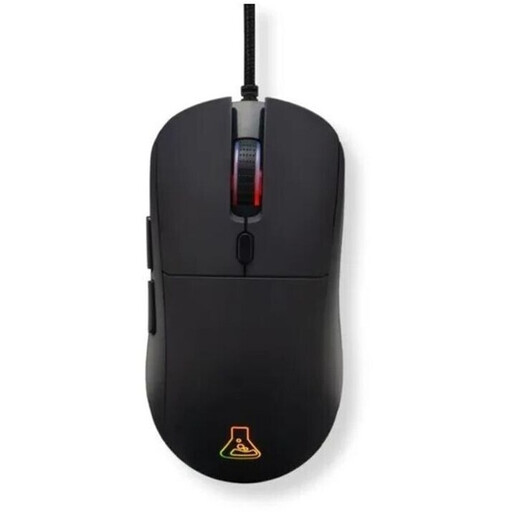
The G-Lab KULT-COBALT-B wired gaming mouse, black

The G-Lab KULT-COBALT-B, wired gaming mouse, black

A wired option if you want to customise your inputs and would rather not change batteries while gaming.

The title lists 12,800 DPI, while the product description specifies a 1.8 m cable. Make sure you can route it comfortably across your desk.

Joybuy
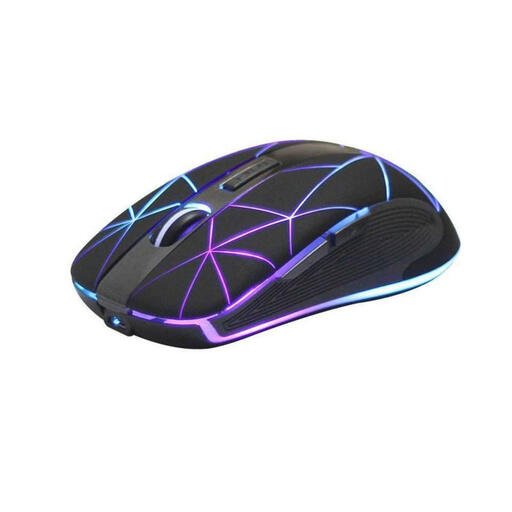
RM200 rechargeable wireless optical mouse with five buttons

RM200, wireless optical mouse, 5 buttons, rechargeable

An option if you want to play wirelessly and use extra buttons.

The title lists five buttons and USB charging. Check that the controls suit the inputs you want to use.

Joybuy
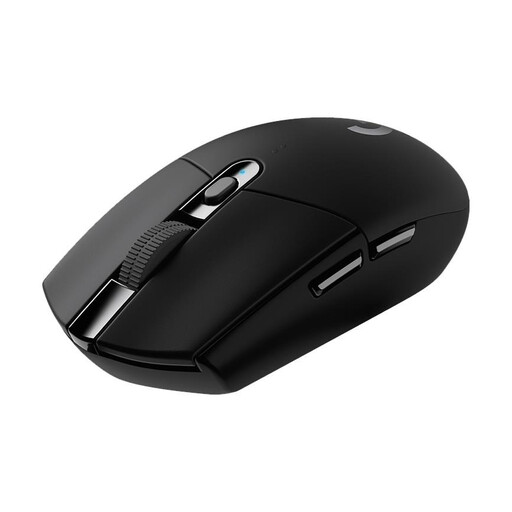
Logitech G305 LIGHTSPEED wireless gaming mouse with HERO 12K DPI sensor, black

Logitech G305 LIGHTSPEED, wireless gaming mouse, HERO 12K DPI sensor, black

A wireless option if you want to keep a mouse cable out of your movement space and use programmable buttons.

The product details list an AA battery and a USB nano receiver. Logitech G quotes a battery life of 250 hours from one AA battery for the G305. Whether it suits you will also depend on your grip and the amount of clear desk space you have.

Joybuy

Frequently asked questions

How should I set up my mouse when desk space is limited?

Measure the clear space next to your keyboard, then check your range of movement, grip and cable routing. With a wireless mouse, make sure the Bluetooth or USB receiver mode you choose works with your computer. A compact product description can’t replace checking the fit for yourself.

Will my programmed buttons keep their settings without configuration software?

It depends on the model and the specific function. CHERRY describes onboard memory for MC 2.1 settings, while Corsair explicitly limits which settings the onboard profile saves on the KATAR PRO Wireless (EU). Check that the specific model variant supports the button layout you need.

What are my rights when shopping online in Germany?

When buying goods from a trader, you generally have a 14-day right to cancel, starting from delivery. Exceptions may apply, and you should check whether you’ll have to pay return postage. Your Europe distinguishes this right from the statutory legal guarantee against the seller, which lasts for at least two years, and from a voluntary manufacturer’s warranty.

How should I dispose of a faulty mouse and removable used batteries?

According to the German Environment Agency, waste electrical equipment must not go in household rubbish. Take the mouse to a suitable collection point. If you can remove the batteries easily, take them out and return them separately to a battery collection point.