Who this selection is for

Players with lots of commands

If you want to assign frequent in-game actions to the side buttons, check that you can reach them with your thumb without changing your grip. Razer and Corsair list extensive button layouts for some models, but the manufacturers’ specifications can’t replace checking how the mouse feels in your own hand.

People who spend long hours at a desk

If you use the mouse for both work and gaming, consider its shape and button reach alongside the space available for your mouse, keyboard and armrest. The Federal Institute for Occupational Safety and Health recommends having enough desk space to arrange your workstation flexibly.

Players who use different desk setups

If you switch between several work or gaming spaces, decide whether you value freedom of movement without a cable or not having to charge or replace batteries more. Razer describes the Naga V2 HyperSpeed as offering both 2.4 GHz wireless and Bluetooth; the wired HyperX Pulsefire Haste 2 needs no battery management.

What to consider when buying

Lots of side buttons

A good fit if: you want to trigger lots of frequently used, assignable in-game commands directly with your thumb. Razer lists 19 programmable buttons for the Naga V2 HyperSpeed; Corsair lists 16 customisable buttons for the SCIMITAR ELITE WIRELESS SE, including a movable panel with 12 side buttons.

The trade-off: A large or densely arranged button panel is only useful if you can distinguish and reach the buttons confidently while holding the mouse.

Wireless mouse with a manageable number of extra buttons

A good fit if: you want to assign a few commands to extra buttons but don’t need a large thumb-button panel. SteelSeries lists nine programmable buttons for the Aerox 5 Wireless; Logitech G lists 13 customisable controls for the G502 X LIGHTSPEED.

The trade-off: Wireless keeps a cable out of your way, but depending on the model, you’ll need to charge it or replace its batteries. Also check the specifications for the exact variant.

Wired mouse with a few extra buttons

A good fit if: you mainly select, drag and scroll, need only a few extra commands and don’t want to charge your mouse. HyperX lists six programmable buttons for the Pulsefire Haste 2.

The trade-off: The cable takes up desk space, and six programmable buttons aren’t a substitute for a large thumb-button panel.

What you need What to look for Who it matters to
Easy-to-reach game commands Count the commands you actually want to assign to buttons, then check the button mapping, software compatibility and how easy they are to reach. If I want to trigger frequently used commands directly with my thumb, I need to be able to distinguish the buttons confidently. Around 31% of consumers put easy-to-reach game commands at the top of their list.
How it fits your hand and your workspace Check the grip and button reach, as well as the space available for your mouse, keyboard and armrest. If I use my mouse for long periods at work and while gaming, it needs to suit my hand and leave enough room to move. For around 31% of consumers, this combination of hand fit and workspace is a priority.
Connection and power Check the ports, your preferred connection mode and the power supply for the specific variant. If I don’t want a cable in my way at my desk, or would rather avoid charging or replacing batteries, that will guide my choice. Around 23% of consumers pay particular attention to connectivity and power.
Setup and ongoing effort Check that the operating system and software support your preferred button mappings, and review the power supply and what’s included in the box. If I prefer a straightforward setup and minimal ongoing effort, I don’t necessarily need lots of extra features. Around 15% of consumers prioritise keeping buying and using a mouse as simple as possible.

Avoiding buying pitfalls

  • Assuming more buttons or a higher DPI automatically means a better mouse

    The number of buttons listed by a manufacturer doesn’t tell you whether you can reach them with your grip or assign them usefully in your game. CHIP highlights ergonomics as an important consideration when choosing a gaming mouse.

    Start by checking the grip, button layout and commands you actually want to use. Then look at the technical specifications.

  • Assuming the same model name means the technical specifications are identical

    For the G502 X LIGHTSPEED, Logitech G lists a HERO 44K sensor on its current German manufacturer website, while the Joybuy product page lists HERO 25K. The model name alone therefore doesn’t tell you which sensor generation the specific variant has.

    Before buying, compare the technical specifications and model number of the product actually being offered.

  • Overlooking wireless battery life and power requirements

    Razer lists different maximum battery lives for the Naga V2 HyperSpeed over Bluetooth and 2.4 GHz wireless. These are manufacturer figures, not guaranteed battery life for every use case.

    Check the wireless mode you plan to use, the power requirements and what’s included with the variant you’ve chosen.

Relevant brands at a glance

Logitech G

The G502 X LIGHTSPEED and the ambidextrous PRO 2 LIGHTSPEED offer different button layouts and shapes.

  • Logitech G lists 13 customisable controls for the G502 X LIGHTSPEED. The PRO 2 LIGHTSPEED is described as an ambidextrous mouse with interchangeable magnetic side buttons.
  • The sensor specifications for the G502 X LIGHTSPEED differ between Logitech G and the Joybuy product page. Check the specific variant rather than identifying it by model name alone.

Razer

The Naga V2 HyperSpeed is aimed at people considering lots of thumb buttons and different wireless connections.

  • Razer lists 19 programmable buttons for the Naga V2 HyperSpeed, as well as 2.4 GHz wireless and Bluetooth.
  • You’ll need to check for yourself whether the button panel suits your grip and the commands you want to assign in your games. Razer’s stated battery life varies by wireless mode; check that the software features are compatible with the specific model and operating system.

Corsair

The SCIMITAR ELITE WIRELESS SE is a multi-button option with a movable side panel.

  • Corsair lists 16 customisable buttons and an adjustable panel with 12 side buttons.
  • Its design doesn’t guarantee that the button reach or comfort will suit every hand or strategy game.

SteelSeries

The Aerox 5 Wireless sits between a large thumb-button panel and a mouse with just a few extra controls.

  • SteelSeries lists nine programmable buttons and a side panel with five controls.
  • The manufacturer’s description can’t tell you how well it fits. Check whether the layout suits your grip.

HyperX

The wired Pulsefire Haste 2 is worth considering if you only need a few extra button assignments.

  • HyperX lists six programmable buttons and a cable for this model.
  • The manufacturer’s specification cited here comes from a US product page and doesn’t confirm that a particular version is available in Germany.

Joybuy products for different needs

The following Joybuy listings include wired and wireless gaming mice with different button layouts. For each mouse, check that the model variant and technical specifications suit your needs.

Razer Basilisk V3 35K, wired gaming mouse

Razer Basilisk V3 35K, wired

For players who want to assign several commands and prefer a wired mouse.

11 programmable buttons, a 35,000 DPI optical sensor, USB cable and ergonomic right-handed shape, according to the product title.

Joybuy
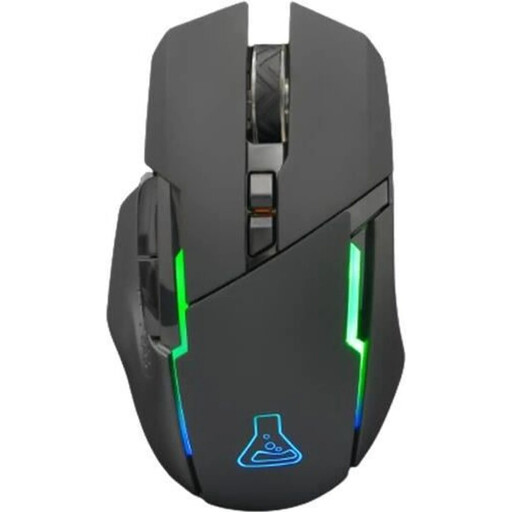
THE G-LAB Kult Caesium, wireless gaming mouse

THE G-LAB Kult Caesium

For wireless use with a handful of programmable buttons.

2.4 GHz wireless, rechargeable, six buttons, 7,200 DPI, RGB lighting and an ergonomic shape, according to the product title. The title lists PC, PS4, PS5 and Xbox One as compatible systems.

Joybuy

Logitech G502 X LIGHTSPEED, wireless gaming mouse in white

Logitech G502 X LIGHTSPEED, white

For wireless use in a right-handed design.

The product title describes a wireless gaming mouse with an optical sensor in a white finish. Check the technical specifications for the specific variant.

Joybuy

Logitech G G502 Hero High Performance Gaming Mouse

Logitech G G502 Hero High Performance Gaming Mouse

For shoppers who check the button layout and connection type of the specific version before buying.

Described as a Logitech G gaming mouse in the product title.

Joybuy
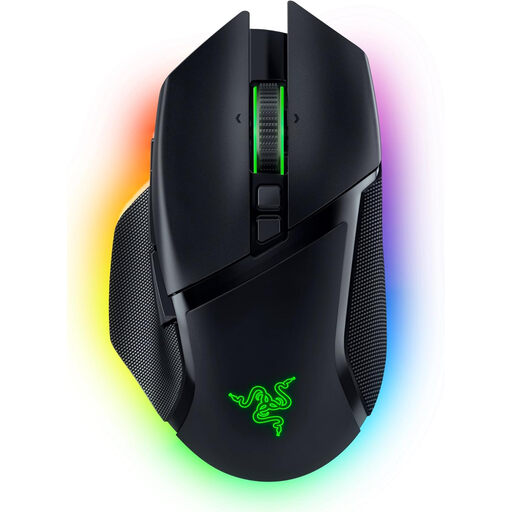
Razer Basilisk V3 Pro, wireless gaming mouse

Razer Basilisk V3 Pro, wireless

For players looking for a wireless mouse with several programmable buttons.

10+1 programmable buttons, Focus Pro 30K optical sensor, HyperScroll tilt wheel and 13-zone Chroma lighting, according to the product title.

Joybuy

Frequently asked questions

Do I need as many side buttons as possible for historical strategy games?

No. What matters is which commands your particular game lets you assign and which ones you use often. The number of programmable buttons listed by a manufacturer tells you what a mouse can do, not whether it has a proven gaming advantage.

How should I set up my mouse for work and longer gaming sessions?

Leave enough space to arrange your mouse and keyboard flexibly and rest your hand or arm. Then check whether you can comfortably reach the side buttons you plan to use with your usual grip. The Federal Institute for Occupational Safety and Health’s advice on desk space isn’t a test of any particular mouse.

Do I need to install software for macros, or maintain a wireless mouse?

Razer, for example, provides configuration software for custom button mappings. Check that it supports the specific model and your operating system, and that you can assign the commands you want in your game. Depending on the model, wireless mice also need charging or new batteries.

What are my rights when buying online in Germany if the mouse doesn’t fit or is faulty?

According to the Verbraucherzentrale, consumers who buy online generally have a 14-day right to cancel, with the period starting after the contract is made or the goods are received. If newly purchased goods are faulty, you can assert your statutory warranty rights against the seller within two years of delivery. The right to cancel, statutory warranty rights and a voluntary manufacturer’s guarantee are separate rights.

How should I dispose of an old mouse and its batteries in Germany?

Electrical waste must be collected separately and must not go in ordinary household rubbish. The Federal Environment Agency recommends removing batteries or rechargeable batteries before returning a device, if this can be done easily, and disposing of them at an appropriate collection point.