Strategy players with lots of commands
If you want to assign frequently used game commands to mouse buttons, check that you can reach them comfortably with your grip.


Start by choosing a mouse that fits your hand and has buttons you can reach comfortably while playing. If you often switch between maps and work documents, a switchable scroll wheel can be useful. Wireless models do away with the mouse cable, but you’ll need to manage their power supply. A high DPI figure alone won’t tell you whether the shape, button layout and controls are right for you.
If you want to assign frequently used game commands to mouse buttons, check that you can reach them comfortably with your grip.
For longer gaming and working sessions, hand shape, grip and how easily you can reach the controls are important factors to consider.
If you switch between maps, documents and games, scroll wheel modes and wired or wireless connectivity can influence which mouse is right for you.
First, check the fit and how easily you can reach the buttons. Then compare the scroll wheel and connection options with the way you switch between gaming and office tasks.
| What you need | What to check | Who is it important to? |
|---|---|---|
| Triggering game commands | Check the number and layout of assignable buttons, and whether you need specific software. | If you want to trigger frequent commands without changing your grip, look for buttons that are easy to reach. Around 36% of consumers prioritise access to commands. |
| Hand comfort | Check the shape, orientation and reach of the side buttons with your usual grip. | For long gaming and working sessions, the mouse should suit your hand. Around 29% of consumers prioritise a comfortable fit for extended use. |
| Scrolling and dual use | Check whether the specific model offers the scroll wheel modes you want and, if needed, a tilt function. | If you scroll through maps in games and documents at work, the wheel’s controls could make everyday use easier. Around 21% of consumers prioritise scrolling and dual use. |
| Wired or wireless | For wireless models, check the connection options and power supply for the specific model. | If you want to avoid a mouse cable at your shared workspace, freedom of movement is an important consideration. Around 14% of consumers prioritise a cable-free desk. |
The G502 HERO, G502 X and G502 LIGHTSPEED are different models. Their connections and controls may vary.
Check the full model name, then confirm the connection and scroll wheel features for that specific version.
A large button panel is only useful if you actually need the extra buttons and can reach them comfortably with your grip.
First decide which commands you want to assign, then check the buttons’ position and ease of use.
A high DPI figure won’t tell you whether the shape and grip suit your hand. CHIP highlights ergonomics as an important factor in its gaming mouse buying advice.
Assess the shape, grip and accessibility of the controls separately from the sensor’s maximum specifications.
The G502 HERO and wired G502 X are worth considering if you’re looking for assignable controls. The G502 LIGHTSPEED is a separate wireless version.
The Basilisk range may suit right-handed players looking for assignable buttons and scroll functions.
The Aerox 5 Wireless is a wireless option with several controls.
The SCIMITAR ELITE WIRELESS may suit players who want to assign lots of commands to a side button panel.
This selection from Joybuy includes wired and wireless gaming mice for assigning game commands and sharing a workspace for work and gaming.
 No image available
A wired connection is a good fit if you don’t mind having a mouse cable at your workspace.
11 programmable buttons; customisable scroll wheel with tilt function; USB connection.
 No image available
Wireless operation is a good fit if you want to avoid having a mouse cable at your workspace.
 No image available
This wireless mouse is an option if you want to assign lots of game commands and are happy to manage its power supply at your desk.
19 programmable buttons; 2.4 GHz wireless and Bluetooth; powered by one AA battery according to the product information.
 No image available
The G502 HERO is worth considering if you want to assign several game commands to buttons and don’t mind having a cable on your desk.
Logitech lists 11 programmable buttons for the G502 HERO. Check the connection and scroll wheel for the specific version.
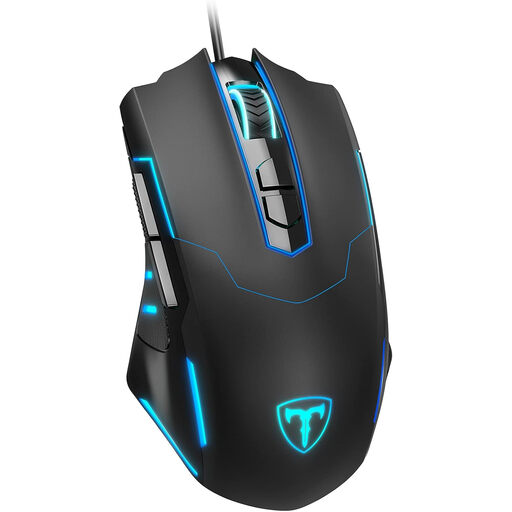 No image available
The wired design is a good fit if you want to avoid charging or changing batteries and can accommodate a cable on your desk.
The product name lists seven programmable buttons.
No. First, make sure the shape and accessible controls suit you, and that you can set a sensitivity that feels right. A sensor’s advertised maximum alone won’t tell you whether you’ll be comfortable during longer gaming sessions.
Check the software for the specific model and whether the game supports the input you want to use. Logitech explains how to assign buttons and save profiles for the G502 HERO using G HUB; Corsair lists iCUE for the SCIMITAR ELITE WIRELESS.
According to the Verbraucherzentrale, online purchases in Germany generally come with a 14-day right to cancel from the date you receive the goods. Before ordering, check the seller’s details, returns information and the terms for your specific purchase.
The Bundesnetzagentur lists the CE marking, product traceability and accurate manufacturer details among the points it checks during market surveillance. According to the European Commission, the CE marking is the manufacturer’s declaration that the product complies with the relevant EU product rules; it is not an individual approval by a government authority.
Take it to a suitable collection point for waste electrical equipment rather than putting it in your household rubbish. The Umweltbundesamt notes that local collection points generally accept waste electrical equipment free of charge.