Players with limited room to move
If your keyboard and other items take up space, check whether the cable can be routed freely or whether a wireless receiver and a suitable USB port will work with your setup.


First, consider how much room you have to move your mouse on your desk, then check whether the shape and size suit your hand and grip. A compact mouse won’t automatically give you more room for broad movements. If the cable gets in the way, a wireless mouse could help, while easy-to-reach extra buttons may matter more than low weight, depending on the game.
If your keyboard and other items take up space, check whether the cable can be routed freely or whether a wireless receiver and a suitable USB port will work with your setup.
If you often assign in-game actions to your mouse, make sure you can reach the extra buttons comfortably with your usual grip.
The size and shape should suit your hand and grip. A compact mouse won’t necessarily feel comfortable for every hand.
First, check how much clear space you have with your usual gaming setup, then decide between a wired and wireless mouse. Next, compare the shape, button positions and power supply with the way you use it.
| What matters to you | What to check before buying | Who may find it most important |
|---|---|---|
| Room to move the mouse | Measure the usable space with your usual gaming setup. For a wired mouse, check how the cable can be routed; for a wireless mouse, make sure there’s room for the receiver. | When I play in a confined space, I don’t want cables or other items to get in the way of my movements. Around 40% of consumers put freedom of movement first. |
| Shape and grip | Compare the shape and dimensions with your current mouse. Check that you can reach the main and side buttons with your usual grip. | If I want a mouse that suits my hand, I look at its shape and whether I can play without adjusting my grip. Around 33% of consumers prioritise fit and grip. |
| Easy-to-reach extra buttons | Check where the buttons are and whether you can use the accompanying software to assign your preferred commands. | If I want to assign frequently used in-game actions to my mouse, the buttons need to be within reach with my grip. Around 17% of consumers prioritise mouse commands and easy-to-reach extra buttons. |
| Power supply | Compare the battery type or charging option, and check whether using a charging cable while gaming would be practical. | If I need to plan for battery changes or charging time, I compare the power supply of the specific model. Around 10% of consumers pay particular attention to power and ongoing use. |
A compact shape doesn’t guarantee that the mouse will suit your hand, or that you’ll have enough room on your desk to move it.
Compare its shape and dimensions with your current mouse, and check how much clear space you have with your usual gaming setup.
If the shape isn’t right for you, returning it could mean extra hassle.
Depending on the model, you may need a spare battery or have to allow for charging time. If you can use the mouse while it’s charging, there’ll temporarily be a cable on your desk again.
Before buying, check the power supply and whether using a charging cable while gaming would work for you.
Extra buttons are only helpful if you actually assign them to in-game actions and can reach them securely with your grip.
Decide which commands you need on the mouse, then consider the button positions, required software and shape together.
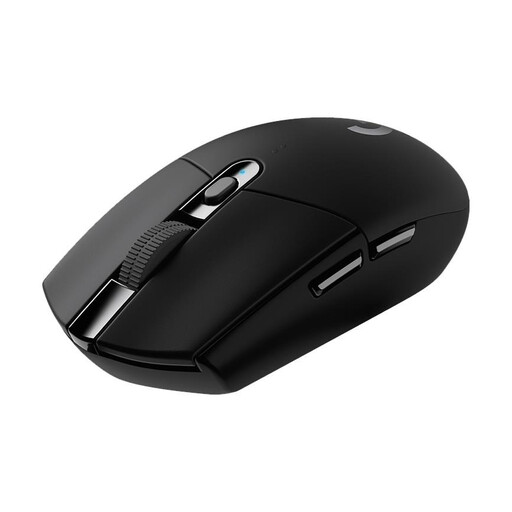
The G305 LIGHTSPEED could be worth considering if you want to keep a mouse cable off your desk and are happy to use an AA battery.
The Pulsefire Haste 2 Mini Wireless is aimed at buyers who prefer a smaller wireless mouse.
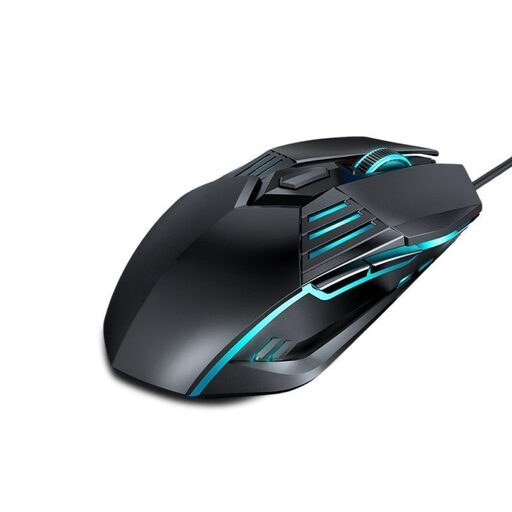
The wired Cobra is a compact option if you can route the cable freely across your desk.
Corsair describes the wired KATAR PRO XT as a compact mouse for claw and fingertip grips.
The wired Rival 3 Gen 2 offers another shape to compare if you don’t want to choose based on the “compact” label alone.
This selection includes wired models and wireless mice with different connection and button options for limited movement space.
 No image available
A wired option if you can route the cable freely across your desk.
Four DPI settings from 1,200 to 3,600; wired connection and DPI switching.
 No image available
A wireless option if you want to keep the mouse cable out of your movement area and use extra buttons.
2.4 GHz wireless, Bluetooth and USB-C; five programmable buttons and a weight of 62 g.
The title also lists a charging dock and grip tape as included.
 No image available
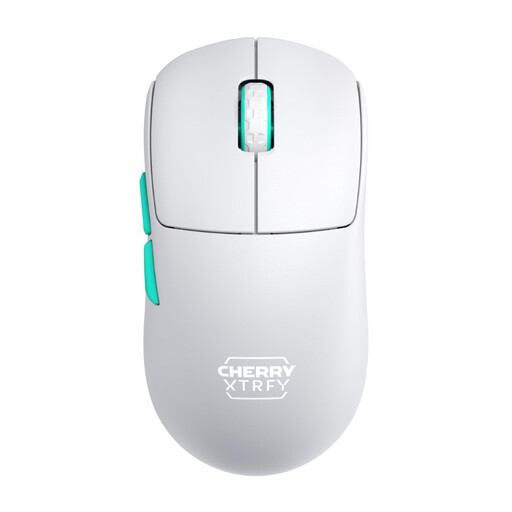
A wireless mouse with a USB dongle if you want to keep the mouse cable off your desk while gaming.
2.4 GHz wireless; 53 g. The product description says it can be used while charging via cable.
The description lists three buttons in the default configuration.
 No image available
A wireless option with a USB nano receiver if the mouse cable gets in the way and you want to use extra buttons.
Six programmable buttons; powered by one AA battery. Logitech claims the G305 can run for up to 250 hours.
This is a manufacturer figure, not a guarantee for every use case.
 No image available
A wireless option if you want to avoid a mouse cable and use programmable buttons.
Bluetooth, 2.4 GHz wireless and USB-C; seven programmable buttons and a weight of 67 g.
The title lists a PAW3311 sensor, 12,000 DPI and a 400-mAh battery.
No. First check whether the shape, movement space and button positions suit the way you play; the maximum DPI figure doesn’t tell you about these features. Razer says the Cobra’s sensitivity can be adjusted in 50-DPI increments.
Check how the cable moves while you’re using the mouse as you normally would. If you can’t route it freely, a mouse with a USB wireless receiver could be an option; make sure you have a suitable port and consider the power supply.
It depends on the model. HP says the Pulsefire Haste 2 Mini Wireless can be used with the included cable while charging. This means you’ll temporarily have a cable on your desk again.
For most online purchases from businesses in the EU, you generally have 14 days from delivery to cancel your order; exceptions and return costs should be checked separately. Your Europe also explains that there is a minimum EU legal guarantee of two years from receipt of the goods for faults. A voluntary manufacturer’s warranty does not replace these statutory rights.
The German Federal Network Agency says its market surveillance checks, among other things, for CE marking, manufacturer details and German-language instructions with the necessary usage and safety warnings. Check the details for the specific listing; general product features do not confirm that an individual product complies with the rules.