What should you look for in a gaming mouse for survival games?
Start by checking the shape and button reach, then consider which buttons you can assign to your most-used game commands. Finally, decide which connection and power supply will work best at a desk you use for both work and gaming.
| What matters |
What to look for |
Who is this important to? |
| Grip and comfort |
Check the shape, dimensions, preferred hand and how easily you can reach the side buttons and scroll wheel. |
If I work and play at the same desk for long periods, I want to use the mouse without having to adjust my grip awkwardly. Around 33% of consumers put grip and comfort first for extended use. |
| Assignable game commands |
Make a note of the actions you use most, then check the number and position of the buttons and the configuration options for the specific model. |
If I want to trigger recurring actions conveniently, what matters to me is whether I can reach and assign the right buttons. Around 25% of consumers prioritise button configuration. |
| Connectivity at your desk |
Check the USB connection, supported connection types, what’s included and the power supply for the specific model. |
If I use work and gaming devices in the same space, I want to be able to connect cables and receivers to suit my setup. Around 25% of consumers pay particular attention to connectivity and desk space. |
| Controllable cursor movement |
Check the available settings and adjust the sensitivity for your game, rather than comparing maximum figures alone. |
If I want to tailor cursor movement to my playing style, useful settings matter more to me than a high maximum rating. Around 17% of consumers put cursor control first. |
Gaming mice to consider at Joybuy
This selection includes wired and wireless gaming mice for game commands and desks shared between work and play.
 No image available
Razer Basilisk V3 35K, wired
A good choice if you want a wired mouse with programmable buttons for frequently used game commands.
Optical sensor with up to 35,000 DPI; 11 programmable buttons; tiltable scroll wheel; wired USB connection; ergonomic right-handed shape.
View at Joybuy
 No image available
ATTACK SHARK X11
A good choice if you want to switch between wireless, Bluetooth and USB-C connections, and assign game commands to extra buttons.
PAW3311 sensor with up to 22,000 DPI; five programmable buttons; 2.4 GHz, Bluetooth and USB-C connection; 62 g; charging dock.
View at Joybuy
 No image available
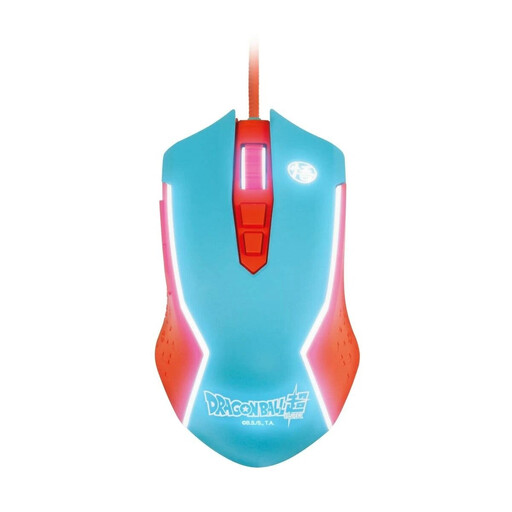
Blade Dragon Ball Goku wired gaming mouse
A good choice if you’re looking for a wired gaming mouse for your PC.
Wired USB connection.
View at Joybuy
 No image available
Razer Naga V2 HyperSpeed
A good choice if you want to assign lots of game commands and switch between wireless and Bluetooth connections.
19 programmable buttons; 2.4 GHz wireless and Bluetooth; Focus Pro 30K optical sensor; two-step scroll wheel; powered by an AA battery.
View at Joybuy
 No image available
AJAZZ AJ200 AI MC
A good choice if you want multiple connection options and adjustable button configuration for gaming and office work.
PAW3311 sensor with up to 24,000 DPI; USB-C, 2.4 GHz wireless and Bluetooth; 63 g; charging dock.
View at Joybuy
Frequently asked questions about gaming mice when working from home
How do I set up extra buttons for a survival game?
First, make a note of the actions you use most often. Then check the game’s button configuration and the options available on the specific mouse; a programmable button doesn’t guarantee that you can assign every action you want in a particular game.
What should I check when using a wireless mouse with my work-from-home PC?
Check whether the model uses a USB receiver, Bluetooth or both, and whether your PC supports the connection mode you’ve chosen. Also check whether you can use the mouse while it charges via a cable, or whether it needs batteries.
What if a mouse I bought online isn’t suitable or has a fault?
In Germany, online purchases generally come with a 14-day right to cancel; you must notify the other party to the contract if you wish to cancel. If there’s a fault, statutory rights against the seller should be distinguished from a voluntary guarantee, as explained by the consumer advice centre.
What should I look for on a wireless mouse’s labelling?
As part of its market surveillance, the German Federal Network Agency checks, among other things, for correct CE marking, product identification and accurate manufacturer details. Check the information for the specific device rather than treating a product listing as proof of compliance.


