Gamers who spend long hours at a desk
If you use the same mouse for work and longer tactical gaming sessions, first check that its shape suits your grip. Heise online points out that not every mouse is right for every hand or use case.


First, choose a mouse whose shape and buttons are comfortable to reach with your grip. Programmable buttons or an adjustable scroll wheel can be useful for actions you repeat in games. If you also use the mouse while working from home, check the click noise, connection type and power supply for the specific model. You can’t tell how quiet it is from its gaming features or switch type alone.
If you use the same mouse for work and longer tactical gaming sessions, first check that its shape suits your grip. Heise online points out that not every mouse is right for every hand or use case.
If you want to assign recurring in-game actions to mouse buttons, check that you can comfortably reach those buttons with your grip. A high button count alone doesn’t tell you whether the controls will work for you.
If you make calls or share a room with other people, the click noise and connection type should suit your workspace. Check how loud the specific model is rather than judging by its gaming features.
Start by checking the fit and how easy the buttons are to reach. Then consider noise and connection type for your workspace. Compare sensor specifications only once these basics suit the way you’ll use the mouse.
| Feature | What to check when buying | Who it matters most to |
|---|---|---|
| Comfort during long sessions | Check the shape, palm support and how easy the side buttons are to reach with your grip. | If I use the mouse for hours at work and during tactical gaming sessions, I want to be able to hold it comfortably and securely. Around 29% of consumers would put fit first. |
| Buttons for in-game commands | Make a note of the actions you use most and check that the button layout and software support the assignments you want. | If I want to assign buttons to recurring actions, their position and reach matter more to me than having as many buttons as possible. Around 23% of consumers would make shortcuts their top buying priority. |
| Click noise | Look for reliable information on the noise level of the exact model, or listen to it yourself. | If clicks could disturb conversations or other people in the room, I want to check how loud the mouse is before choosing. Around 18% of consumers would prioritise click noise in the workplace. |
| Connection type | Check which connections you need, whether you’ll switch between devices and, for wireless models, how they’re powered. | If I switch between work and gaming devices or don’t want a cable on my desk, choosing the right connection is essential. Around 18% of consumers would put connection flexibility first. |
| Purchase and ongoing costs | Compare only the features you need, and check the battery or charging setup and any offer conditions. | If ongoing charging or accessory costs matter to me as well as the purchase price, I want to weigh them up together. Around 12% of consumers would prioritise purchase and ongoing costs. |
High sensor specifications won’t make a mouse more suitable if it’s uncomfortable to hold or difficult to use. CHIP highlights ergonomics ahead of high DPI and polling rates when choosing a gaming mouse.
Check the grip and button layout before comparing sensor specifications.
The switch type and gaming label alone don’t prove that a mouse is quiet. This is particularly relevant when you share a workspace.
If quiet clicks matter, look for noise information about the specific model or listen to the mouse yourself.
The Logitech G502 HERO and G502 X LIGHTSPEED are different models. The same goes for the Razer Basilisk V3 35K and Basilisk V3 Pro 35K.
Check the full model name, connection type and what’s included before applying details about one model to another.
The G502 HERO could be worth considering for a desktop PC if you’re looking for programmable buttons and adjustable weight.
The wired Basilisk V3 35K is an option if you want customisable controls and different scroll modes.
The M50 Wireless is designed for anyone who wants to choose between Bluetooth, 2.4 GHz wireless and wired connections.
The Aerox 5 Wireless is worth comparing if you’re considering several side-button positions for your in-game actions.
The wired M65 RGB Ultra adds an adjustable-weight model to the comparison.
The wired and wireless gaming mice below offer a range of connection types and control options. For a device sold in Germany, check that the specific EU version and the required CE marking match the listing. The German Federal Network Agency explains that this requirement applies to products covered by the relevant EU harmonisation legislation.
 No image available
Could suit you if you’re looking for a wired mouse with programmable buttons.
11 programmable buttons; optical sensor with 35,000 DPI; USB cable; right-handed shape.
 No image available
Could suit you if you prefer a wireless setup at your desk and want a right-handed shape.
Optical gaming mouse; wireless; colour: white.
 No image available
Could suit you if you want to switch between wired and wireless connections depending on your workspace.
USB cable, 2.4 GHz wireless and Bluetooth; seven programmable macro buttons; 12,800 DPI.
 No image available
Could suit you if you want a choice of connection types and programmable buttons.
PAW3311 sensor; 2.4 GHz wireless, Bluetooth and USB-C; five programmable buttons; colour: black.
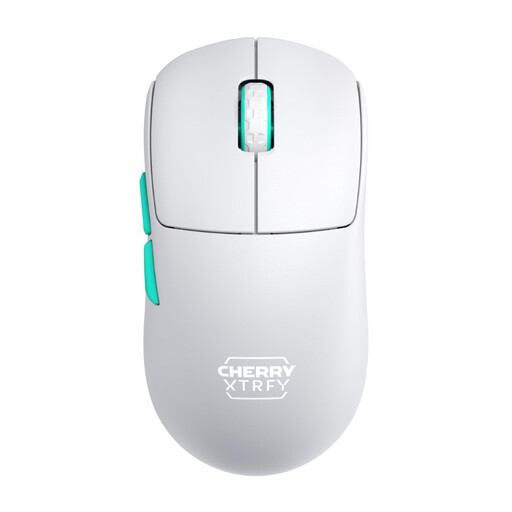 No image available
Could suit you if you prefer a symmetrical shape; check that the low front suits your grip.
2.4 GHz wireless; 53 g; symmetrical design with a low front; rechargeable; colour: white.
No, not as your only deciding factor: check the fit and ease of use first. In its gaming mouse test, CHIP puts ergonomics ahead of high DPI and polling rates. An adjustable sensor range alone doesn’t tell you whether the mouse suits the way you’ll use it.
Start by deciding which actions you use most, then check which buttons you can reach comfortably. Logitech explains how to assign buttons on the G502 HERO using G HUB. Check that your preferred assignments work with your game and the software requirements of the specific model.
Check which connection you need and, if the mouse has a battery, bear its charging requirements in mind. CHERRY says the M50 Wireless can connect via Bluetooth, 2.4 GHz wireless or cable. Its stated battery life of up to 100 hours depends on the settings.
Products covered by the relevant EU harmonisation legislation and placed on the EU market must carry the required CE marking. The German Federal Network Agency sets out this requirement. Check the marking and product identity for the specific listing.