Gamers with limited mouse space
If there’s little room beside your keyboard and other items, check how much space you have to move the mouse and how the cable can be routed. A small desk doesn’t necessarily mean you have small hands.


Start by choosing a mouse that suits the amount of space you have to move it and the way you hold it. A wireless mouse keeps a cable out of your limited mouse area, but you’ll need a suitable connection and power source. With a wired mouse, you’ll need room to route the cable freely. Extra buttons are useful if you regularly use the commands assigned to them and can reach them comfortably.
If there’s little room beside your keyboard and other items, check how much space you have to move the mouse and how the cable can be routed. A small desk doesn’t necessarily mean you have small hands.
If you want to assign recurring actions to mouse buttons, the key thing is whether you can reach those buttons reliably with your grip – not simply how many there are.
If you want to use the mouse with different computers, check the connection options and power source for the specific model.
| What matters | What to check before buying | Who it matters most to |
|---|---|---|
| Fit in a small space | Available mouse space, plus the shape and dimensions of the body; check the grip and side buttons on the specific model. | When space is limited, I want to be able to move the mouse and reach its buttons without its shape getting in the way of my grip. Around 33% of consumers prioritise fit and room to move. |
| Freedom from cables | For wired mice, check that there’s room to route the cable freely and that you have a USB port; for wireless mice, check for a suitable receiver or Bluetooth. | If a cable gets in the way of my limited mouse space, I want to keep it out of the way while still using a connection that works with my computer. Around 25% of consumers put cable-free movement first. |
| Accessible in-game commands | List the commands you use often and check which buttons you can reach reliably with your grip. | For recurring actions, I only want as many extra buttons as I actually need and can use confidently. Around 25% of consumers prioritise quick access to in-game commands. |
| Power and switching between devices | Check the connection types, whether a receiver is needed, the battery type and the conditions behind any battery-life claims. | When I switch between devices, I want to know whether Bluetooth or a receiver will work and how the mouse is powered. Around 17% of consumers particularly prioritise switching between devices and power supply. |
A compact body might fit on your desk but still feel uncomfortable with your grip.
Check the space available on your desk and how well the mouse fits your hand separately.
Razer lists the Orochi V2 as weighing under 60 g without a battery; its weight may differ when the power source is included.
Only compare weights if they’re measured on the same basis, and check which battery type is required.
A large thumb button panel is only helpful if you need those commands and can reach the buttons reliably with your grip.
Choose the number of buttons you need based on the actions you repeat in your games.
Corsair lists the KATAR PRO XT as weighing 73 g in one place and 113 g in the technical specifications. That makes it difficult to compare its weight accurately.
Don’t choose this model based on its unclear weight. If weight is a deciding factor, check exactly which version is being offered.
The G305 is a wireless option powered by an AA battery.
The Orochi V2 is a compact wireless option; the Naga V2 HyperSpeed is designed for gamers who want a large thumb button panel.
The KATAR PRO XT (EU) is a wired option with six programmable buttons.
The Rival 3 Wireless Gen 2 is a wireless option with 2.4 GHz connectivity and Bluetooth.
This selection includes wireless mice with extra buttons. Before choosing, check which connection type, button layout and shape will work for your desk and grip.
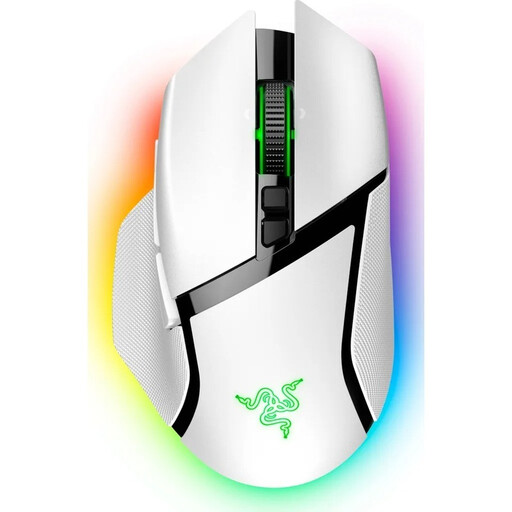 No image available
Wireless use and programmable buttons could suit you if you want to assign commands you use regularly.
11 programmable buttons; right-handed shape. According to the product information, wireless charging requires a dock or charging puck, sold separately.
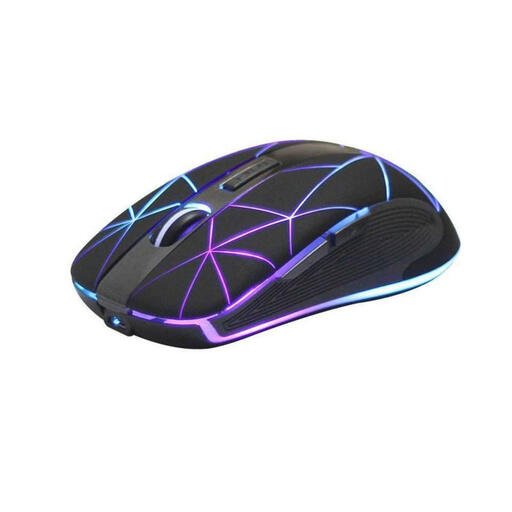 No image available
This five-button wireless mouse could be an option if you want a few extra controls for work or gaming.
The product title lists five buttons, a rechargeable battery and USB charging.
 No image available
This wireless gaming mouse could suit you if you want to choose between several connection types and assign a few commands to extra buttons.
The product title lists tri-mode connectivity, five programmable buttons and a weight of 62 g.
 No image available
This could be an option if you use lots of recurring commands and can reach the buttons reliably with your grip.
Razer lists 19 programmable buttons, including a 12-button thumb panel. According to the product information, the mouse uses an AA battery and is designed for right-handed users.
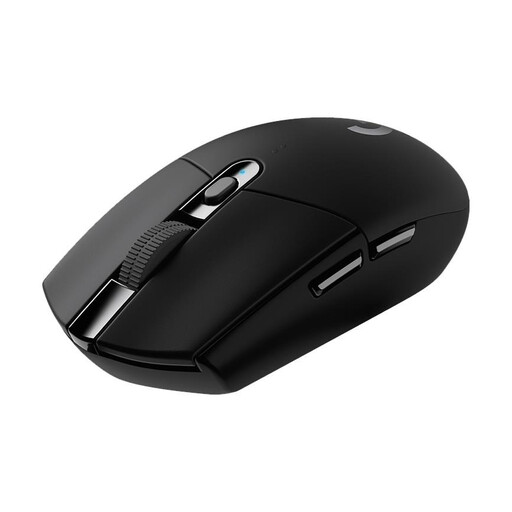 No image available
Wireless connectivity could suit you if you want to keep a mouse cable out of your limited movement space and use a few extra buttons.
Six programmable buttons; connects via a USB nano receiver and is powered by one AA battery. Logitech G lists up to 250 hours of use from a single AA battery as a manufacturer claim.
No. An especially high maximum DPI isn’t automatically important when choosing a mouse for these games. First check that the shape and controls suit your grip and the space available on your desk. A high maximum sensor value alone doesn’t prove that the mouse will offer a practical advantage.
Check which button assignments your game supports and what software the specific mouse model requires. Corsair says the KATAR PRO XT uses iCUE for macro programming; according to Corsair, macros and button remappings can’t be saved to this model’s onboard memory.
If you choose a mouse with replaceable batteries, factor in the cost of replacements or using a suitable rechargeable battery. In its information dated 28 September 2026, Verbraucherzentrale distinguishes between the statutory warranty against the seller and a voluntary guarantee. Online purchases usually come with a 14-day right to cancel. The conditions for each individual case apply, as Verbraucherzentrale explained on 13 August 2026.
For electrical and electronic products covered by its guidance, the Bundesnetzagentur lists checks including CE marking, product and manufacturer information, German-language instructions and declarations of conformity. These general checks don’t confirm that a specific product listing has already been assessed.
In Germany, take an old mouse to an authorised collection point instead of putting it in general waste. The Federal Ministry for the Environment provides information on handing in waste electrical equipment at authorised locations; retailer take-back schemes may be subject to conditions.