Joybuy product selection
This selection includes wired and wireless gaming mice in a range of shapes, with buttons for building, recurring commands and cable-free play.
 No image available
Razer DeathAdder V3 Pro Wireless Esports Gaming Mouse, White
A wireless option if you’re looking for wireless connectivity and an ergonomic right-handed shape.
64 g; Focus Pro 30K sensor.
According to the product information, advanced customisation of button assignments requires Razer Synapse.
View at Joybuy
 No image available
Razer Basilisk V3 35K, wired gaming mouse, black
A wired option if you want a customisable scroll wheel and extra assignable buttons.
35,000 DPI; 11 programmable buttons; ergonomic right-handed shape; USB cable.
View at Joybuy
 No image available
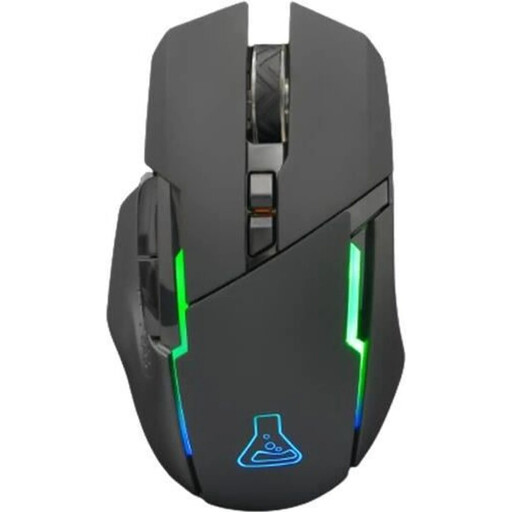
THE G-LAB Kult Caesium, wireless gaming mouse
A wireless option if you’re looking for extra programmable buttons and a rechargeable mouse.
7200 DPI; 6 buttons; RGB lighting; compatible with PC, PS4, PS5 and Xbox One.
View at Joybuy
 No image available
Logitech G502 X Lightspeed, wireless gaming mouse, white
A wireless option if you want to use extra commands and, when needed, play with a USB-C cable too.
Right-handed shape; optical sensor.
View at Joybuy
 No image available
Logitech G PRO X2 SUPERSTRIKE LIGHTSPEED Wireless Gaming Mouse
A wireless option if you’re looking for an ambidextrous shape and programmable buttons.
61 g; USB-C charging.
The product description recommends Logitech G HUB for customising buttons and settings.
View at Joybuy
Frequently asked questions
Do I need a special gaming mouse because of my headphones?
No, headphones alone don’t mean you need any special mouse features. If your mouse or headphones need a USB port or wireless receiver, check the available ports on your PC and accessories separately.
How do I set up extra buttons for building a park?
First, check which commands your game offers and assign only the actions you use regularly. Glorious describes using the Model I 2 Wireless without CORE software, but says CORE is required for full customisation; the instructions list CORE for Windows.
Does a wireless mouse need to be charged before first use?
It depends on the model. Glorious recommends fully charging the Model I 2 Wireless before using it wirelessly for the first time, and also describes using it with a cable while it charges. Check the instructions for the specific mouse you choose.
Who should I contact if there’s a fault?
If you buy from a retailer in Germany, the statutory guarantee is separate from any voluntary manufacturer’s warranty. The Verbraucherzentrale generally states that the statutory guarantee lasts for two years. For purchase contracts from 31 July 2026, it explains that, under certain conditions, choosing a repair can extend this once by 12 months.
What should I bear in mind with a wireless mouse and when disposing of an old one?
For electronic products and radio equipment, the Bundesnetzagentur checks matters including CE marking, traceability, information for users in German and, where applicable, declarations of conformity. This does not confirm individual approval for the mice mentioned here. Electrical and electronic waste must not go in household rubbish. The Umweltbundesamt recommends free drop-off at a recycling centre or an appropriate collection point, and removing any removable old batteries separately.


