Joybuy product selection
The Joybuy models below include wired mice with extra buttons, as well as wireless options for work and play.
 No image available
Razer Basilisk V3 35K, wired gaming mouse
A good choice for recurring game commands, provided your game and the software support the button assignments you want.
Listed in the product name: optical sensor with 35,000 DPI, 11 programmable buttons, USB wired connection and customisable RGB lighting.
View at Joybuy
 No image available
Razer Naga V2 HyperSpeed, wireless gaming mouse
An option if you want to assign lots of game commands to mouse buttons and wireless use suits your desk setup.
Listed in the product name: 19 programmable buttons, 2.4 GHz wireless, Bluetooth and an optical Focus Pro 30K sensor.
View at Joybuy
 No image available
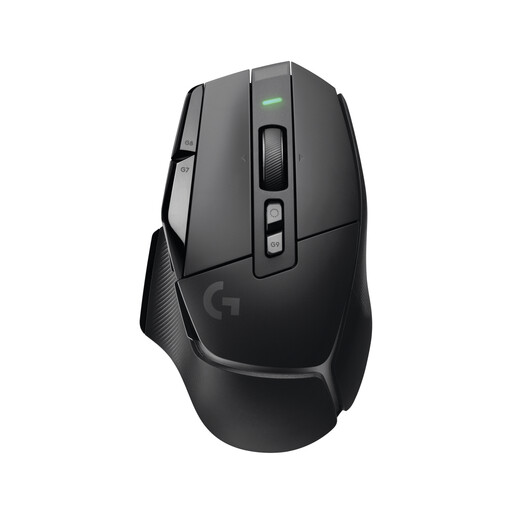
Logitech G G502 X LIGHTSPEED, wireless gaming mouse
A good fit for a wireless desk setup if this model variant meets your connection and control requirements.
View at Joybuy
 No image available
Logitech G G502 HERO, gaming mouse
A wired option if you want to use assignable buttons and don’t mind having a cable on your desk.
Logitech G lists 11 programmable buttons and adjustable weights for the G502 HERO.
View at Joybuy
 No image available
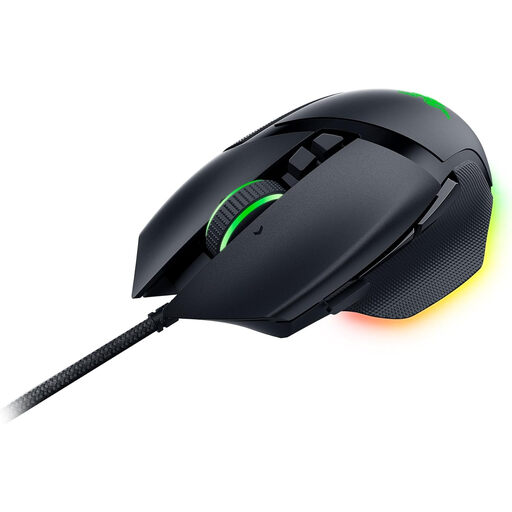
Razer Basilisk V3, wired RGB gaming mouse
A good choice for recurring game actions if you can reach the extra buttons comfortably and your game supports the assignments.
Razer lists 10+1 programmable buttons and two scroll modes for the Basilisk V3. Listed in the product name: optical sensor with 26,000 DPI.
View at Joybuy
Frequently asked questions
How do I set up a mouse for tower defence and office work?
First, check which mouse buttons and keyboard commands your particular game lets you assign. Map only the actions you need to easy-to-reach mouse buttons. In Windows, you can also adjust settings such as scroll speed. Which assignments work depends on the game and the mouse software you use.
What should I check before and after connecting a wireless mouse?
Check that your computer supports the wireless receiver specified for the exact model or Bluetooth, and keep the mouse charged. If you have connection problems, Microsoft recommends checking the charge level, among other things, and, if necessary, testing a USB receiver directly in the computer rather than through a hub.
What are my rights if an online purchase is faulty in Germany?
If you buy from a trader, your statutory rights apply if the goods are faulty. The EU’s Your Europe consumer information states that these rights last for at least two years from receipt of the goods and that, if there is a fault, you are initially entitled to a free repair or replacement. For a standard online distance purchase, you generally have a 14-day cancellation period from delivery. These statutory rights are separate from any additional manufacturer’s guarantee; the seller’s status and any applicable exceptions should be taken into account.
What important product information should I look for on a wireless mouse in Germany?
As part of its market surveillance, the German Federal Network Agency lists criteria including correct CE marking, an identifiable product, accurate manufacturer information, and German instructions with the required usage and safety warnings. This is not individual approval by a government authority for the models mentioned here; check the information for the specific product on offer.
How should I dispose of an old mouse?
In Germany, old electrical equipment must not go in household waste. According to the Federal Environment Agency, it can be taken to a recycling centre or an appropriate retail take-back point, among other options. Where possible, removable batteries should be disposed of separately.


