Gaming mice at Joybuy
This selection includes wired and wireless gaming mice for building virtual railways, from models with programmable buttons to options with a simpler feature set.
 No image available
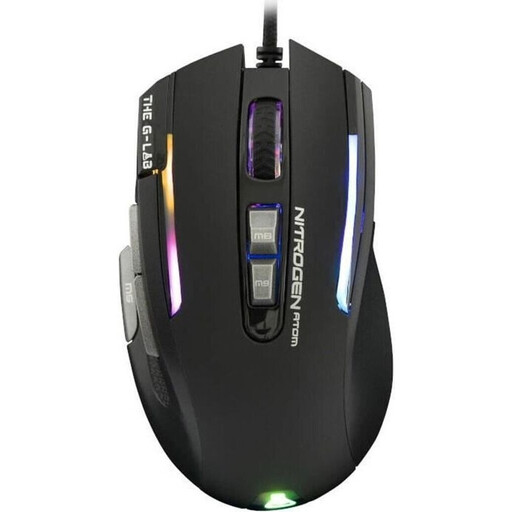
The G-Lab KULT-NITRO-ATOM gaming mouse, wired, RGB, 7200 DPI
If you’re looking for a wired mouse for a fixed gaming setup, remember to factor the cable into your setup.
Wired; RGB lighting; 7200 DPI.
View at Joybuy
 No image available
HyperX Pulsefire Haste 2, wired, white
If a few extra commands are all you need, compare this model’s features and cable with your requirements.
6 buttons; HyperX 26K sensor; 26,000 DPI; 8000 Hz; RGB; white.
View at Joybuy
 No image available
Logitech G502 X Lightspeed, wireless, for right-handed users, white
If you want to play without a mouse cable, bear in mind that LIGHTSPEED wireless uses a USB receiver.
Optical gaming mouse; right-handed design; white.
View at Joybuy
 No image available
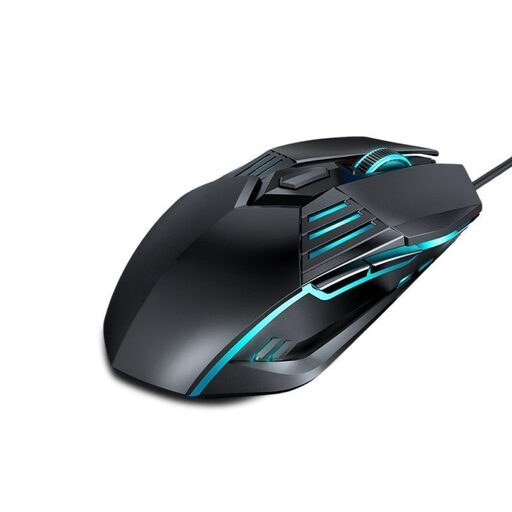
G560 wired gaming mouse with lighting and DPI switching
If you’re looking for a wired mouse, check whether DPI switching suits the way you want to use it.
Wired; lighting; DPI switching.
View at Joybuy
 No image available
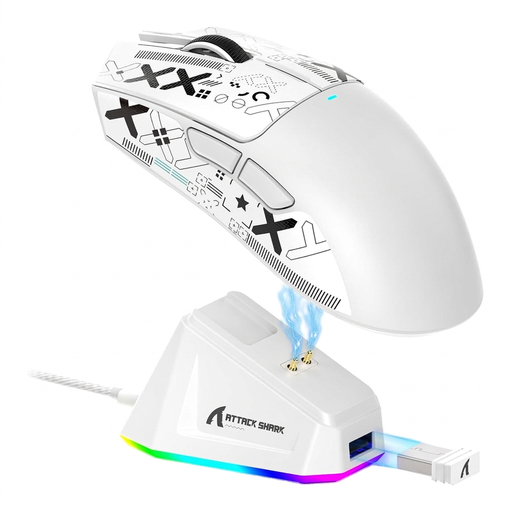
ATTACK SHARK X11, Tri-Mode, 5 programmable buttons, white
If you want to play without a permanent mouse cable, check which of the available connection options suits your computer and the ports you have available.
PAW3311 sensor; 22,000 DPI; Tri-Mode; 5 programmable buttons; RGB; charging dock; 62 g; grip tape included; white.
View at Joybuy
Frequently asked questions
Do I need a particularly high DPI or polling rate for virtual railway building?
The building tasks shown in the game descriptions for Model Railway Easily and Model Railway Easily 2 don’t indicate a specific minimum DPI. Redbrick Studios Ltd describes designing detailed layouts, so start by checking the shape, reachable buttons and useful settings in the specific game you play.
How do I set up a wireless mouse if I already use headphones?
First check whether your headphones need a wireless receiver, then plan around the USB ports you have available. SteelSeries describes the Aerox 5 Wireless as supporting Bluetooth and 2.4 GHz; receiver position may also matter if you have connection problems. This doesn’t assume that a particular headset will cause interference.
What should I check when using and maintaining my mouse?
From time to time, check the sensor surface and mouse feet, and keep an eye on the charge level of wireless models. For wireless issues with Unifying devices, Logitech recommends considering possible sources of interference or repositioning the receiver, among other things; this isn’t a general fix for every mouse model.
What are my rights in Germany if I buy online and the product is faulty?
For goods ordered online, you generally have a 14-day right to cancel from the date you receive them, subject to the details set out in law. The Verbraucherzentrale explains that the seller is generally responsible for faulty goods under the statutory warranty, which it states lasts for two years. For sales contracts from 31 July 2026, it also describes a one-off 12-month extension if you choose a repair when a product is faulty. A voluntary guarantee is separate from this.
What should I check to make sure a product complies with German requirements?
For electrical and electronic products covered by market surveillance, the Bundesnetzagentur lists points to check including the CE marking, product and manufacturer identity, and the declaration of conformity. Check these details for the specific listing, especially for a wireless model; a product page alone doesn’t confirm compliance.


