Zoo builders who play for long sessions
If you place and adjust lots of objects, look for a comfortable shape, with buttons and a scroll wheel that are easy to reach. CHIP highlights ergonomics as an important factor when choosing a gaming mouse.


Start by choosing a mouse that fits your hand, with buttons and a scroll wheel you can reach easily while building. If you often switch between tools and views, programmable buttons or a versatile scroll wheel can help. Wireless keeps another cable off your desk, while a wired mouse never needs charging. Headphones won’t make your mouse clicks any quieter for other people in the room.
If you place and adjust lots of objects, look for a comfortable shape, with buttons and a scroll wheel that are easy to reach. CHIP highlights ergonomics as an important factor when choosing a gaming mouse.
If you frequently switch between building, terrain and camera tasks, check whether you can assign the commands you need to buttons that are easy to reach. The official Planet Zoo 2 guide explains how to remap keyboard and mouse controls.
If there’s little room alongside your headphone cable and other devices, weigh up the freedom of a wireless connection against the extra charging and receiver considerations. If you want your mouse to be quieter for others in the room, check for an explicit noise claim for the exact model.
First check the fit and how easily you can reach the controls. Then consider the features you need for your in-game commands, and whether a wired or wireless connection suits your desk better.
| What matters | What to look for | Who is it important to? |
|---|---|---|
| Fit and comfort | Check the grip, palm support and reach of the main buttons, scroll wheel and side buttons. | When I’m placing lots of objects during long building sessions, I want to reach the buttons and scroll wheel without awkwardly shifting my grip. Around 38% of consumers put fit and comfort first. |
| Buttons and scroll wheel | Identify the commands you use often, then check the button assignments, scroll wheel modes and any software required for the specific model. | When I often switch between building tools and the camera, having the right commands on easy-to-reach controls matters to me. Around 31% of consumers prioritise these in-game commands. |
| Cable, connection and power | Check the space available for a cable, connection options, USB receiver and charging or battery requirements. | When my headphone cable and other devices take up desk space, I want to move my mouse freely and plan for its power needs. Around 23% of consumers prioritise cable and connection management. |
| Click noise | Look for an explicit quiet-click claim for the exact model, and check separately that it suits the way you play. | If other people in the room might hear my clicks, I want to take the noise into account for the specific model; headphones won’t change it. Around 8% of consumers prioritise consideration for click noise. |
Headphones won’t change how loudly other people in the room hear the switches.
If keeping the noise down for others matters, check the noise information for the exact model and weigh it against the controls you need for playing.
Logitech G highlights differences in connection and switches between G502 models; you can’t automatically assume that features of one variant apply to another.
Compare the full model name, the specific connection and what’s included in the box. G502 LIGHTSPEED and G502 X LIGHTSPEED are different models.
Extra buttons aren’t much use if they’re hard to reach or you can’t assign the in-game commands you use most to them.
If possible, try the grip and make a note of the actions you actually use often before buying.
The G502 HERO may suit builders who want to use plenty of assignable commands.
The wired Basilisk V3 35K is worth considering if scroll wheel modes and customisable controls matter to you.
The Aerox 5 Wireless may appeal to players looking for a wireless mouse with extra controls.
The M50 Wireless is worth considering if you want several connection options and a scroll wheel you can operate from the side.
The M65 RGB Ultra Wireless is a model-specific option for players looking to check out assignable buttons and adjustable weight.
This selection includes wired and wireless gaming mice with features for frequent building, camera and scrolling commands.
 No image available
Could suit you if you want extra programmable buttons and a wired connection for building.
The product title lists 11 programmable buttons, an optical sensor with 35,000 DPI and a right-handed design. The USB cable takes up desk space.
 No image available
Could suit you if you want to assign lots of in-game commands and do away with a mouse cable.
The product title lists 19 programmable buttons, 2.4 GHz wireless and Bluetooth. According to the product information, wireless operation requires one AA battery; a USB receiver is included for 2.4 GHz wireless.
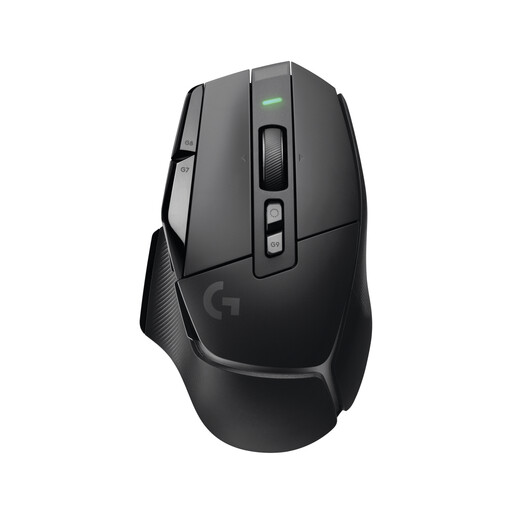 No image available
Could suit you if you prefer a wireless connection and can factor battery charging into how you use it.
The mouse is listed with a rechargeable battery and a USB receiver for LIGHTSPEED.
 No image available
Could suit you if you’re looking for a wired mouse with assignable buttons for frequently used in-game commands.
Logitech G lists 11 programmable buttons for the G502 HERO. The USB connection needs space for the mouse cable.
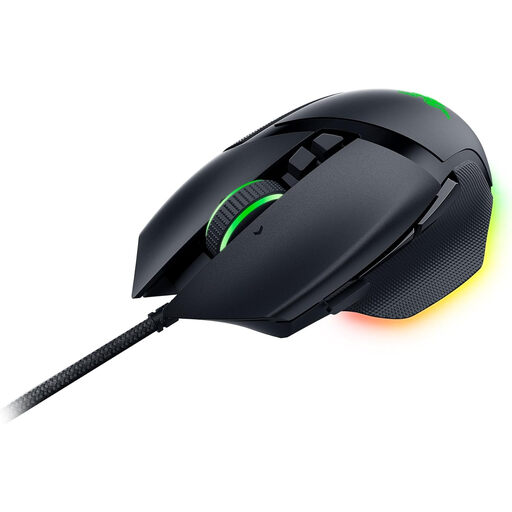 No image available
Could suit you if you’re looking for a wired mouse with programmable buttons for your in-game commands.
The product title lists 11 programmable buttons and an optical sensor with 26,000 DPI.
Not as a priority when choosing a mouse. What matters is whether you can control the cursor, camera and object placement at a sensitivity that feels right for you. Check the available settings and the shape of the specific mouse rather than comparing advertised maximum values alone.
First, identify the commands you use most, then check the control options in the game you actually play. The official Planet Zoo 2 guide explains how to remap keyboard and mouse controls; Logitech G says you can assign buttons on the G502 HERO using G HUB. This doesn’t mean the same assignments are available in other games or on other systems.
In Germany, online purchases generally come with a 14-day right of withdrawal; you need to notify the retailer or other contracting party that you wish to withdraw. If the product is faulty, statutory consumer rights should be distinguished from a voluntary guarantee. The first step may be to request a remedy, such as a repair or replacement.
No. The German Federal Ministry for the Environment advises that old electrical equipment must be taken to an authorised collection point, a manufacturer or a retailer obliged to accept it. Individual retailers’ take-back obligations depend on the relevant legal requirements.