
Lieferung heute & morgen

Qualitätsgarantie

Willkommens-Angebote freischalten: KOSTENLOSE Lieferung | Bis zu 80 % RABATT | Kostenlose 30-Tage-JoyPlus-Testphase
App herunterladen
Choosing the right gaming PC case is crucial. It's more than just a box for your components; it impacts your entire system's cooling performance, noise levels, and longevity. But the market is saturated with tempting designs and marketing promises that often lead to expensive missteps. This guide will help you navigate the common pitfalls and make an informed decision.
Before you buy a gaming PC case, you should be aware of the most common mistakes, which often only become apparent after the purchase.
To avoid these traps, focus on three objective criteria. These will define the functionality and future-proofing of your build.
The form factor determines which components will fit in your case. Meticulously check these dimensions before you buy:
A good cooling concept is essential for a stable gaming system. There are two main approaches:
A modern case shouldn't just look good; it should also make the building process easier.
Here are some recommendations tailored to specific user needs that take the above criteria into account.
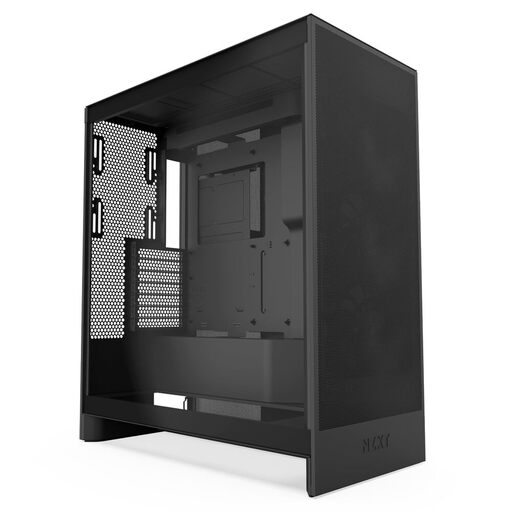
Why This Fits Their Persona: Ideal for users who prioritise maximum cooling performance for demanding games and applications. The focus is clearly on function over excessive RGB lighting.
This case bypasses the "glass palace" trap with a perforated front panel and a clear focus on airflow. It provides a solid cooling foundation out of the box, avoiding the hidden cost of extra fans.
Support for large radiators (up to 420mm in the front) and a well-designed cable management system make it a solid foundation for powerful and clean builds.
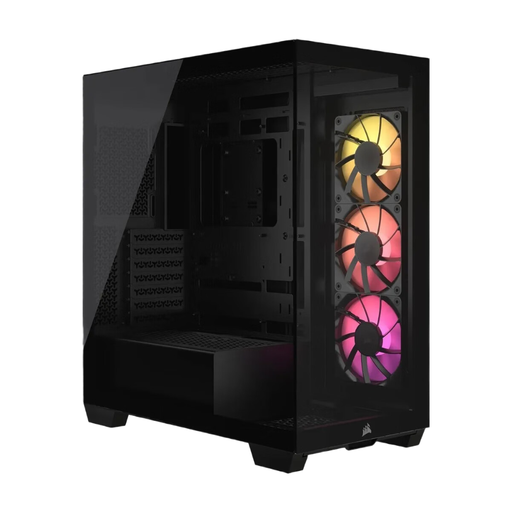
Why This Fits Their Persona: Perfect for PC builders who want a flawless aesthetic with a panoramic view of their components and value extremely clean cable management.
Despite its panoramic design, it offers space for up to ten fans and is engineered for good airflow. Compatibility with reverse-connection motherboards elegantly solves the problem of visible cables.
Support for motherboards with rear-facing connectors (e.g., ASUS BTF, MSI Project Zero) enables an exceptionally clean interior. Three ARGB fans are already included.
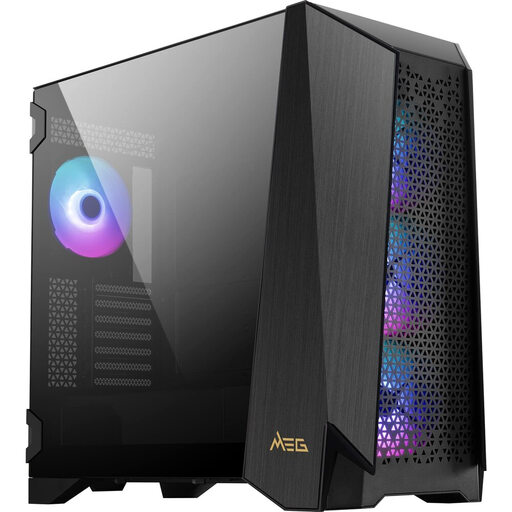
Why This Fits Their Persona: For users building a no-compromise system with an E-ATX motherboard and large components, who want full control over system parameters and lighting.
It solves the compatibility problem with a modular design that creates space for E-ATX boards or additional fans. With four pre-installed 140mm fans, out-of-the-box cooling performance is guaranteed.
A unique 4.3-inch IPS touchscreen for controlling fans and RGB without software. Its high modularity and spacious interior offer maximum flexibility for demanding builds.
We've compiled a complete, real-time updated list of products that fully meet these strict selection criteria.
1. How many fans does a good gaming PC case need? For most gaming systems, a configuration with at least three fans is a good starting point: two at the front for fresh air intake and one at the rear for warm air exhaust. An airflow-focused PC case with a mesh front benefits most from this setup. For particularly high-heat components, additional fans at the top or bottom can further reduce temperatures.
2. Does every graphics card fit in every ATX case? No. Although "ATX" is a motherboard standard, the internal dimensions of cases vary greatly. High-end graphics cards from recent generations, in particular, can exceed 350mm in length. Always check the maximum GPU length specified by the case manufacturer and plan for some extra clearance, especially if you're using a front-mounted radiator for water cooling.
3. Is a panoramic glass PC case worth it? A panoramic glass case can be aesthetically stunning, but it requires careful cooling planning. Models that offer sufficient air intakes alongside the glass (e.g., on the side, bottom, or through a dual-chamber design) can strike a good balance between looks and performance. Pure "glass boxes" without any mesh elements are often not recommended for high-performance gaming PCs.