
Lieferung heute & morgen

Qualitätsgarantie

Willkommens-Angebote freischalten: KOSTENLOSE Lieferung | Bis zu 80 % RABATT | Kostenlose 30-Tage-JoyPlus-Testphase
App herunterladen
A gaming PC case needs to do more than just look good. What really matters is having enough room for your graphics card and cooler, a sensible airflow path, and the right connections for the hardware you plan to install. If you let RGB lighting, glass panels or high fan counts be your only guide, you can easily overlook important details.
A PC case with pre-installed fans can make getting started easier. However, the number of fans alone tells you very little about the actual ventilation. Solid front panels, small intake openings or poorly positioned fans can all restrict airflow.
An airflow PC case should have sufficiently large mesh areas, dust filters, and separate intake and exhaust zones. A sensible setup is usually: draw fresh air in from the front or bottom, and expel warm air from the rear or top.
A mid-tower case can look spacious from the outside, while the maximum graphics card length is significantly reduced by front fans or a radiator. You also need to consider the height of the CPU cooler and the length of the power supply.
So don't just check whether a case is labelled as an ATX case. What matters are the specific figures for GPU length, CPU cooler height, PSU length and radiator position.
A PC case with a glass window shows off your components, but it can be heavier and more fragile than a mesh side panel. With RGB models, you also need to think about connections and control. Some fans require a separate controller, while others can be controlled directly via a 5-volt ARGB header on the motherboard.
Before you buy, you should therefore check whether a controller is included, which software is supported, and whether the lighting can be operated without additional hardware.
A case for water cooling needs to be able to accommodate the radiator size you want in the intended position. Details like "up to 360 mm at the front" or "up to 360 mm at the top" are therefore more important to check than general mentions of liquid cooling.
The maximum graphics card length can change once front fans or a front radiator are installed. With large high-end graphics cards, you should leave enough clearance between the manufacturer's stated figure and the space that's actually available.
For air coolers, the maximum cooler height is the key measurement. A tall tower cooler can be impossible to fit if the side panel is too narrow. A long ATX power supply can also collide with drive cages or cables.
Pre-installed fans reduce the extra cost of buying them separately. Even so, pay attention to their size, position and connection type. Three 120 mm fans at the front have different installation options than two 140 mm fans.
Magnetic dust filters make regular cleaning much easier. Cable channels, tie-down points and enough space behind the motherboard tray help prevent loose cables from obstructing airflow.
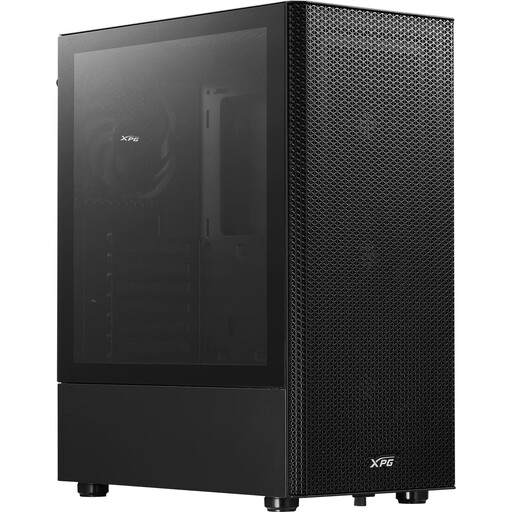
Why this product fits the profile: This mid-tower case supports ATX, Micro-ATX and Mini-ITX, and according to the product details it comes with four pre-installed 120 mm fans.
The perforated front panel and removable magnetic dust filter address the common restriction caused by solid front panels.
Supports graphics cards up to 310 mm and front radiators up to 360 mm; a glass side window is included.
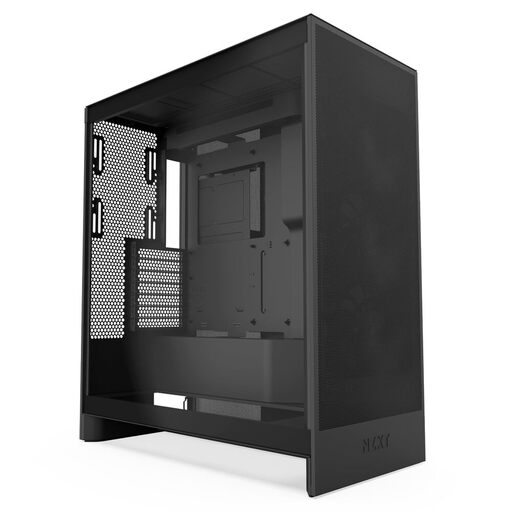
Why this product fits the profile: This ATX case is designed for builds with high heat output and offers several defined mounting options for fans and radiators.
Mesh surfaces and three pre-installed 120 mm front fans reduce the need for later upgrades.
According to the product details, it supports up to three bottom fans as well as radiators up to 420 mm at the front and 360 mm at the top.
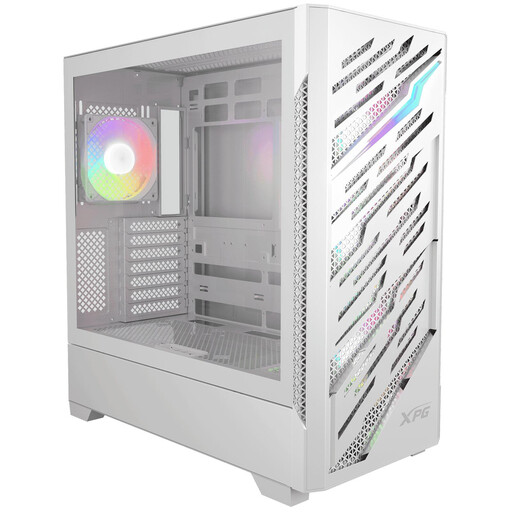
Why this product fits the profile: This case is ideal for users who want to combine E-ATX, reverse-connector motherboards and extensive cooling.
The compatibility details explicitly list E-ATX, ATX, Micro-ATX and Mini-ITX, helping you avoid buying the wrong motherboard form factor.
Four pre-installed 120 mm ARGB fans, radiator support up to 360 mm, and up to 390 mm GPU length.
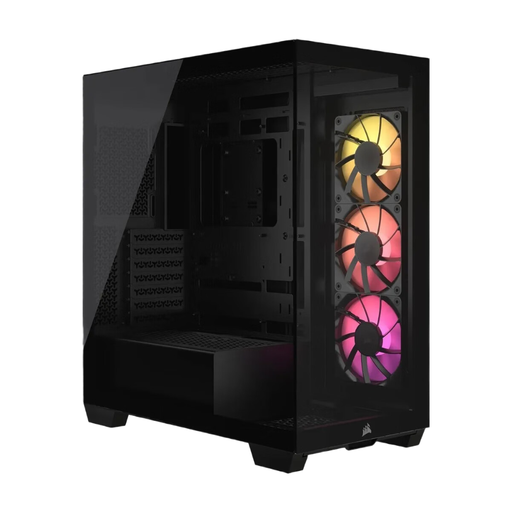
Why this product fits the profile: This model combines a visible component showcase with support for Mini-ITX up to E-ATX and reverse-connection motherboards.
The specifications list specific clearances for the GPU, CPU cooler and power supply, rather than just general statements about size.
Three pre-installed CORSAIR RS120 ARGB PWM fans, support for up to ten 120 mm fans, and a maximum GPU length of 400 mm.
We've put together a complete, regularly updated list of products that fully meet these strict selection criteria and the safety regulations in force in the EU.
The key factor is the stated maximum GPU length, including any installed front fans or radiators. For large cards, models offering around 390 to 400 mm of clearance give you more room to plan. You should also consider the cable connections and the thickness of the graphics card.
That depends on your components, the case layout and the fan positions. A typical system can get by with two to four sensibly placed fans. More fans are only helpful if the mesh areas, intake and exhaust, and noise levels all work together.
Pre-installed RGB fans can reduce the extra work of installation. However, before you buy, you should check whether a controller is included, what connections are needed, and whether the lighting can be synchronised with your existing motherboard software.