
Lieferung heute & morgen

Qualitätsgarantie

Willkommens-Angebote freischalten: KOSTENLOSE Lieferung | Bis zu 80 % RABATT | Kostenlose 30-Tage-JoyPlus-Testphase
App herunterladen
A gaming PC case doesn't just affect the finished computer's appearance. It determines which graphics card fits, how many fans can be installed, and whether future upgrades are possible without a complete rebuild. However, many buyers focus on RGB lighting or a large glass window first, and overlook important technical limitations.
A PC case with ARGB fans can look appealing straight out of the box. However, the lighting says little about the actual airflow. What matters are the fan positions, a sufficiently open front panel, and available dust filters. A closed glass front can restrict air intake more severely than a perforated mesh front.
"Midi Tower" is not a standardised interior size. Two midi tower cases can differ significantly in GPU length, CPU cooler height and power supply length. Particularly large graphics cards often need 350 to 400 mm of space. A radiator at the front can also reduce the available room for the GPU.
An ATX case does not automatically accommodate every large motherboard. ATX, Micro-ATX and Mini-ITX are common form factors. E-ATX cases, on the other hand, must be checked against the specific dimensions of the E-ATX motherboard. With some models, support is only stated up to a certain width.
The choice should start with the motherboard:
Before buying, also check the maximum GPU length, CPU cooler height and permissible power supply length. A case should not only accommodate your current hardware, but also leave some leeway for future components.
An airflow PC case has as clear intake and exhaust paths as possible. A PC case with a mesh front typically lets more air into the interior than a fully closed front. A logical fan arrangement is important:
The number of pre-installed fans is an objective point of comparison. However, it does not replace checking whether the fan sizes, connectors and mounting positions match your planned hardware.
Anyone looking for a case for water cooling should examine the radiator positions carefully. Specifications like "up to 360 mm" refer to the supported radiator length, not automatically to every combination of radiator, fans and motherboard. A radiator at the top can collide with tall memory modules or large heatsinks.
Removable front and side panels, magnetic dust filters and cable channels are practical features. With glass windows, the tempered glass should be carefully placed on a padded surface. Metal edges can be sharp; assembly should be carried out with the mains power completely disconnected.
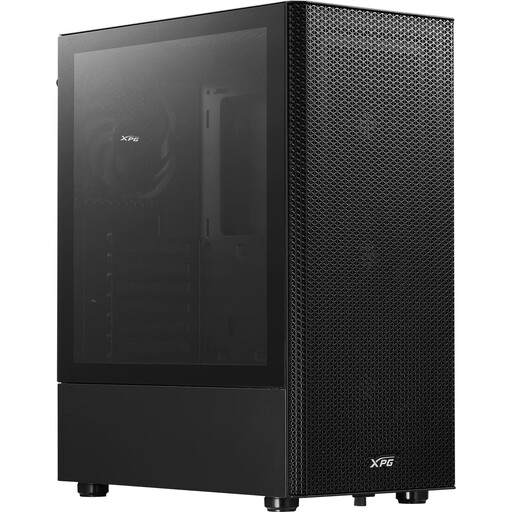
Why this product fits the profile: This midi tower case supports ATX, Micro-ATX and Mini-ITX and comes with four pre-installed 120 mm fans. This gives beginners a manageable foundation for a classic gaming PC.
The perforated front with a removable dust filter prioritises air intake over a fully closed glass front.
GPU clearance up to 310 mm, CPU cooler up to 166 mm and radiator support up to 360 mm at the front.
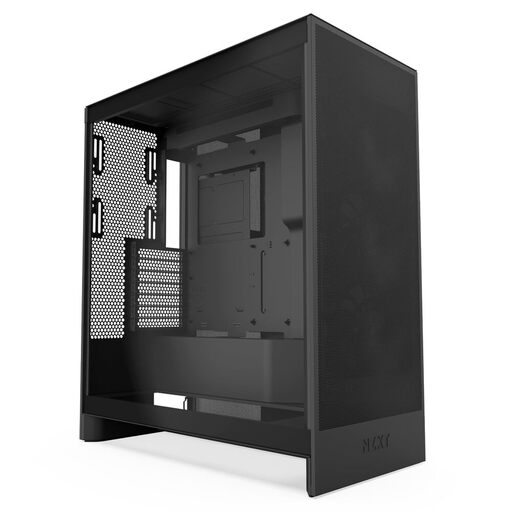
Why this product fits the profile: For powerful ATX systems, this case offers several defined cooling options and tidy cable management.
Mesh panels support air intake; three pre-installed 120 mm front fans are already included.
Supports up to three bottom fans for the GPU, plus radiators up to 420 mm at the front and 360 mm at the top.
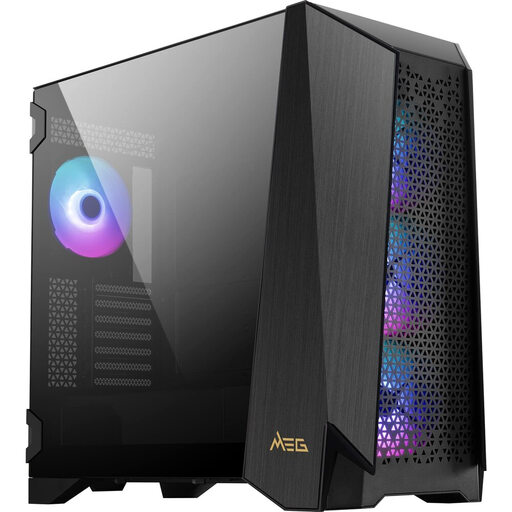
Why this product fits the profile: This model is aimed at users with an E-ATX motherboard, extensive cooling and a high demand for installation and expansion space.
The technical features go beyond mere RGB aesthetics: four magnetic dust filters and modular side panels make maintenance and building easier.
E-ATX support up to 310 × 304.8 mm, GPU clearance up to 400 mm and space for up to ten fans.
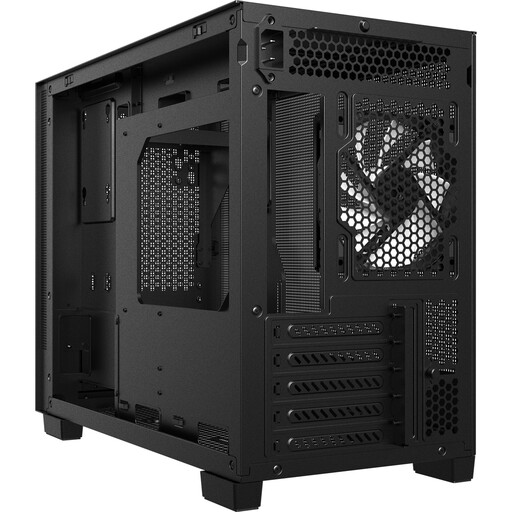
Why this product fits the profile: Micro-ATX and Mini-ITX DIY builders get a more compact case with a USB-C port and room for larger graphics cards.
The mesh front and integrated dust filters avoid the trade-off between compact design and air intake.
Supports GPUs up to 370 mm, CPU coolers up to 170 mm and radiators up to 360 mm at the top.
We have compiled a complete, regularly updated list of products that fully meet these strict selection criteria and the safety regulations in force in the EU.
For many gaming PCs, an ATX midi tower with a mesh front, multiple fan mounts and sufficient GPU clearance is a practical choice. What matters are the specific dimensions of the components, not just the case name.
A case does not have a typical lifespan like a battery. With stable panels, regular dust removal and careful handling of tempered glass, it can last through several hardware generations. Fans and dust filters can be cleaned or replaced separately, depending on the design.
Yes, additional fans increase power consumption slightly. The exact value depends on fan size, speed and model. Therefore, for your buying decision, it is not just the number of fans that matters, but also sensible airflow and connection options.