
Lieferung heute & morgen

Qualitätsgarantie

Willkommens-Angebote freischalten: KOSTENLOSE Lieferung | Bis zu 80 % RABATT | Kostenlose 30-Tage-JoyPlus-Testphase
App herunterladen
A gaming PC case affects more than just the look of your system. It also determines which graphics card will fit, how easy assembly is and whether heat can be reliably removed from the interior. Especially when upgrading a gaming PC, unclear details about fan mounts, radiator sizes or graphics card length can quickly lead to unsuitable purchases.
Before buying a gaming PC case, you should therefore look beyond RGB lighting or a striking side panel. The actual dimensions, interior layout and available connections are more important.
A PC case with four fans can provide a solid starting point. However, what really matters is how the fans are positioned and whether airflow is sensibly directed through the front, side, base and rear. Closed front panels can restrict air exchange, while mesh elements usually allow more air to pass through.
You should therefore check:
A PC case with panoramic glass puts the components on display. This can be appealing for RGB systems and careful cable management. However, glass panels add weight and must be handled carefully during installation. The case should also provide enough space behind the motherboard tray so that cables do not press against the side panel.
An ATX case is not automatically suitable for every long graphics card or liquid-cooling system. Details such as “GPU up to 400 mm” may refer to the interior without a front-mounted radiator installed. With liquid cooling, the usable space may be reduced.
You should therefore compare the dimensions of:
The motherboard determines the minimum case size. A mid-tower case often supports Mini-ITX, Micro-ATX and ATX. For larger boards, you will need an E-ATX case or a model that explicitly lists E-ATX support.
Back-connect motherboards also require suitable cable pass-throughs and mounting areas. This design places some connections on the rear of the motherboard and can change how cable management is arranged.
Modern gaming graphics cards can be very long and wide. The maximum GPU length is therefore a key specification. A vertical GPU mount can enhance the presentation, but it often requires a riser cable, sold separately. It can also alter the distance to the side panel, which affects airflow.
Pay attention to:
A PC case with good cooling should offer several mounting positions for fans. For liquid cooling, the radiator size, installation position and maximum component thickness are also important. For example, a case designed for liquid cooling may accommodate a 360 mm radiator at the top or front, but not necessarily in both positions at the same time.
Removable or magnetic dust filters make regular cleaning easier. Tool-free side panels and clearly routed cable channels reduce installation effort, but they do not replace comparing the dimensions of your components.
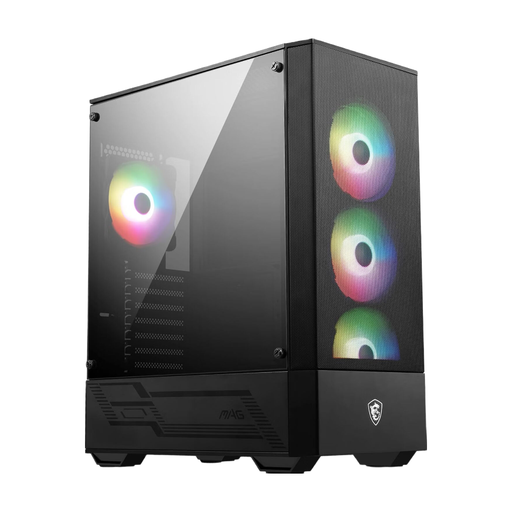
Why this product suits the profile: This ATX case also supports Micro-ATX and Mini-ITX and comes with four pre-installed 120 mm ARGB fans. It is therefore well suited to a conventional gaming PC without particularly large or specialised components.
The technical specifications state support for GPUs up to 330 mm, CPU coolers up to 160 mm and several radiator positions up to 240 mm. This makes it easier to check compatibility more precisely before buying.
Four 120 mm ARGB fans and an integrated 1-to-6 ARGB hub; support for ATX power supplies up to 200 mm.
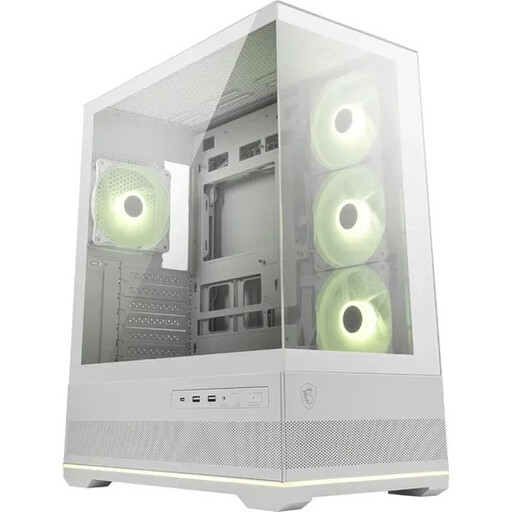
Why this product suits the profile: This model combines 270-degree panoramic glass with a dual-chamber PC case. It is designed for users who want to combine visible components with organised cable management.
The side and front glass panels are complemented by specific interior details: GPU support up to 400 mm, CPU cooler support up to 160 mm and room for up to ten fans.
Four pre-installed ARGB fans, support for a 360 mm radiator at the top and a 1-to-5 ARGB hub with LED control.
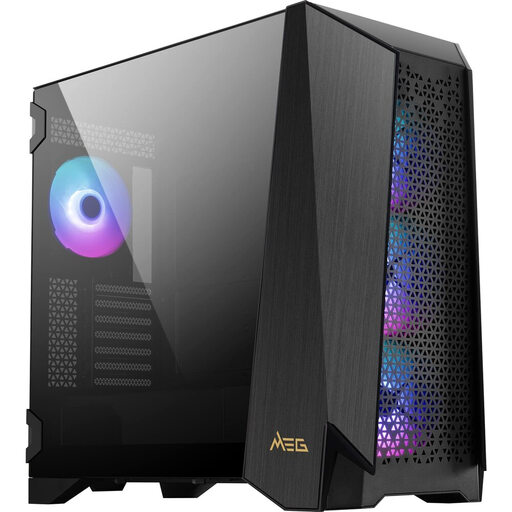
Why this product suits the profile: For large builds with an E-ATX motherboard, extensive cooling or frequent hardware maintenance, this gaming case offers plenty of customisation options.
The specifications distinguish between E-ATX, ATX, Micro-ATX and Mini-ITX support. They also list GPU lengths of up to 400 mm and CPU cooler heights of up to 185 mm.
Four 140 mm ARGB fans, support for up to ten fans and radiators up to 360 mm; 4.3-inch IPS touchscreen for selected control functions.
We have put together a complete, regularly updated list of products that fully meet these strict selection criteria and the safety regulations applicable in the EU.
For a typical gaming PC, one or two intake fans and one exhaust fan can provide a sensible basic configuration. Four pre-installed fans reduce the need for upgrades. However, the exact number depends on the processor, graphics card, room temperature and fan size.
No. ATX primarily describes motherboard compatibility. The graphics card’s length and width, as well as any restrictions caused by front fans or radiators, must be checked separately. Measure the graphics card including its power connection, then compare the result with the case manufacturer’s specifications.
ARGB fans require suitable connections or a controller. Some MSI PC cases already include an ARGB hub. Before installation, check whether the lighting can be controlled via a button, the motherboard or software such as MSI Mystic Light. This helps you avoid additional adapters and unnecessary cabling.