
Lieferung heute & morgen

Qualitätsgarantie

Willkommens-Angebote freischalten: KOSTENLOSE Lieferung | Bis zu 80 % RABATT | Kostenlose 30-Tage-JoyPlus-Testphase
App herunterladen
A gaming PC case doesn’t just affect the look of your computer. It determines whether your graphics card, CPU cooler, power supply and radiator will fit together, how easy future upgrades will be, and whether the fans get enough fresh air. The product name alone often doesn’t give you enough information.
As Joybuy’s Product Recommendation Officer, I’ve filtered out the key details and will show you what gaming PC builders, content creators and hardware upgraders in the UK should look out for.
A high number of pre-installed fans can be useful, but it says little about the actual airflow. What really matters is:
A closed front panel can restrict airflow, even if several fans are fitted. With an airflow PC case, the design of the front panel should therefore be more important than the sheer number of fans.
A mid-tower case can accommodate ATX motherboards, but it can still be tight for long graphics cards, tall CPU coolers or large radiators. Before you buy, check at least:
Also bear in mind that a front-mounted radiator can reduce the usable length for the graphics card.
RGB and ARGB are sometimes used imprecisely in shops. For addressable lighting, ARGB fans usually need a 5-volt ARGB connector or a compatible hub. A standard 12-volt RGB connector is not interchangeable. Before installation, make sure your motherboard manual, fan connectors and controller all match.
An ATX case usually offers more room for expansion cards and cables. Still, you should check the specifications carefully:
An E-ATX case is not automatically suitable for every E-ATX board. The maximum supported board width is important for demanding builds.
Compare the manufacturer’s specifications with the dimensions of your hardware, and leave a little room for installation and cable routing. With a liquid cooling system, you also need to consider the radiator thickness and fan depth. A water cooling case should therefore not just say “360 mm radiator”, but also offer a suitable mounting position and enough clearance for RAM, the motherboard and the graphics card.
For cooling, a balanced configuration makes sense: intake at the front or bottom, exhaust at the rear or top. Look out for:
A tempered glass panel shows off your components, but it adds weight and needs careful handling. For a gaming case black or gaming case white, you should only choose the colour after checking the technical specifications.
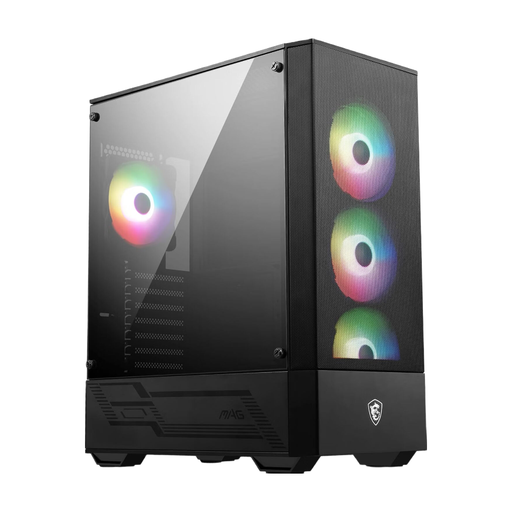
Why this product fits the profile: This mid-tower case supports ATX, Micro-ATX and Mini-ITX, and comes with four pre-installed 120 mm ARGB fans.
The mesh front and 1-to-6 ARGB hub make airflow and lighting connections clearer than a plain RGB setup without detailed specifications.
GPU support up to 330 mm, CPU cooler up to 160 mm and radiators up to 240 mm.
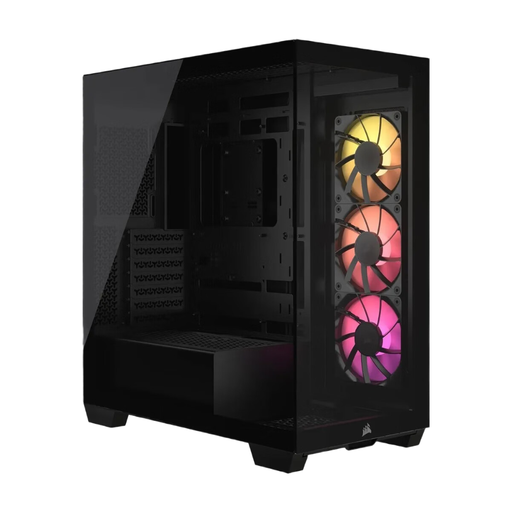
Why this product fits the profile: This case combines a panoramic tempered glass panel with support for Mini-ITX, Micro-ATX, ATX and E-ATX.
The compatibility details cover several motherboard formats and specify exact clearances for the GPU, CPU cooler and power supply.
Up to ten 120 mm fans, three pre-installed CORSAIR RS120 ARGB PWM fans and GPU clearance up to 400 mm.
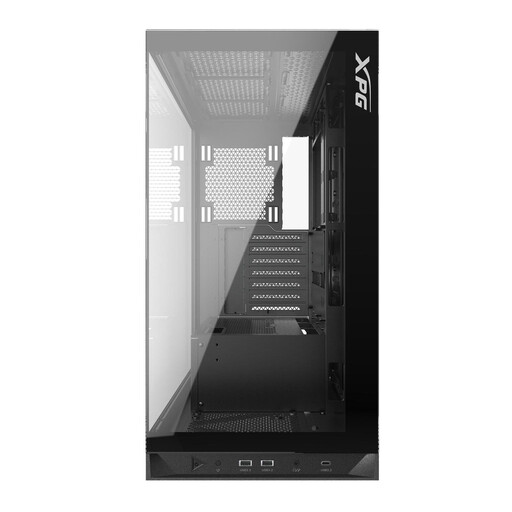
Why this product fits the profile: For large graphics cards, lots of fans and a liquid cooling system, this ATX case offers specific mounting options.
The details on GPU and cooler height, as well as radiators, reduce the risk that high-performance components won’t fit inside.
GPU support up to 400 mm, CPU cooler up to 175 mm and radiators up to 360 mm at the top and bottom.
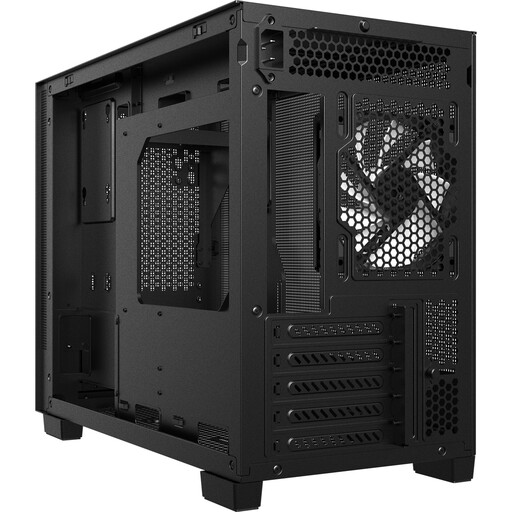
Why this product fits the profile: This Micro-ATX case is designed for space-saving systems, yet still offers connections for modern peripherals.
The Micro-ATX and Mini-ITX compatibility is backed up with specific limits for the GPU, CPU cooler and power supply.
GPU clearance up to 370 mm, USB-C 3.2 Gen 2 and support for a radiator up to 360 mm at the top.
We’ve put together a full, regularly updated list of products that meet these strict selection criteria and the safety regulations in force across the EU.
A mesh front panel makes airflow easier, provided the fans behind it are fitted correctly and the filter is kept clean. It doesn’t replace a well-thought-out exhaust system. So always check the available mounting positions at the rear and top.
The lifespan depends on the material, how much it’s moved, how well you clean the dust, and how often you rebuild it. Steel frames and solid fixings can last through several hardware generations. Tempered glass should be stored without impact and not placed on hard edges. Before you buy, it’s also worth checking the manufacturer’s spare parts and warranty information.
The case itself doesn’t use any significant amount of power. Power is used by the fans, ARGB lighting, USB ports and possibly an integrated hub. With lots of fans and permanent lighting, the consumption increases slightly. However, for choosing your power supply, it’s the processor, graphics card and other components that really matter.