
Lieferung heute & morgen

Qualitätsgarantie

Willkommens-Angebote freischalten: KOSTENLOSE Lieferung | Bis zu 80 % RABATT | Kostenlose 30-Tage-JoyPlus-Testphase
App herunterladen
A gaming PC case needs to do more than just look good. It determines which hardware will fit, how easy the build is to assemble, and whether the cooling is adequate for everyday use. Three common buying mistakes often lead to unnecessary spending: lots of fans don't automatically mean good airflow, RGB lighting says nothing about build quality, and a case that's advertised as spacious can still be tight for a graphics card or radiator.
For gaming enthusiasts, PC builders, content creators and performance-focused users, it's worth looking at measurable case features rather than pure marketing claims.
A case with four pre-installed fans can be convenient. What really matters, though, is where the fans are positioned and whether the front panel supplies enough fresh air. A solid glass front can restrict airflow, whereas a gaming case with a mesh front usually offers a more open intake area. Additionally, dust filters should be cleaned regularly to prevent the air supply from dropping off.
A PC case with RGB or PC case with ARGB fans can certainly enhance the interior visually. However, before buying, you should check whether the lighting is controlled via a 5V ARGB header, a controller, or proprietary software. RGB and ARGB are not the same; connectors must not be plugged together without checking first.
"Midi Tower" only describes a case category. Within this category, the maximum supported graphics card length, CPU cooler height and power supply length can vary significantly. Even an ATX PC case can be unsuitable for a long GPU or a large radiator. You should therefore compare the dimensions of your own components with the manufacturer's specifications for the case before purchasing.
A midi tower case often supports ATX, Micro-ATX and Mini-ITX. For larger workstations or systems with additional expansion cards, an E-ATX PC case can make sense. It's important to check whether your specific E-ATX board is actually supported within the stated dimensions. For compact builds, Micro-ATX cases are interesting, but they usually offer less room for cables, drives and extra fans.
Compare the maximum graphics card length with the actual length you need, including front fans or a radiator. A case with 400 mm of GPU clearance, for example, offers more leeway than a model with 310 mm. For air coolers, the maximum CPU cooler height is relevant. With large tower coolers, even a few millimetres can determine compatibility.
An airflow PC case should combine intake and exhaust positions sensibly. A typical setup is fresh air intake at the front or bottom, and warm air exhaust at the rear or top. If you're looking for a PC case for water cooling, you should check not only the radiator size but also the mounting position. A 360 mm radiator won't automatically fit alongside every graphics card or RAM module. Details on fan and radiator support are therefore more important than the sheer number of fans.
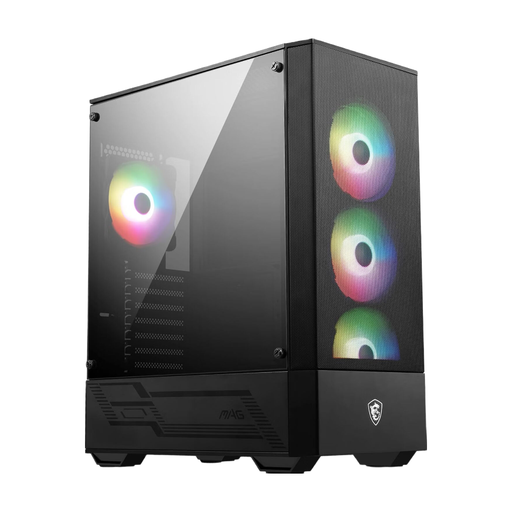
Why this product fits the profile: This ATX case supports ATX, Micro-ATX and Mini-ITX motherboards and comes with four pre-installed 120 mm ARGB fans plus a 1-to-6 ARGB hub.
The mesh front supports air intake, while the stated GPU length of up to 330 mm provides a concrete planning dimension.
Four 120 mm ARGB fans, seven expansion slots and support for radiators up to 240 mm.
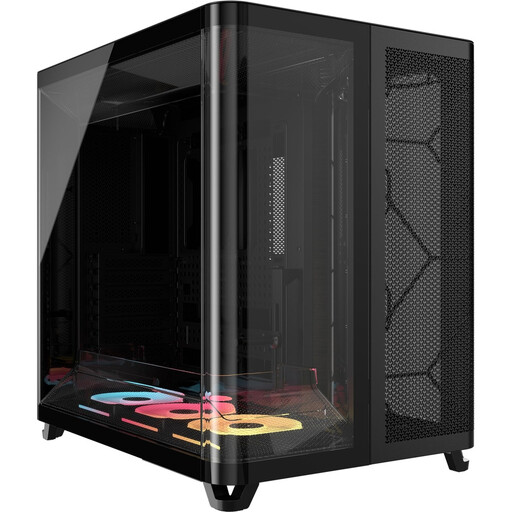
Why this product fits the profile: The dual-chamber design separates the motherboard and cable areas. Three pre-installed 120 mm LX-RGB fans appeal to users who value tidy builds and iCUE integration.
The separate chambers reduce cable clutter in the main area. However, you should check the 30.8 cm width against your available desk space before buying.
GPU clearance up to 400 mm, CPU cooler height up to 180 mm and daisy-chain connectors for the iCUE LINK system.
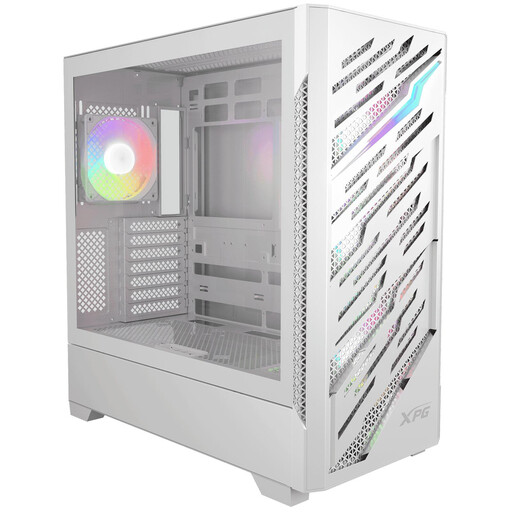
Why this product fits the profile: This model is aimed at large builds with E-ATX support, reverse-connector motherboards and extensive cooling planning.
The specifications for E-ATX, GPU and radiator clearance help with planning. You should check the reverse-connector board support against your own motherboard.
Four pre-installed 120 mm ARGB fans, support for up to twelve fans and radiators up to 360 mm at the front and top.
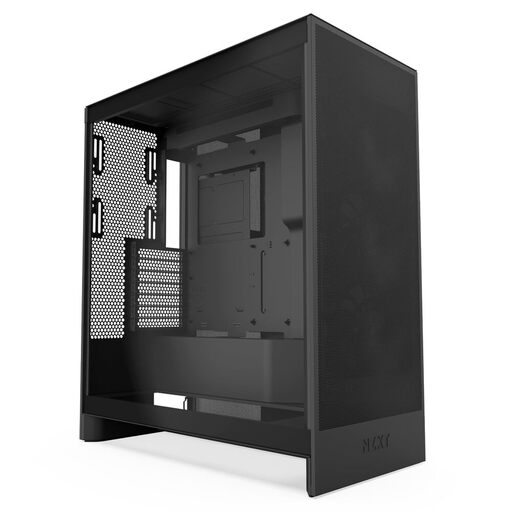
Why this product fits the profile: The mesh panels, three pre-installed front fans and the option for bottom fans are designed for systems with high GPU and CPU loads.
The cooling isn't marketed on looks alone: the case specifies concrete mounting positions for three bottom fans as well as radiators up to 420 mm at the front and 360 mm at the top.
ATX midi tower format, mesh surfaces and wide cable management channels for performance-oriented builds.
We've put together a complete, regularly updated list of products that fully meet these strict selection criteria and the safety regulations in force in the EU.
There's no fixed number. What matters is a clear airflow path with intake and exhaust positions. For many ATX systems, front fans for intake and a rear or top fan for exhaust provide a practical foundation. With high-performance hardware, additional bottom or top fans can be beneficial.
That depends on your processor, graphics card and the radiator you're using. If you're planning water cooling, you should check whether the case supports your chosen radiator in the intended position and whether it restricts the graphics card or RAM. A specific 240 mm, 280 mm or 360 mm specification is more helpful than a general "water cooling ready" label.
The lifespan depends mainly on materials, mechanical wear, dust exposure and potential hardware upgrades. A case with sufficient interior space, replaceable fans, sturdy fixings and easily accessible filters can be used across several upgrades. Before buying, you should therefore consider not only your current components but also possible future ones.