Gaming PCs for gaming and OBS
This selection includes gaming towers and gaming laptops for gaming and OBS on one device. Compare the specifications and ventilation requirements of each model with your setup.
 No image available
Acer Predator Orion 3000, 16 GB, 512 GB SSD, RTX 5060, Windows 11 Home
A tower model for gaming and running OBS on the same PC.
Listed specifications include 16 GB RAM, a 512 GB SSD and an RTX 5060.
For setup, the product description recommends a stable surface and at least 10 cm of clearance on all sides.
View at Joybuy
 No image available
Dell Alienware Aurora ACT1250 1J3N5, Core Ultra 9 285K, 32 GB, 2 TB SSD, RTX 5080
A tower for gaming and running OBS on one computer; check that its components suit your games and streaming settings.
Listed specifications include a Core Ultra 9 285K, 32 GB RAM, a 2 TB SSD and an RTX 5080 with 16 GB GDDR7.
Make sure there’s enough ventilation and keep the vents clear.
View at Joybuy
 No image available
Captiva R89-503, Ryzen 7 7800X3D, 32 GB DDR5, 2 TB SSD, RTX 5070 Ti
A tower for gaming and running OBS on one device; check that its specifications suit your planned games and scenes.
Listed specifications include a Ryzen 7 7800X3D, 32 GB DDR5, a 2 TB SSD and an RTX 5070 Ti with 16 GB.
For setup, the product description recommends a hard, level surface and 10 to 15 cm of clearance behind the PC.
View at Joybuy
 No image available
ASUS ROG Strix G17, Ryzen 9 7940HX, RTX 4060, 16 GB, 1 TB SSD
A gaming laptop with a built-in screen for gaming and running OBS on one device.
Listed specifications include a 17.3-inch FHD display with 144 Hz, an RTX 4060 with 8 GB, 16 GB RAM and a 1 TB SSD.
When gaming, place the laptop on a level surface and make sure its vents aren’t blocked.
View at Joybuy
 No image available
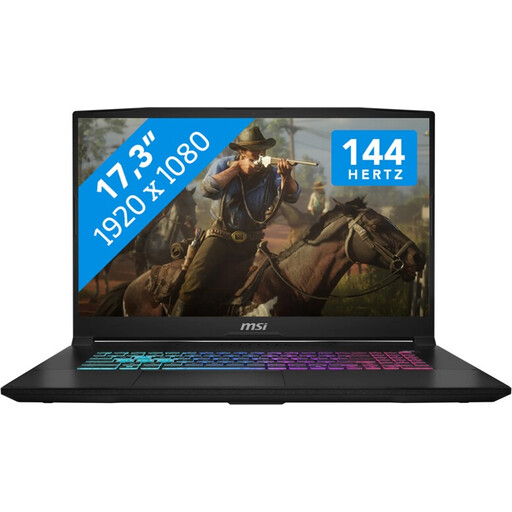
MSI Katana 17 HX B14WFK, Core i7-14650HX, RTX 5060, 16 GB, 1 TB SSD
A gaming laptop for gaming and running OBS on one device; check that its specifications suit the scenes you have planned.
Listed specifications include a 17.3-inch FHD display with 144 Hz, 16 GB RAM, a 1 TB SSD and an RTX 5060 with 8 GB GDDR6.
Use the laptop on a level surface and keep its vents clear.
View at Joybuy
Frequently asked questions
Is a PC with a hardware encoder automatically suitable for gaming and streaming?
No. According to the OBS Project, hardware encoding can reduce the load on the CPU, but OBS still needs GPU resources for scenes; requirements also vary by game and output settings. Test your planned setup rather than assuming a particular frame rate based on the encoder name.
How can I check my audio before my first co-op stream?
Check the microphone and desktop audio levels in OBS, and select the right devices individually if needed. If you capture applications separately, check that you can hear the game and voice chat, and that an additional active global desktop audio source isn’t causing an echo.
What can I do about dropped frames, even with a powerful PC?
First, distinguish connection issues from OBS rendering or encoding problems. For connection issues, the OBS Project recommends checking factors including the server and video bitrate; a new graphics card isn’t a reliable fix.
What rights apply when buying a PC online for personal use in Germany?
For consumer distance contracts, § 312g BGB generally provides a right of withdrawal; § 355 BGB sets a 14-day period. Exceptions apply to certain goods, such as custom-made products, so the details of your specific order matter. For ordinary goods, claims for defects generally become time-barred two years after delivery under § 438 BGB. A voluntary guarantee is separate from these rights. This information is based on guidance from the Federal Ministry of Justice and the Federal Office of Justice on “Gesetze im Internet”.


