
Lieferung heute & morgen

Qualitätsgarantie

Willkommens-Angebote freischalten: KOSTENLOSE Lieferung | Bis zu 80 % RABATT | Kostenlose 30-Tage-JoyPlus-Testphase
App herunterladen
If you’re looking to buy PC components, there’s a huge choice of memory, motherboards, graphics cards and PC power supplies. High clock speeds, new interfaces and eye-catching product names may sound impressive, but they don’t tell you much on their own about whether a component is right for your computer. What matters is whether the components are technically compatible and suited to how you plan to use your PC.
This buying guide explains which details to check before you buy and how to avoid common mistakes when upgrading your PC or building a new gaming PC.
A high memory speed doesn’t automatically guarantee a noticeable benefit. A DDR5 kit rated at 6000 MT/s needs a compatible motherboard and processor, and may also require an XMP or EXPO profile to be enabled. Without a profile, the memory will often run at its stored SPD value.
DDR4 RAM and DDR5 RAM aren’t interchangeable, either. Their slots differ mechanically and electrically, so you can’t use a DDR4 kit with a DDR5 motherboard.
A high-rated ATX power supply isn’t automatically the right choice. You should also check:
A 12V-2x6 connector may be important for modern graphics cards. Even an older power supply with sufficient wattage may not be suitable if it lacks the right cables or standards.
A Wi-Fi 7 motherboard needs a compatible router and an operating system with suitable driver support for you to use the relevant features. For the Colorful motherboards mentioned here, full Wi-Fi 7 functionality requires Windows 11 version 24H2 or later. According to the product details, Wi-Fi 7 drivers aren’t available for Windows 10.
A PCIe 5.0 graphics card or PCIe 5.0 slot could be useful in the long term. However, actual performance also depends on the graphics card, processor, game, resolution and application.
Start with the processor, then choose your motherboard. The socket and processor series must match. According to the product details, Colorful models with AMD B650 or AMD B850 chipsets support Ryzen 7000, 8000 and 9000 series processors for the AM5 socket. Check the manufacturer’s current compatibility list before buying to confirm support for your specific processor.
Also check:
When choosing a power supply, consider the power requirements of your processor and graphics card, as well as the extra capacity needed for drives, fans and short-lived power spikes. A modular power supply uses only the cables you need. This can make installation easier and help keep the inside of your case tidy.
Useful points of comparison include:
The 80 PLUS rating describes efficiency under specific load conditions. It isn’t a direct indicator of a power supply’s noise level, lifespan or overall quality.
When choosing a graphics card, make sure it suits your target resolution, has enough graphics memory and will fit inside your case. For example, the GIGABYTE GeForce RTX 3060 GAMING OC 12G is listed with 12 GB of GDDR6, PCIe 4.0, a length of 28.2 cm and an 8-pin connector. Your case needs to accommodate these dimensions and provide sufficient airflow.
An external graphics card such as the GIGABYTE AORUS RTX 5060 Ti AI BOX, on the other hand, requires compatible Thunderbolt or USB4 hardware. It isn’t the same as a standard internal PCIe card, so check before buying that your laptop or desktop PC supports the required connection.
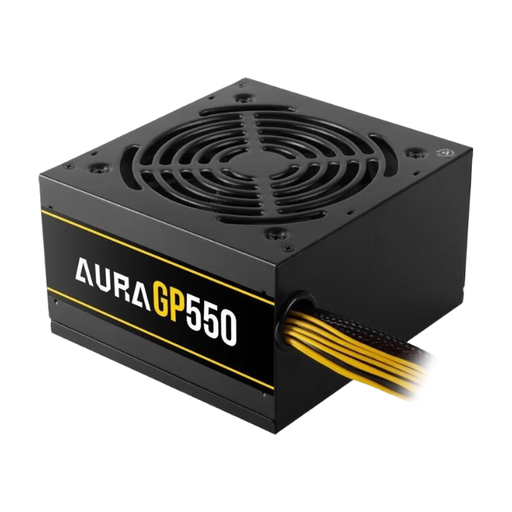
Why it suits this profile: This 550 W ATX power supply with an active 120 mm fan is designed for basic desktop and upgrade systems with moderate power requirements.
The clear rated wattage and ATX format make it easier to check the basics. For modern, high-performance graphics cards, however, you should check the connectors and power requirements separately.
550 W output, ATX format and an active 120 mm fan.
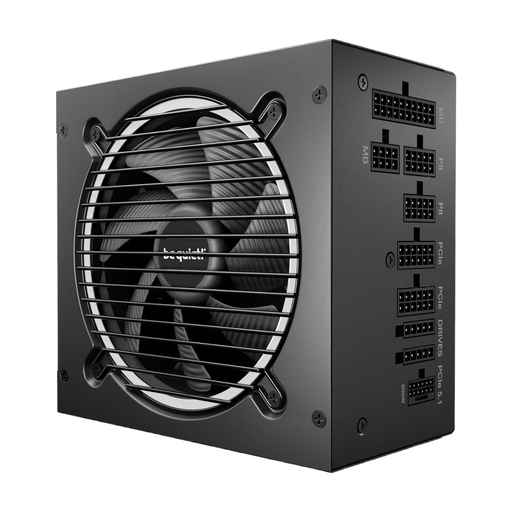
Why it suits this profile: This fully modular 750 W power supply combines ATX 3.1, an 80 PLUS Gold rating and a 12V-2x6 connector for compatible current graphics cards.
As well as the wattage, the standard, connectors and cable system are specified. You’ll still need to check graphics card compatibility and the space available in your case.
750 W, ATX 3.1, 12V-2x6, four PCIe 6+2 connectors and semi-passive cooling, according to the product details.
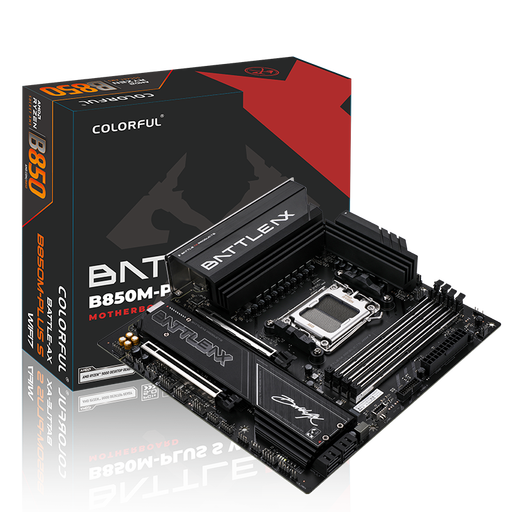
Why it suits this profile: This Micro-ATX motherboard is for users looking to combine AM5, DDR5, Wi-Fi 7, 5 Gigabit LAN and PCIe 5.0 in a compact build.
The specifications include the socket, memory standard, operating system notes and form factor. You’ll still need to check the router, CPU support and case separately before buying.
Four DDR5 slots, a PCIe 5.0 x16 slot, two M.2 slots, Wi-Fi 7 and 5 Gigabit LAN, according to the product details.
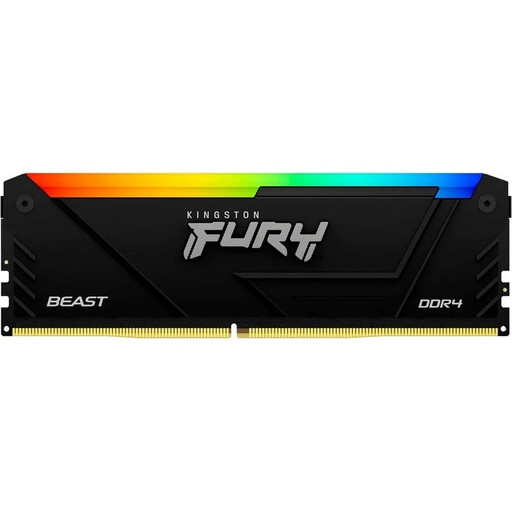
Why it suits this profile: This 2 × 32 GB kit offers plenty of capacity for multitasking, photo editing and demanding projects on an existing DDR4 platform.
The capacity, kit configuration and DDR4 format are clearly specified. Before buying, check the motherboard manual and your existing modules for compatibility.
64 GB total capacity, 3200 MT/s, CL16, XMP 2.0 and two 32 GB modules, according to the product name.
We’ve put together a comprehensive, regularly updated list of products that meet these strict selection criteria and fully comply with the safety regulations in force in the EU.
First, check whether the motherboard supports DDR4 or DDR5, then compare the maximum capacity, number of slots and supported speeds. To use higher clock speeds, you’ll need to enable XMP or EXPO in the BIOS. The motherboard manual will show you which slots to use.
Add together the typical power requirements of your processor and graphics card, then allow for additional components and power spikes. The required connectors and power supply standard are just as important as the wattage. If you’re planning a PC upgrade, check whether your existing power supply has the connectors needed for modern GPUs.
It depends on your router, operating system and how you use your PC. If you only use an older Wi-Fi network, you may not get the full benefit. However, with new network infrastructure and compatible devices, a Wi-Fi 7 motherboard can help create a tidier setup by removing the need for several separate adapters.