Filming at a very small desk
You’ll need visible space beside your PC for a controller, camera and your hands. So check the complete setup, not just the case dimensions.


When recording a PC game, the PC itself can be the source. For console footage, you’ll also need a suitable capture setup, such as a capture card. Then choose your PC based on the space it needs overall, including cables and airflow, as well as the specific connections and requirements of your game and recording format. A small case alone doesn’t guarantee enough recording performance or quiet operation.
You’ll need visible space beside your PC for a controller, camera and your hands. So check the complete setup, not just the case dimensions.
You want to record gameplay alongside a camera view of your controller. The key is whether your chosen PC configuration suits your game and recording format.
You want to bring console footage and, if needed, a camera view of your hands together on your PC. Plan the signal path and make sure you have the right connections.
First, compare the form factor with the space you have for filming. Then decide whether you’ll be recording PC gameplay or console footage, as this determines the signal path and connections you’ll need.
A good fit if: desk space is especially limited and the specific configuration can handle your game, camera and recording setup.
Things to consider: space for the power supply, cables and airflow, as well as the connections actually available.
A good fit if: you want a space-saving desktop with specific front connections and potential storage upgrades.
Things to consider: even a slim case needs room behind it for cables and airflow; features depend on the version you choose.
A good fit if: you have space outside your filming area and need more storage, additional components or an internal capture setup.
Things to consider: a tower takes up more room. For an internal capture card, the specific model must have a suitable, available PCIe slot.
| What matters when buying | What to check | Who should pay particular attention |
|---|---|---|
| Desk space and filming setup | Measure the available space, including cable outlets, the power supply, camera and room for your hands. ASUS lists a 2.5-litre case for the ROG NUC (2025); MSI gives dimensions of 396.57 × 137.06 × 410.39 mm for the MPG Trident AS 14th. | If the PC, controller, camera and your hands all need to fit on the same small desk, you’ll want the computer to take up as little filming space as possible. Around 33% of consumers put available space first. |
| Gaming and recording at the same time | Check the full CPU and GPU configuration against your games, planned recording, resolution, frame rate and scene. The OBS Project generally recommends hardware encoding, but notes that system compatibility alone doesn’t guarantee the recording you want. | If you want to record your game alongside a camera feed, you need a configuration suited to that exact setup. Around 27% of consumers prioritise gaming and recording performance. |
| Signal path and connections | Decide whether you’ll be recording a PC game or a console, then count the connections you need for your camera, microphone and, if required, capture card. Elgato specifies USB 3.0 at 5 Gbit/s for Game Capture 4K S and USB 3.2 Gen 2 at 10 Gbit/s for the full performance of 4K X; these specifications apply to the respective cards. | If your tutorial will include console footage, a camera view of your hands or other input devices, you’ll want to plan the signal path before buying. Around 20% of consumers prioritise these connections. |
| Storage and upgrade options | Check the installed SSD and the expansion slots actually available in the specific configuration. HP lists a 512 GB SSD and an additional M.2 slot for the OMEN 16L TG03-0750ng; MSI lists M.2 and 2.5-inch drive bays for the Trident AS 14th series. | If you want to save recordings and project files and upgrade your PC later, check the capacity and available slots. Around 20% of consumers prioritise storage and expandability. |
An HDMI output on a PC isn’t an input for console footage. In the setup described by Elgato, the HDMI signal runs from the console to the capture card and then on to the screen.
Before buying, map out the signal path between your console, screen, capture card and PC. Check the connections on the specific card model.
For console recordings, you may also need a suitable capture card and the necessary connections.
Even a slim desktop needs depth for cables, airflow and the rest of your filming setup.
Compare all the case dimensions with your complete setup, and keep ventilation openings clear as instructed by the manufacturer.
The OBS Project notes that a compatible system isn’t automatically suitable for the recording you want. Your game, encoder, resolution, frame rate and scenes all affect the requirements.
Check the full PC configuration and test the combination of game, camera, audio and recording format you plan to use.
Graphics, RAM and SSDs can vary within the same series. ASUS lists several versions of the ROG NUC (2025), and HP and Lenovo models also have their own specifications.
Make a note of the full model or product number, installed storage and expansion options actually available.
The ROG NUC (2025) is a mini PC option when desk space is especially limited.
The MPG Trident AS 14th is a slim desktop with documented connections and drive bays.
The OMEN 16L is a more compact desktop option; TG03-0750ng refers to a specific configuration.
The Legion Tower 5i Gen 10 is a larger tower option if the PC doesn’t need to sit in your filming area.
This selection includes gaming laptops and a gaming mini PC for setups where you need to factor in the space available on your desk.
 No image available
This gaming laptop could suit your setup if you’re planning to use a laptop form factor for filming.
AMD Ryzen 9 8940HX, GeForce RTX 5070, 24 GB RAM, 1 TB SSD, Windows 11 Home.
 No image available
This gaming laptop could suit your setup if you’re planning to use a laptop form factor for filming.
AMD Ryzen 7 8745HX, GeForce RTX 5060, 16 GB RAM, 1 TB SSD, Windows 11 Home.
 No image available
Described as a compact gaming desktop, this mini PC could suit you if you want to limit the space your computer takes up at your filming spot.
AMD Ryzen 5 7640HS, Radeon 760M, 24 GB LPDDR5 RAM, 512 GB PCIe 4.0 SSD, USB 4.0 and HDMI 2.1.
 No image available
This gaming laptop could suit you if you want to incorporate a laptop into your desk and recording setup.
AMD Ryzen 9 7940HX, GeForce RTX 4060 with 8 GB, 16 GB RAM, 1 TB SSD, Windows 11.
 No image available
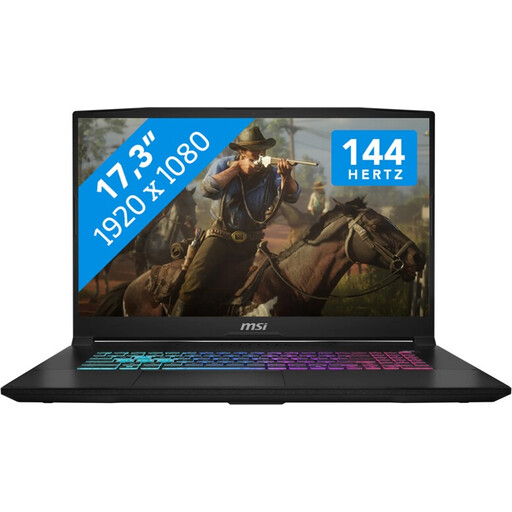
This gaming laptop could suit you if a laptop form factor works for your tutorial setup.
Intel Core i7, GeForce RTX 5060 with 8 GB GDDR6, 16 GB RAM, 1 TB SSD, Windows 11.
Not just because you’re recording a PC game: Windows Game Bar can record clips from most PC games, and OBS offers game capture and video sources for compatible cameras. Check that your specific game and preferred scene layout work as intended.
In the setup described by Elgato, HDMI runs from the console to the capture card and then on to the screen; the external card also connects to the PC via USB. The USB speed required depends on the card model. The PC’s HDMI output won’t replace this input.
OBS explains how to record on multiple audio tracks for editing later. Test your track settings before recording the tutorial: according to OBS, standard video players usually play only one track at a time.
Compare the installed SSD with the space you’ll need for recordings and project files, and check which expansion slots are free. For console footage, you may need to include a suitable capture card and, if required, an HDMI cable in your setup; these aren’t automatically included when you buy a PC.
Measure the full space the PC needs, including cables and airflow, and leave room beside it for your controller, camera and hands. ASUS lists a 2.5-litre case for the ROG NUC (2025); MSI gives dimensions of 396.57 × 137.06 × 410.39 mm for the MPG Trident AS 14th series. The dimensions of the specific version and your complete setup are what matter.