Moon-landing simulation players
If you mainly want to play Apollo missions, compare Reentry and the complete PC configuration with the requirements for that title. Lyra Creative describes an Apollo Moon landing as part of the game.


Start by choosing the game you want to play, then measure the available space, room for cables and clear airflow around the cockpit. Only then can you make a meaningful comparison of complete PC configurations. Lyra Creative describes Reentry as featuring an Apollo Moon landing, while Kerbal Space Program is about building and flying your own spacecraft – so there’s no single hardware requirement for “moon landings”. A compact pre-built PC can save space; a larger tower needs its own spot and can sit outside the cockpit.
If you mainly want to play Apollo missions, compare Reentry and the complete PC configuration with the requirements for that title. Lyra Creative describes an Apollo Moon landing as part of the game.
If you need to fit your PC, cables and accessible ports into a limited space, check the exact dimensions of the model you’re considering. ASUS describes the G22CH range as a 10-litre desktop; that figure doesn’t replace measuring your available space.
If you want to connect a display and other input devices, check the ports on the exact PC variant and separately confirm that the game supports your devices. MSI lists ports for certain Trident AS AI 2nd variants.
A good fit if: Your measured space is limited and the complete configuration is suitable for your game and the ports you need.
The trade-off: Case volume doesn’t tell you the required external dimensions or ventilation clearances, nor does it indicate gaming performance or noise levels.
A good fit if: You can place the PC next to or outside the cockpit, and saving space isn’t a top priority.
The trade-off: The tower needs its own space, as well as suitable cable routes to the cockpit.
| What you’re looking for | What to check before buying | Who should pay particular attention |
|---|---|---|
| Performance for your game | Compare the game version and its requirements with the CPU, exact GPU, system RAM and graphics memory of the model you’re buying. Lyra Creative notes that Reentry may have issues without a dedicated GPU. | If I’ve settled on a particular title, I want to check its requirements rather than assume what hardware I need based on the term “space simulation”. Around 36% of consumers put the game’s requirements first. |
| Space and access | Compare the exact model’s external dimensions and orientation with your available space, and allow for cable connections and clear airflow. | With limited cockpit space, I want to know whether the PC and its cables will actually fit. Around 29% of consumers prioritise the available space. |
| Cockpit connections | Check the required display outputs, as well as the number and accessibility of USB ports on the exact model. Check device support in the game separately. | If I want to connect a display and input devices at the same time, I want to plan the cabling in advance. Around 21% of consumers prioritise the connections they need for their cockpit. |
| Cooling and noise | Keep the ventilation openings clear at your chosen location. Judge noise levels only using measurements of the relevant configuration under comparable workloads. | If the PC is close to where I sit, I want to allow for clear airflow and avoid judging noise based on a manufacturer’s description. Around 14% of consumers prioritise cooling and operating noise. |
Reentry and Kerbal Space Program focus on different things. You can’t automatically apply one title’s requirements to the other.
Choose the game you want to play and the visual settings you’re aiming for first. Then compare the complete PC configuration with that title’s requirements.
The 10-litre figure for the ASUS ROG G22CH range doesn’t describe the space required for the complete setup. Cables and ventilation openings need room too.
Check the external dimensions of the model you’re buying, then measure the space available, including cable routes and clearance for airflow.
Allow extra room for connected cables and accessible ventilation openings.
For the HP OMEN 16L TG03-0773ng, HP lists 16 GB of system RAM and a graphics card with 16 GB of graphics memory. These figures refer to different types of memory.
Compare system RAM and graphics memory separately with the requirements of the game you want to play.
The MPG Trident AS AI 2nd range includes compact pre-built PC variants whose ports and full model numbers you can compare directly.
The ROG G22CH range is worth considering if you’re looking for a compact desktop to fit into a limited space.
The OMEN 16L TG03-0773ng is a specific example of a compact desktop PC.
The ONE i500 is a compact pre-built PC configuration for buyers who want to compare a model with liquid cooling.
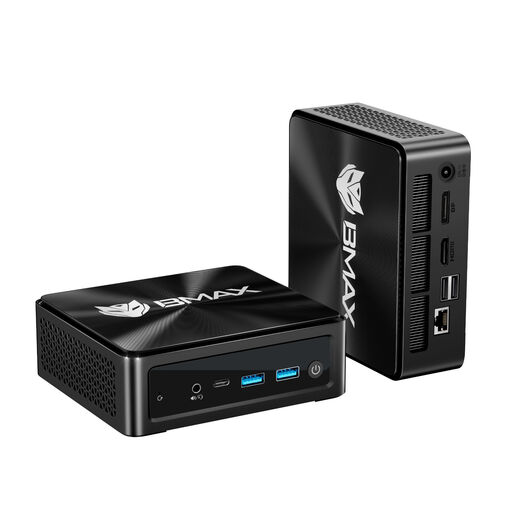
This selection features a PC described as a mini PC, for a cockpit with limited space. Before buying, check the requirements of the game you want to play, as well as the connections and space needed for the complete setup.
 No image available
Its compact design could suit a space with limited room, but you’ll need to check the game’s requirements to see whether the integrated Radeon 780M is a good fit.
AMD Ryzen 7 8745HS; integrated Radeon 780M; 16 GB DDR5 RAM; 512 GB SSD; 430 g.
According to the product description, you can connect up to three 4K displays at 60 Hz via HDMI 2.1, DisplayPort 2.1 and USB-C. Other features listed include Wi-Fi 6 and Windows 11.
No. According to Lyra Creative, Reentry features an Apollo Moon landing, while Kerbal Space Program is about building and flying your own spacecraft. Choose the title you want to play and check its requirements rather than applying one game’s requirements to another.
Measure the space needed for the case and cables, and keep airflow paths clear. ASUS’s 10-litre figure for the G22CH range describes the case volume, not the dimensions or noise level of your complete setup.
No. Germany’s Verbraucherzentrale distinguishes statutory rights against the seller from a voluntary manufacturer’s warranty, which comes with its own terms. If a product is faulty, the first step may be to request a repair or replacement.
Online purchases in Germany generally come with a 14-day right to cancel. The Verbraucherzentrale explains that you must notify the other party to the contract that you’re cancelling. Simply sending the item back without saying anything isn’t enough, and possible exceptions depend on the specific contract.
For electrical and electronic equipment that requires CE marking under the relevant EU rules, the manufacturer uses the mark to declare that the product complies with the applicable requirements. The European Union points out that the mark isn’t a gaming performance test or, on its own, an independent quality mark.