What should you look for when buying?
First decide which simulator you’ll use, what settings you’re aiming for and whether you might use VR. Then check that the requirements work with your desk setup and planned flight controls. Microsoft Flight Simulator Support recommends 32 GB RAM and 8 GB graphics memory for MSFS 2024 at its recommended level. For DCS World 2.9 at high settings, Eagle Dynamics also recommends 32 GB RAM and at least 8 GB graphics memory.
| What matters |
What to check before buying |
Who should pay particular attention? |
| Performance for your simulator |
Choose the game version and target settings; check the CPU, graphics card, graphics memory and installed RAM in the full configuration. |
If I regularly play a particular simulator or am considering VR, I want to compare the hardware with its requirements; around 33% of consumers put suitable simulator performance first. |
| Desk space |
Measure the available width and depth, and plan for the PC’s dimensions, ventilation, cables, monitor and flight controls together. |
If I want to fit the monitor and flight controls on my small desk as well as the PC, the space they actually take up matters to me; around 27% of consumers prioritise desk space. |
| Ports and flight controls |
Decide whether you’ll use a joystick, HOTAS or other input devices, then check the space they need and the USB ports required. |
If I want to control aerobatics with a joystick or HOTAS, I check the ports and allow room for each control; around 20% of consumers prioritise suitable controls. |
| Storage, upgrades and comfort |
Check the installed RAM and free SSD space. For DCS World 2.9 at high settings, Eagle Dynamics recommends 500 GB of free SSD space, plus room for additional content. Check upgrade options and noise measurements for the specific configuration separately. |
If I want to use the PC for longer or upgrade its storage later, I’m interested in the available capacity and upgrade options; around 20% of consumers prioritise upgradeability and comfort. |
Case volume alone doesn’t tell you how much desk space the PC will take up. For example, MSI lists the case dimensions of the MPG Trident AS 14th series as 396.57 × 137.06 × 410.39 mm. Compare the dimensions of the specific model with your available space and the position of its ports.
Brands to consider
The notes below relate to specific product ranges and configurations. Range information alone doesn’t confirm the specifications of an individual model or how noisy it will be under the demands of a flight simulator.
ASUS ROG
The ROG NUC (2025) is a very compact gaming mini PC range, while the ROG G22CH is described as a 10-litre desktop.
- Depending on the full model number, ROG NUC configurations can include different mobile GPUs and RAM and SSD options.
- Check the exact model: the product range name alone doesn’t confirm its specifications, performance or noise levels on your desk.
MSI
The MPG Trident AS 14th series is a slim gaming desktop with stated case dimensions, graphics options and ports.
- MSI lists two RAM slots and two M.2 slots for the series.
- Check which components are installed or available in the exact model you’re buying. A manufacturer’s description of its cooling system isn’t an independent noise measurement.
HP OMEN
The OMEN 16L is a compact desktop. The German models checked have different configurations and graphics memory.
- HP lists 16 GB RAM and a 512 GB SSD for both the TG03-0750ng and TG03-0773ng models.
- The models differ in GPU and graphics memory. Their stated 16 GB RAM is below the 32 GB recommended by Microsoft Flight Simulator Support and Eagle Dynamics for the settings mentioned above.
Lenovo Legion
The Legion Tower 5i Gen 9 is a larger alternative if you can place the PC beside or under your small desk.
- For the German configuration 90XE000NGE, Lenovo lists 32 GB RAM, a 1 TB SSD and an RTX 4070 SUPER with 12 GB graphics memory.
- This configuration belongs to the 26-litre series. Check the available space and ventilation around the intended location.
Joybuy product selection
The Joybuy products below range from mini PCs and desktop towers to gaming laptops. For each model, compare the listed specifications with your simulator and plan the space for your PC, screen and flight controls together.
 No image available
Dell Alienware Aurora ACT1250 1J3N5, Core Ultra 9-285K, RTX 5080
An option to consider if you want to compare a desktop tower with dedicated graphics and 32 GB RAM against your simulator’s requirements.
Listed in the product name: 32 GB RAM, 2 TB SSD and RTX 5080. Keep the ventilation openings clear when setting it up.
View at Joybuy
 No image available
Thunderobot Radiant 16, RTX 5070, i7-14700HX
The built-in display could suit a setup where you don’t want a separate monitor, but remember to allow room for your flight controls.
Listed in the product name: 32 GB RAM, a 16-inch 240 Hz display and 8 GB GDDR7 graphics memory.
View at Joybuy
 No image available
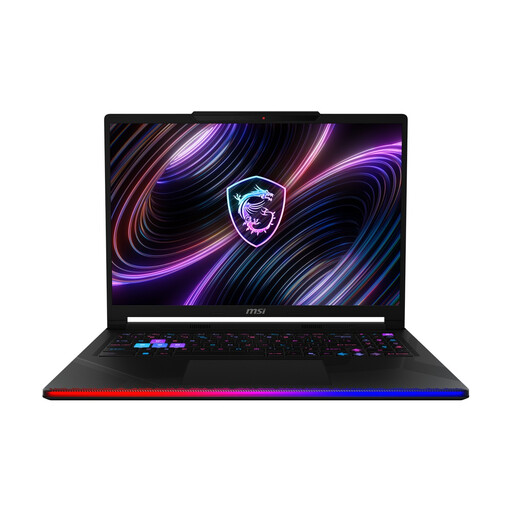
MSI Raider 16 Max HX B2WJ-071, RTX 5090
A laptop option to consider if you want to compare the stated specifications with your simulator and plan separately for the space your flight controls will need on your desk.
Listed in the product name: 32 GB RAM, 2 TB SSD, a 16-inch OLED WQXGA display and Intel Core Ultra 9 290HX. Keep the ventilation openings clear during use.
View at Joybuy
 No image available
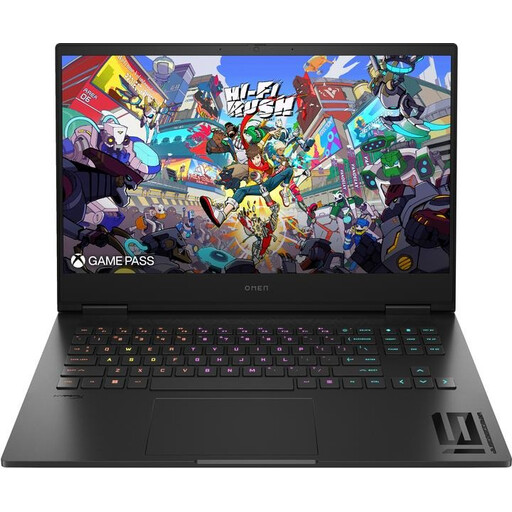
HP OMEN 16 16-wf1473ng, RTX 4060
The built-in 16.1-inch display could suit you if you don’t want a separate monitor. The product dimensions are approximately 369 × 259 × 24 mm.
Listed in the product name: 16 GB RAM and a 512 GB SSD. Microsoft Flight Simulator Support and Eagle Dynamics each recommend 32 GB RAM for the settings described above. For DCS World 2.9, Eagle Dynamics also recommends 500 GB of free SSD space, plus room for additional content. The stated SSD capacity isn’t the same as free space. Connect the power supply and keep the ventilation clear when gaming.
View at Joybuy
 No image available
FIREBAT mini PC, AMD Ryzen 7 7735HS, Radeon 680M
The mini PC format could be useful if you have limited space for the computer. Remember to allow room for the screen and flight controls, and keep the ventilation clear.
Listed in the product name: integrated Radeon 680M, 16 GB RAM and a 512 GB SSD. The 16 GB RAM is below the 32 GB recommended by Microsoft Flight Simulator Support and Eagle Dynamics for the settings mentioned. For DCS World 2.9 at high settings, Eagle Dynamics recommends 500 GB of free SSD space, plus room for additional content.
View at Joybuy
Frequently asked questions
Is a particularly small office mini PC powerful enough for aerobatics?
Not just because it’s small. Compare its graphics solution and installed memory with your simulator’s requirements: Laminar Research lists different specifications for X-Plane 12 than Microsoft Flight Simulator Support does for MSFS 2024 or Eagle Dynamics does for DCS World 2.9. If your hardware is borderline, Laminar Research recommends trying the X-Plane 12 demo first.
How can I fit a joystick and throttle on a small desk?
Allow for their footprint as well as the PC’s. Thrustmaster describes the T.16000M FCS HOTAS as a separate joystick and throttle, connected to the PC via USB. Check that the ports you need match the devices you’ve chosen and the PC.
What are my rights if a PC I bought online is faulty?
Your statutory rights are against the seller and are separate from any voluntary warranty. According to Verbraucherzentrale, online purchases generally also come with a 14-day right to cancel. The deadline, conditions and any exceptions depend on the specific purchase.
What should I check to make sure a PC listing meets product safety requirements?
For the electrical and electronic products it oversees, the Bundesnetzagentur checks things including CE marking, product and manufacturer details, and required information. CE marking is based on a manufacturer’s declaration of conformity; it doesn’t prove that simulator performance has been independently tested. If any details are unclear, check that the product and manufacturer are clearly identified.


