Beginners practising instrument approaches
You want to practise approaches, navigation and instrument handling at home, and need a simulator and controls suited to the way you plan to use them.


Choose your gaming PC once you’ve settled on a simulator, display and planned controls, then check the full specification against the requirements for each. In a shared bedroom, what matters is how noisy the specific PC gets under load; a compact design or high performance alone doesn’t guarantee quiet operation. Private simulation doesn’t automatically count towards pilot training: qualified training devices are subject to separate requirements.
You want to practise approaches, navigation and instrument handling at home, and need a simulator and controls suited to the way you plan to use them.
You use your PC while someone else in the bedroom needs peace and quiet. That’s why the noise made by the complete PC during actual use matters more than a general promise about cooling.
You need to fit a tower, display and planned flight controls into a limited area. Check the dimensions and connections, and consider any upgrades you might want later.
Choose your simulator and display first, then check the PC’s exact specification, how noisy it is under load and whether there’s room for your controls. Microsoft lists 16 GB of RAM and 4 GB of graphics memory as the minimum for Flight Simulator 2024, recommending 32 GB of RAM and 8 GB of graphics memory. Laminar Research recommends 16–24 GB of RAM or more for X-Plane 12, plus at least 8 GB of graphics memory. These figures apply to the simulators named and don’t replace checking how the PC will perform with your settings and add-ons.
| What to consider | What to check before buying | Who is this important to? |
|---|---|---|
| Simulator and instruments | Check the simulator version, operating system, exact CPU and GPU models, graphics memory, RAM and display resolution against your planned cockpit view. | If I want to see the instruments clearly on my chosen display and practise suitable approaches, I’ll make the simulator and display my top priorities. Around 29% of consumers prioritise suitable simulator performance and a usable cockpit view. |
| Noise in the bedroom | Look for a noise assessment of the exact model under comparable load, and consider where you’ll position it and whether its air vents will have room to breathe. | If I practise in the evening while someone else in the room needs peace and quiet, I want to know how noisy the complete PC is during actual use. Around 29% of consumers make consideration for others their top buying priority. |
| Space and controls | Check the dimensions of the exact version, desk space, display connections and ports for any controls you already own. | If the tower, display and planned controls need to fit into a small practice area, every bit of space and every connection matters to me. Around 24% of consumers put limited cockpit space and usability first. |
| Total cost and upgrades | Check what’s included, the operating system, planned add-on devices, power supply and upgrade options for the specific configuration. | Before buying, I want to know which devices and future upgrades my setup will actually need, rather than looking at the PC alone. Around 18% of consumers prioritise total cost and potential upgrades. |
Requirements apply to the simulator in question. They don’t guarantee a particular frame rate or that cockpit instruments will be easy to read on every display, aircraft or add-on.
Choose your simulator, aircraft and display first, then compare them with the PC’s full specification. If your existing hardware is borderline, you can try the free X-Plane 12 demo before deciding whether to buy.
COMPUTER BILD’s reviews cover the specific configurations tested, including the Acer Predator Orion 3000 PO3-650 DG.BK4EG.00D and the MEDION Bandit P20 MD34770. You can’t assume the results apply to other versions.
Compare the full model number and components, and look for a noise assessment of the specific PC under load.
Depending on your existing setup, you may also need a simulator, display and additional controls; power consumption will also depend on how you use the PC and your energy tariff.
Make a note of the devices you already have and any upgrades you’re planning. To calculate electricity costs, you’ll need the actual power consumption and your tariff.
A standard gaming PC doesn’t automatically become a qualified training device just because it offers a realistic display.
Use simulation for private practice, and check with the relevant training organisation in advance if you want your sessions to count towards training.
Configurable gaming desktop PCs; the exact specification is what matters.
The Bandit and Engineer desktop ranges include models with different cases and specifications.
With the Orion 3000, the full model number and specification are what matter.
Legion towers are another desktop option to assess based on the specific model.
The OMEN 35L range includes pre-built configurations that you can compare by specification and upgrade options.
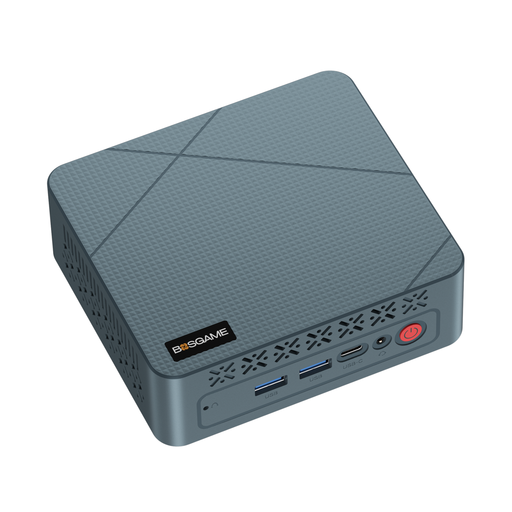
This compact mini PC may be worth considering for a space-saving practice setup; check its full specification against your chosen simulator and display.
 No image available
The mini PC format may suit a practice area with limited desk space. Before buying, check whether this specific configuration supports your simulator and display.
Listed in the product name: AMD Ryzen 5 3500U, 16 GB RAM and 256 GB SSD. Microsoft lists 16 GB of RAM as the minimum for Flight Simulator 2024 and recommends 32 GB; these RAM figures alone aren’t enough to determine whether the PC is suitable.
No, additional controls aren’t essential. Microsoft describes basic PC controls and lists a stick, yoke and pedals as possible upgrades. Choose equipment to suit the aircraft you want to practise in, and check the space and connections you’ll need.
Try your planned simulator setup and check that the air vents have room to breathe, and that the noise, display view and controls work for your practice area. A noise assessment from a single review applies only to the configuration tested there.
No. Microsoft says Flight Simulator 2024 streams content over a permanent internet connection and can’t be used offline. This requirement applies to this simulator, not to every gaming PC.
According to information from Your Europe, most online purchases from a trader come with a 14-day right to cancel from the date of delivery, although exceptions and other details apply. Your statutory rights against the seller are separate from any additional voluntary manufacturer’s warranty. Your Europe says goods are covered by a statutory guarantee of at least two years.
Buying a gaming PC doesn’t automatically mean your practice will count towards training. Qualified flight simulation training devices are subject to a separate framework. The relevant training organisation must assess whether a particular session can be recognised, based on your training route and the device used.