Choose a PC to suit your simulator, the number and combined resolution of your monitors, and the connections on its graphics card. iRacing Support notes that racing in the rain requires compatible cars and circuits; minimum requirements alone won’t tell you what frame rate to expect across multiple monitors.
Who is this PC guide for?
Racers using multiple monitors
If you’re planning a permanent rig, check the combined resolution and the connections you need against the dedicated graphics card. iRacing Support recommends connecting monitors to this card rather than to the motherboard’s video outputs.
Drivers who want to practise wet lines
Your PC’s specification isn’t the only thing that matters for practice: check that your chosen simulator, car and circuit support rainy sessions too. iRacing Support lists the content that’s suitable for this separately.
Those upgrading over time
If you’re starting with fewer screens, decide which monitors and settings you plan to add later before buying a PC. That way, you can check whether the exact configuration will also suit your planned upgrade.
What should you look for when choosing?
Start by considering your simulator, monitor setup and preferred settings as one complete system. With iRacing, you’ll also need to check the requirements for rain and the connections on the dedicated graphics card.
High-performance pre-built tower
A good fit if: You’re planning to use several high-resolution monitors or more demanding graphics settings, and want to compare a specific configuration with headroom in the graphics card, processor and memory.
Worth noting: Individual component specifications don’t confirm that the graphics card has the right outputs or guarantee a particular frame rate in the rain.
Entry-level PC with an upgrade plan
A good fit if: Your current monitor setup is more modest or you want to expand it gradually. Check the exact configuration against the setup you plan to end up with.
Worth noting: A specification that suits your current setup won’t necessarily suit the monitors you add later.
Configurable sim racing PC
A good fit if: You want to choose the components yourself and can get a complete, clearly itemised parts list before ordering.
Worth noting: Check the final CPU, graphics card, connections, RAM and operating system. The model heading may not match the configuration shown.
| Buying criterion |
What to look for |
Who should pay particular attention? |
| Smooth visuals across all monitors |
Compare the combined resolution, preferred refresh rate, exact GPU variant and graphics memory alongside the CPU, RAM and simulator requirements. |
If smooth visuals across my planned multi-monitor setup are my top priority, I check the complete PC configuration rather than just the graphics card’s name. Around 36% of consumers put smooth visuals first. |
| Suitable rain simulation |
Before buying a PC, check the simulator version and whether your preferred car and exact circuit layout are available in the rain. |
If I want to practise a wet line specifically, my chosen session needs to support rain. Around 29% of consumers prioritise suitable rain content. |
| Monitor connections and setup |
Check the number and type of outputs on the installed graphics card against the inputs on all your monitors; plan your cables and display layout too. |
If I want to connect several monitors I’ve already planned for, the outputs on the specific graphics card need to be suitable. Around 21% of consumers put connection compatibility first. |
| Overall setup and future changes |
As well as the PC configuration, consider additional monitors, suitable cables, input devices and potential future upgrades. |
If I need to keep the full setup and future additions in mind, I compare the whole setup rather than just the PC. Around 14% of consumers prioritise the total cost of the setup. |
Common buying misconceptions
-
Assuming minimum requirements guarantee performance across multiple monitors
iRacing describes its minimum requirements as a baseline for low graphics settings in test mode, not as a frame-rate guarantee for a multi-monitor setup.
Compare the complete PC configuration with your simulator, planned combined resolution and future upgrades.
-
Connecting monitors to any available video ports
A PC may have suitable processing components but still lack the connections you need on its dedicated graphics card. iRacing Support recommends connecting monitors to the graphics card rather than to the motherboard outputs.
Before buying, count the monitors you need and check the outputs on the specific graphics card against their inputs.
-
Assuming a PC means every session can run in the rain
In iRacing, rain is limited to suitable tarmac circuits and sessions with rain-compatible cars.
Before practising, check the car and exact circuit layout against the current list of suitable content.
-
Checking only the heading of a configurable PC
For the MIFCOM Sim Racing Edition ID 23217, the CPU named in the title differs from the one in the component list.
Ask for confirmation of the final parts list and exact model specification before ordering.
Brands and product ranges to consider
Lenovo Legion
The Legion Tower 5i Gen 10 (Intel), part number 90YA00D5GE, is a fully specified tower that provides a useful comparison.
- For this variant, Lenovo Germany lists Windows 11, a Core Ultra 7 270K Plus, an RTX 5070 Ti with 16 GB of graphics memory and 32 GB of RAM.
- These manufacturer specifications aren’t performance results from a particular racing simulator. Check the graphics card connections on the exact variant for your monitors.
HP OMEN
The OMEN 35L models GT16-0776ng and GT17-0770ng offer two clearly documented specifications to compare.
- HP lists an RTX 5070 with 12 GB, a Core Ultra 7 265F and 32 GB of RAM for the GT16-0776ng; the GT17-0770ng has an RTX 5070 Ti with 16 GB, a Ryzen 7 9800X3D and 32 GB of RAM.
- These specifications don’t confirm a frame rate or noise level when racing in the rain. Check the graphics card outputs against your monitor setup.
CAPTIVA
The Highend Gaming PC R94-235 is a documented tower model with a published component list.
- CAPTIVA lists a Ryzen 7 7800X3D, an RTX 5070 Ti with 16 GB, 32 GB of RAM and a 2-TB SSD.
- Frame rates shown on the manufacturer’s website for other games are estimated figures, not sim racing results across multiple monitors.
MIFCOM
The Sim Racing Edition ID 23217 is an example of a configurable sim racing PC.
- MIFCOM lists an RTX 5070 Ti and 32 GB of RAM.
- The title and component list disagree on the processor: the title names a Ryzen 7 9800X3D, while the list shows a Ryzen 7 9700X. Confirm the final configuration before ordering.
MEDION ERAZER
The ERAZER range includes various tower configurations, including the Hunter X30.
- For the Hunter X30, MEDION lists an Intel Core Ultra 7 265 processor, an RTX 5070 Ti, 32 GB of RAM and a 2-TB SSD.
- A product range overview doesn’t confirm the outputs on a specific graphics card configuration or the frame rate across three monitors.
Joybuy products related to this topic
The products below are gaming laptops, so they’re a different form factor from the towers described in the brand examples. Before buying, check that their connections are suitable for your external monitors. The listed components don’t confirm the frame rate you’ll get with your racing simulator setup.
 No image available
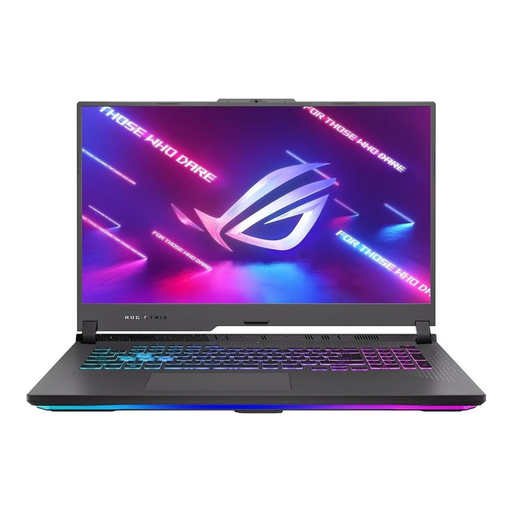
ASUS ROG Strix G17, 17.3" FHD 144Hz, Ryzen 9 7940HX, RTX 4060 (8GB), 16GB/1TB, Win11
This model is worth considering if you’re looking for a gaming laptop with a built-in display and connections for external screens. Check separately whether it suits your simulator and monitor setup.
Specifications include a 17.3-inch FHD 144 Hz display, Ryzen 9 7940HX, GeForce RTX 4060 with 8 GB, 16 GB of RAM, 1 TB of storage and Windows 11. The description lists HDMI and two USB-C ports with DisplayPort.
View at Joybuy
 No image available
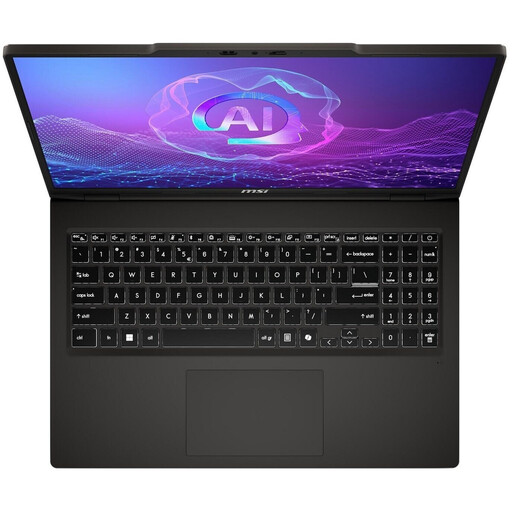
MSI VenturePro A16 AI+ A3HWEG-003, Solid Gray, Ryzen AI 7 350, 16GB RAM, 1TB SSD, GeForce RTX 5050
This gaming laptop could be considered for a setup with external screens. The listed components alone don’t confirm whether it’s suitable for multiple monitors with your chosen simulator.
Specifications include Ryzen AI 7 350, GeForce RTX 5050, 16 GB of RAM and a 1-TB SSD. The description lists HDMI and USB-C with DisplayPort; check that these connections match your monitors’ inputs.
View at Joybuy
Frequently asked questions
How do I set up three monitors in iRacing?
iRacing describes a windowed mode stretched across the displays, as well as full-screen mode using NVIDIA Surround or AMD Eyefinity. Connect the monitors to the dedicated graphics card, then check that your graphics configuration and monitor layout match your displays.
Can I practise a wet line on any iRacing circuit?
No. iRacing limits rain to suitable tarmac circuits and sessions with rain-compatible cars. Before practising, check the car and exact circuit layout against the current list of suitable content.
What should I check if I have problems with my display configuration?
First, check your iRacing graphics configuration and make sure the monitors are connected to the dedicated graphics card. If you change your monitors or graphics card, check the resolution, display layout and simulator settings again.
What are my rights when buying a PC online from a retailer?
For a standard online purchase of goods, you generally have a 14-day right to cancel, starting from delivery; exceptions may apply, for example to clearly personalised goods. If consumer goods are faulty, you generally have a statutory guarantee from the seller for at least two years, regardless of any voluntary manufacturer’s warranty. Your Europe, the European Union’s information portal, explains these rules. If you’re ordering a PC configured to your specifications, check the specific terms of the contract.
Which product markings should I look for on products sold in Germany?
As part of its market surveillance, the German Federal Network Agency lists correct CE marking, product identification, manufacturer details, required warnings and the declaration of conformity among the checks it carries out. A shop listing alone doesn’t prove that a specific PC variant has been inspected by the relevant authorities.


