What should you prioritise when buying?
Gaming mini PC
A good fit if: keeping desk space free is your priority and the full configuration meets your games’ requirements.
Bear in mind: Check the connections, positioning and exact GPU specification. A laptop GPU isn’t equivalent to a desktop GPU simply because they share a model number.
Compact gaming desktop
A good fit if: a small desktop will fit on or beside your desk and you want to compare a specific desktop configuration.
Bear in mind: MSI lists a case volume of 10 litres for the MPG Trident AS AI 2nd. On its own, this doesn’t tell you how much space it will need at your chosen location, including room for cables and airflow.
Tower away from your desk
A good fit if: there’s a suitable spot beside or under your desk and you’re happy with a larger form factor.
Bear in mind: A tower won’t solve your space problem if it has to sit on your already crowded desk.
When choosing a gaming PC for management games on a small desk, your main priority might be its footprint, the games’ requirements, comparing graphics cards or the full specification.
| Priority |
What to check before buying |
Who should pay particular attention? |
| Footprint and positioning |
Check the case dimensions, cable routing, connections and positioning guidance for the exact model. |
If you need to keep your screen, keyboard and mouse on a small desk, remember to include the space needed for the PC and its cables. Around 29% of consumers put footprint first. |
| Game requirements |
Compare the operating system, processor, RAM and storage of the full configuration with the minimum and recommended requirements for your games. |
If you play several management or city-building games, consider each important title individually. Around 29% of consumers prioritise their games’ requirements. |
| Comparing graphics cards accurately |
Compare the full GPU name, including whether it’s a laptop or desktop version, with the requirements of the game you want to play. |
If you want to compare a compact form factor with a desktop, the exact GPU specification matters. Around 24% of consumers focus primarily on comparing graphics cards. |
| Configuration and what’s included |
Check the product number, RAM, storage, monitor connections and any included peripherals. |
If you’re setting up a complete workstation, factor in any additional devices when comparing offers. Around 18% of consumers prioritise included equipment and potential extra purchases. |
Joybuy products for gaming on a small desk
The Joybuy products below include compact mini PCs and a gaming laptop with a built-in 16-inch display. For each model, compare the full specifications with your games’ requirements and the space you have available.
 No image available
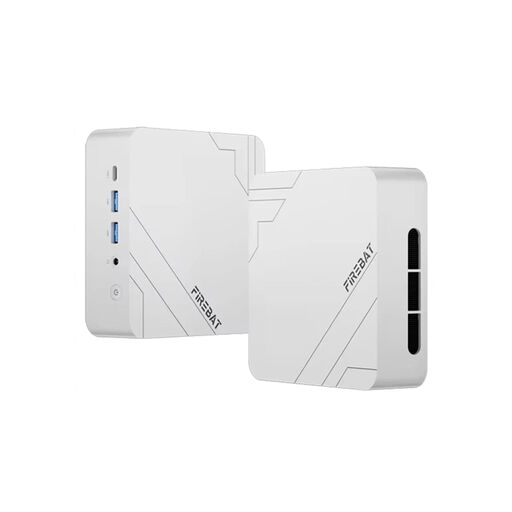
FIREBAT F1 Mini Gaming PC, Ryzen 5 7640HS, 12 GB DDR5, 512 GB SSD
A mini PC to consider if you want to save space on your desk. Check that its configuration meets the requirements of your games.
Listed in the product title: Ryzen 5 7640HS, 12 GB DDR5 RAM, 512 GB SSD, Windows 11 Pro, Wi-Fi 6 and USB 4.0.
View at Joybuy
 No image available
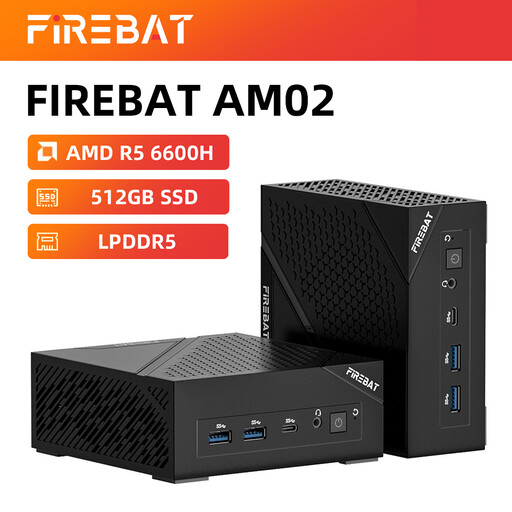
FIREBAT Mini PC AM02L, Ryzen 5 6600H, 16 GB LPDDR5, 512 GB M.2 NVMe
This compact mini PC could suit a desk with limited space. The product title describes it as suitable for light gaming.
Listed in the product title: integrated graphics, Windows 11 Home, HDMI 2.1 and DisplayPort 1.4. Check the games you want to play against each title’s requirements.
View at Joybuy
 No image available
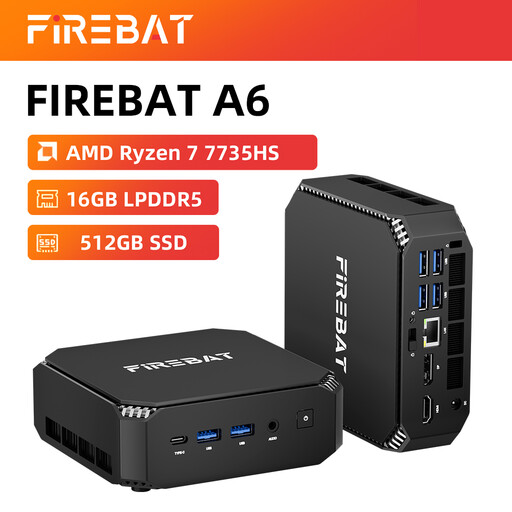
FIREBAT Mini PC, Ryzen 7 7735HS, Radeon 680M, 16 GB RAM, 512 GB SSD
If you’re looking for a compact form factor, compare this model with the requirements of the management games you want to play.
Listed in the product title: dual M.2 slots, triple-display output and Wi-Fi 6.
View at Joybuy
 No image available
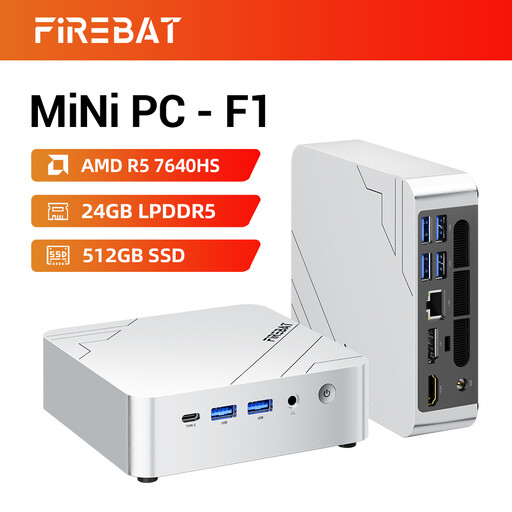
FIREBAT F1 Mini PC, Ryzen 5 7640HS, Radeon 760M, 24 GB LPDDR5, 512 GB PCIe 4.0 SSD
This mini PC could be a good choice if you have limited space. Before buying, check that the full configuration meets the requirements of your games.
Listed in the product title: output for three 4K screens, USB 4.0, HDMI 2.1, 2.5G Ethernet, Wi-Fi 6E and Bluetooth 5.2.
View at Joybuy
 No image available
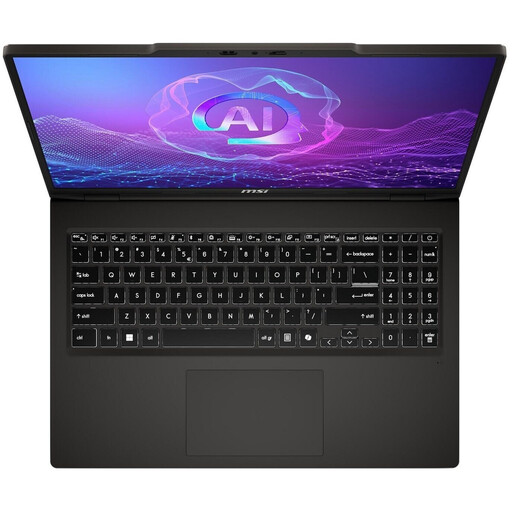
MSI VenturePro A16 AI+ A3HWEG-003, Solid Gray, Ryzen AI 7 350, 16 GB RAM, 1 TB SSD
With its built-in 16-inch display, this laptop could be an alternative if you don’t want a separate PC taking up space on your small desk.
Listed in the product title: GeForce RTX 5050. Compare the full configuration with your games’ requirements.
View at Joybuy
Frequently asked questions
Are a game’s minimum requirements enough to aim for when buying?
Not necessarily. Minimum and recommended requirements are different specifications. Check both for the games you want to play and compare them with the PC’s full configuration. Paradox Interactive publishes separate minimum and recommended requirements for Cities: Skylines II.
What should I check when setting up a PC on a small desk?
Measure the space available and take connections, cables, the power supply and the positioning guidance for the specific device into account. The case dimensions alone won’t tell you whether the PC will fit where you want it with its cables connected.
What rights do I have when buying a PC in Germany?
When you buy from a business seller, you’re generally entitled to a statutory two-year legal guarantee from the date you receive the goods. This is separate from a voluntary manufacturer’s warranty. For most online purchases, you’ll also usually have a 14-day right to cancel, which you must exercise with the retailer. Verbraucherzentrale explains the right to cancel, while Your Europe provides information about guarantees in the EU.
How should I dispose of an old PC in Germany?
Electrical waste must not be put in household rubbish. The German Environment Agency lists local collection points as one way to dispose of it; retailers can also take back electrical equipment, subject to certain conditions.


