Gamers short on desk space
If you already have a monitor and mainly want to keep the computer itself small, compare mini PCs against the requirements of the theme park game you play.


If you already have room for a monitor and peripherals, a gaming mini PC keeps the computer itself compact. A compact desktop is an option if you have space beside or under your desk, while a laptop has a screen built in. The right choice depends on the game, the full system specification and the space you have for a screen, mouse, power supply and ventilation. For Planet Coaster 2, Frontier Developments lists 16 GB RAM as both the minimum and recommended amount, with processor and graphics requirements varying by setting.
If you already have a monitor and mainly want to keep the computer itself small, compare mini PCs against the requirements of the theme park game you play.
If the way your game looks is your priority, check the processor, graphics card and memory in the full system specification against your chosen game settings.
If you want to take your screen and computer with you, a laptop could be a good fit. Remember to allow space on your desk for a mouse and power supply too.
A good fit if: You already have a suitable monitor and want the computer itself to take up as little desk space as possible.
The trade-off: You still need room for a screen and peripherals. The term ‘mini PC’ alone doesn’t tell you whether it’s suitable for gaming.
A good fit if: You use a separate monitor and have room beside or under your desk for a case, with enough space for ventilation.
The trade-off: The case takes up more space than a mini PC, so measure the area available for your complete setup.
A good fit if: You move between workspaces or don’t want to set up a separate monitor.
The trade-off: On a small desk, you’ll need room for a mouse and power supply as well as the laptop.
The percentages in the table refer to consumers who rank the stated concern as their top priority when choosing a PC setup.
| Buying priority | What to look for when buying | Who cares about this? |
|---|---|---|
| Desk space and complete setup | Allow for the case, monitor or laptop, mouse, power supply, ports and clear airflow in the space you actually have. | If I use a small desk, I want to know whether the whole setup will fit—not just the computer case. Around 36% of consumers put a small footprint first. |
| Suitability for the game you play | Compare the processor, exact graphics card variant, graphics memory, RAM, operating system and storage with the requirements of your chosen game and settings. For Planet Coaster 2, Frontier Developments lists 16 GB RAM and 25 GB of storage for the requirement levels shown. | If I want to build a larger theme park using my preferred settings, I compare the full system specification with the game’s requirements. Around 29% of consumers prioritise gaming performance. |
| Portability and screen | Decide whether you’ll be moving your computer between workspaces. With a mini PC or desktop, also check what monitor you need and which video outputs are available. | If I want to play at different workspaces, being able to use the screen and computer together matters to me. Around 21% of consumers put portability first. |
| What’s included and after-sales support | Check the operating system, installed components, seller and warranty terms for the exact variant. Distinguish your statutory rights if there’s a fault from any voluntary warranty. | If I want to get the PC up and running without buying extra components, I check what’s actually included and who to contact if there’s a problem. Around 14% of consumers prioritise a complete package and support. |
The form factor doesn’t guarantee a particular level of graphics performance. For Planet Coaster 2, Frontier Developments sets out minimum and recommended requirements, which also depend on your chosen settings.
Compare the full system specification with the requirements of the game you actually want to play, rather than relying on the product name alone.
A mini PC and desktop need a separate screen. A laptop has a screen built in, but you’ll still need room for a mouse and power supply when gaming.
Measure your complete setup against the desk space available, and check where your devices, cables and ventilation will go.
Variants in the same product range can differ in graphics card, RAM and operating system. ASUS offers the ROG NUC (2025) with different graphics cards and RAM configurations.
Check the product number, operating system, installed RAM, SSD and graphics card for the exact variant. Lenovo states that the 83F1004BGE configuration doesn’t include an operating system, so you may need to allow for additional setup.
ROG NUC is a mini PC range designed for a fixed setup with a separate monitor.
The OMEN 16L is a compact gaming desktop designed for use with a separate monitor.
The Legion 5 is a laptop option if you want to take your screen and computer with you.
This selection includes gaming laptops, mini PCs and a desktop PC for different amounts of desk space when building a theme park. With laptops, allow room for a mouse and power supply. Mini PCs and desktops need a separate monitor.
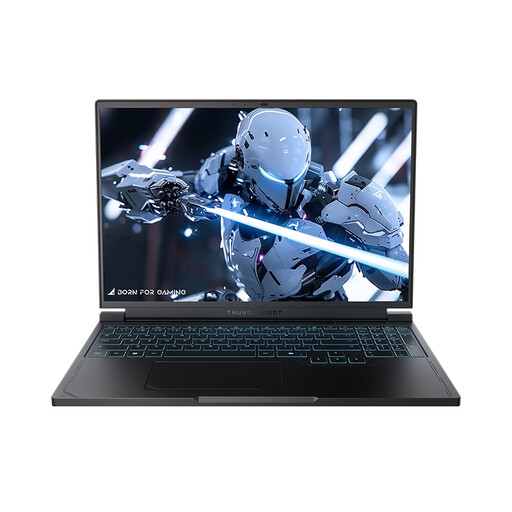 No image available
Could be a good fit if you want to use the computer and screen together at one workspace. Remember to allow extra room for a mouse and power supply.
16-inch QHD+ display with 240 Hz, AMD Ryzen 7 7745HX, RTX 5060 Laptop GPU, 16 GB DDR5 and 1 TB SSD.
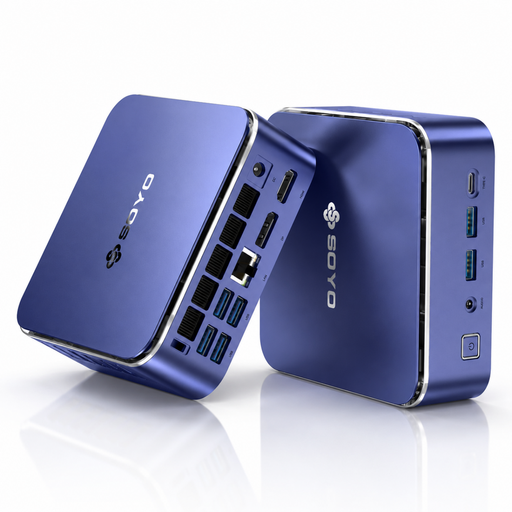 No image available
Could be a good fit if you already have a monitor and want to keep the computer case as small as possible. Check the exact graphics specification against your game’s requirements.
AMD Ryzen 5 7535HS, Radeon 660M, 16 GB LPDDR5, 512 GB NVMe SSD and Windows 11 Pro. Stated dimensions: 128 × 128 × 47,6 mm.
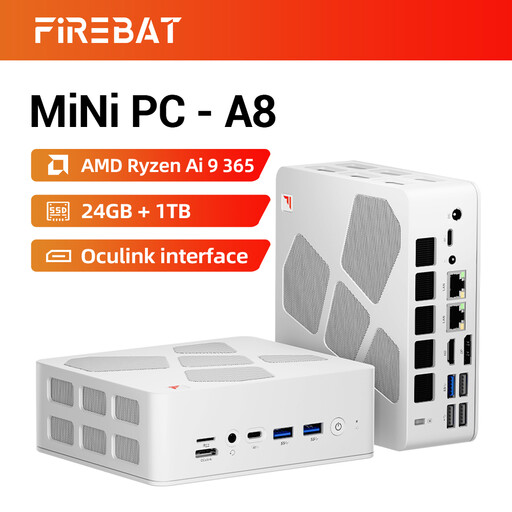 No image available
Could be a good fit if you have room for a compact computer and a separate monitor. The components listed alone don’t guarantee a particular level of gaming performance.
AMD Ryzen AI 9 365, Radeon 880M, 24 GB DDR5 and 1 TB PCIe-4.0 SSD. Ports listed include USB4 and HDMI 2.1.
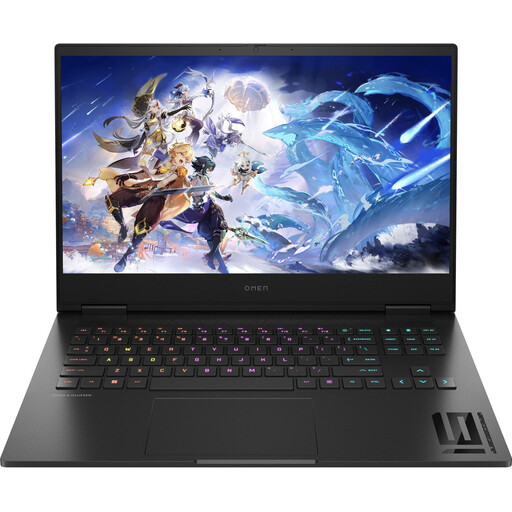 No image available
Could be a good fit if you don’t want to set up a separate monitor. Before buying, check the exact processor specification of the variant on offer.
16.1-inch Full HD display, RTX 4060 with 8 GB, 16 GB DDR5, 512 GB NVMe SSD and Windows 11 Home.
 No image available
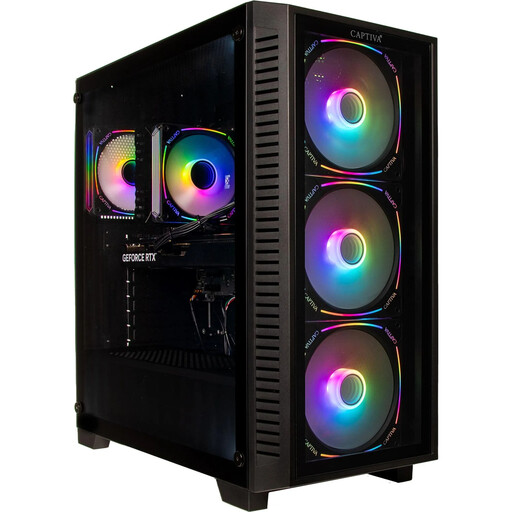
Could be a good fit if you use a separate monitor and have enough room beside or under your desk for a tower case and ventilation.
AMD Ryzen 7 7800X3D, RTX 5070 Ti with 16 GB, 32 GB DDR5, 2 TB SSD and Windows 11 Home. Stated case dimensions: 430 × 210 × 445 mm; weight: 11 kg.
Frontier Developments lists 16 GB RAM both as the minimum requirement without GI and as the recommendation with high GI. Processor and graphics requirements vary by tier, so you can’t infer a specific frame rate for every park.
Measure the complete setup, not just the PC case. Allow room for a monitor or laptop, mouse, power supply, cables and adequate ventilation. If you choose a mini PC or desktop, check the video outputs you’ll need too.
If there’s a fault, you have statutory rights against the seller; a voluntary manufacturer’s warranty doesn’t replace them. For a typical online purchase from a trader, you generally have 14 days from delivery to cancel, subject to statutory exceptions. The European Union explains these consumer rights on Your Europe.
Within its remit, the Federal Network Agency checks, among other things, that CE marking is correct and that the required product information is provided. Check the details for the specific device variant. The German Environment Agency advises that old electrical appliances should not go in household rubbish, but should be taken to a separate collection point for electrical and electronic waste.