Star Citizen players
If Star Citizen is your main game, you can use the published minimum and recommended requirements from Roberts Space Industries as a starting point. Requirements may change during development, so check them again before you buy.


Start by choosing your main game, then compare the complete PC configuration with the requirements for the specific game version. For Star Citizen, RAM, graphics memory and SSD storage are among the things to consider. Elite Dangerous: Odyssey has its own requirements, while a cockpit setup also calls for the right connections and a clear idea of what’s included. Meeting the minimum or recommended requirements doesn’t guarantee a particular frame rate.
If Star Citizen is your main game, you can use the published minimum and recommended requirements from Roberts Space Industries as a starting point. Requirements may change during development, so check them again before you buy.
If you play Elite Dangerous: Odyssey or X4: Foundations, check the requirements for the specific title and version you use rather than applying the same figures to all space games. Frontier publishes its own requirements for Odyssey, while Egosoft shares updates about changes to X4.
If you use a monitor and perhaps a joystick or HOTAS at a dedicated gaming station, connections, what’s included and controller setup should all factor into your PC choice. Egosoft’s X Community Wiki explains how to map controllers and joysticks.
A good fit if: Star Citizen is your main game and you want to match your PC components to its published requirements.
The trade-off: Roberts Space Industries lists 16 GB RAM as the minimum and 32 GB as the recommended amount. Even meeting the recommended requirements doesn’t guarantee a particular frame rate.
A good fit if: Odyssey is your main game and you want to use its published requirements as a starting point.
The trade-off: Frontier lists 12 GB recommended RAM and 75 GB of storage for Odyssey, among other requirements. These figures don’t apply across the board to other space games.
A good fit if: You play X4 and want to consider joystick or controller mapping as well as your PC configuration.
The trade-off: On 1 July 2026, Egosoft announced higher minimum GPU requirements with Vulkan 1.4 for a future update. Before buying, check the requirements for the version of the game you’ll actually be playing.
| What matters when buying | What to check before buying | Who should consider this? |
|---|---|---|
| Suitability for your main game | Compare the CPU, RAM, operating system and SSD with the requirements for the specific game version. Roberts Space Industries recommends 32 GB RAM and at least 150 GB of SSD storage for Star Citizen. | If Star Citizen is my main game, I want to assess the whole configuration against its requirements. Around 36% of consumers put the requirements of their main game first. |
| Graphics and display | Check the exact GPU model and graphics memory, and make sure the PC’s outputs are compatible with your monitor. | If I want to use my existing monitor, I’ll check that the graphics card and connections suit my setup. Around 29% of consumers pay particular attention to graphics and display compatibility. |
| Connections and controls | Check the number and type of connections you need, along with what’s included. For X4, set up your device mapping using the instructions in Egosoft’s X Community Wiki. | If I want to use a joystick or HOTAS at my dedicated gaming station, I need the right connections and working device mapping. Around 21% of consumers prioritise connections and controls for their setup. |
| Complete configuration | Check the exact product number, operating system, RAM, SSD and any input devices included with the specific variant. | If I’m looking for a ready-to-use complete PC, I want to know in advance exactly which components and input devices are included. Around 14% of consumers look first at the complete specification. |
Star Citizen and Elite Dangerous: Odyssey have different published RAM and storage requirements. A PC that suits one game won’t necessarily be right for the other.
Start by choosing your main game, then compare the complete configuration with the requirements for the specific game version.
PCs in the same range can differ in RAM, SSD, operating system and included input devices. With configurable offers, the options you select can make a difference too.
Before ordering, check the full product number and what’s included with the configuration on offer. If an operating system or input devices aren’t included, you may need to buy them separately.
On 1 July 2026, Egosoft announced higher minimum GPU requirements with Vulkan 1.4 for a future update. The announcement alone doesn’t confirm that the change already applies to your game version.
Before buying, check the requirements for the version of X4 you actually plan to play.
The Legion Tower 5 is a desktop PC, and you should check its specification against the exact product number.
The full variant code matters for the Predator Orion 3000, as the range includes different configurations.
The components and operating system on configurable ONE gaming PCs can vary depending on the options selected.
The ERAZER Hunter X30 is sold as a complete PC with clearly specified components.
Captiva offers preconfigured gaming PCs and also describes its own configuration service.
The Joybuy products below include gaming desktops and laptops for a dedicated gaming station. For gaming on a laptop, use it on a flat surface and keep the air vents clear.
 No image available
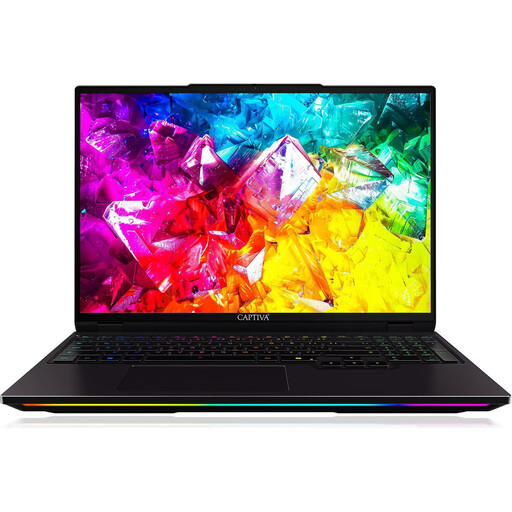
The built-in display makes this an option for a gaming station without a separate monitor. Keep the air vents clear while playing.
Display: 16 inches, WQXGA, 300 Hz, IPS. Processor: Intel Core Ultra 9 275HX. Graphics card: NVIDIA GeForce RTX 5080 with 16 GB GDDR7. RAM: 32 GB DDR5. Storage: 1 TB SSD. Operating system: Windows 11 Home.
 No image available
If you’re looking for a desktop PC for a dedicated gaming station, compare its components with the requirements of your main game. Place it on a hard, flat surface and keep the ventilation clear.
Processor: Ryzen 7 9800X3D. Graphics card: RTX 5080. RAM: 64 GB. Storage: 2 TB SSD. Operating system: Windows 11.
 No image available
This desktop PC is an option for a dedicated gaming station. Compare its exact configuration with the requirements of your main game and check what’s included.
Processor: AMD Ryzen 7 7800X3D. Graphics card: RTX 5070 Ti with 16 GB. RAM: 32 GB DDR5. Storage: 2 TB SSD. Operating system: Windows 11 Home.
Place it on a hard, flat surface with clear ventilation. Remove any transport braces inside the case before switching it on.
 No image available
When choosing a desktop for your dedicated gaming station, check the exact specification and leave plenty of room for ventilation.
Processor: Ryzen 7 7800X3D. Graphics card: RTX 5070 Ti. RAM: 64 GB. Storage: 2 TB SSD. Operating system: Windows 11.
Place it on a hard, flat surface and remove any transport braces inside the case before switching it on.
 No image available
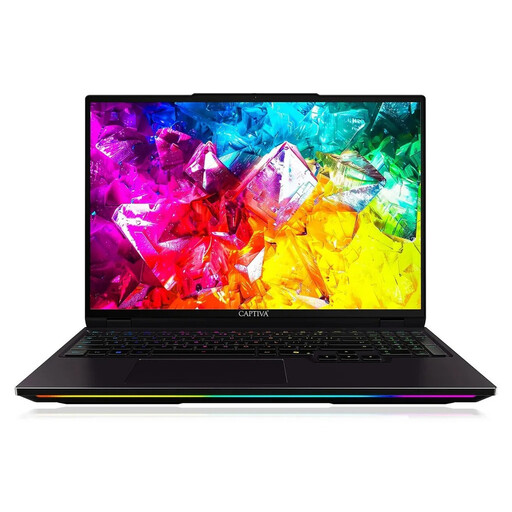
The built-in display makes this a good option for a dedicated gaming station without a separate monitor. If you’re gaming on a surface, make sure the air vents remain clear.
Display: 16 inches, WQXGA, 300 Hz. Processor: AMD Ryzen 9 9955HX. Graphics card: NVIDIA GeForce RTX 5090 with 24 GB. RAM: 64 GB DDR5. Storage: 2 TB SSD. Operating system: Windows 11 Home.
16 GB meets the minimum published by Roberts Space Industries, but not its recommendation of 32 GB. Also check the CPU instruction sets, graphics card, Windows and the requirement for at least 150 GB of SSD storage. Even the recommended specification doesn’t guarantee a particular frame rate.
No. Frontier publishes its own requirements for Odyssey, including 12 GB recommended RAM and 75 GB of storage. Choose your PC based on the game you actually play, and check the display and other components separately.
First, check that it’s connected to your PC, then map the joystick in the game’s control settings. Egosoft’s guide covers controller and joystick profiles as well as device mapping. Check the menus in your game version, as the guide was updated for version 5.10.
When you buy online as a consumer, you generally have 14 days from delivery to cancel your order. Exceptions, such as goods made clearly to your specifications, should be checked on a case-by-case basis. The European Union’s Your Europe website also explains the legal guarantee of at least two years from the seller. An additional manufacturer’s warranty doesn’t replace these rights.