Choose your gaming PC based on your screen’s actual resolution and refresh rate, as well as the strategy games you play. For large maps and lots of units, the performance of the complete system matters; having a large screen alone doesn’t mean you need a 4K PC. Before opting for more graphics power, check the exact graphics card and the ports on your PC and screen, as well as the cable.
Which configuration is right for you?
Strategy fans with a high-resolution big screen
If you want to use your monitor or TV at its actual resolution, check that the graphics card and video outputs on the exact PC variant work with your screen and connection. HDMI Forum and Microsoft point out that supported output and refresh rates depend on the devices involved.
Players who enjoy large-scale real-time battles
For large maps and lots of units, consider the processor, memory and graphics card as a complete system. Age of Empires Support notes that larger maps and higher population limits place extra demands on your computer; SEGA recommends checking the in-game settings for Total War.
Budget-conscious strategy gamers
If you’re happy to adjust the graphics settings, screen size alone doesn’t have to mean you need a particularly powerful graphics configuration. Microsoft explains that the available refresh rates depend on the connected screen.
What should you look for when buying?
First, decide on your preferred resolution and refresh rate. Then compare the full PC configuration with your gaming habits and budget.
| Consideration |
What to check before buying |
Who is it particularly relevant to? |
| Video output on a big screen |
Check that your desired resolution and refresh rate in Hz are supported by the outputs on your PC, screen and cable. |
If I want to make the most of my big screen’s resolution and refresh rate, I check the whole connection rather than just the screen size. Around 36% of consumers put suitable video output first. |
| Performance in large-scale games |
Compare the processor, memory and graphics card in the complete configuration. |
If I play on large maps with lots of units, the performance of the complete system matters to me. Around 29% of consumers prioritise a PC’s suitability for large-scale games. |
| The right features without unnecessary spending |
Choose a configuration to suit the games you play and the screen you actually plan to use; check what’s included. |
If I can adjust the graphics settings, I don’t want to pay for features I’m unlikely to use. Around 21% of consumers focus on keeping overall costs in line with their needs. |
| Future upgrades and support |
Check upgrade options for the exact model number, along with the warranty and service terms. |
If I want to modify my PC later or get help if something goes wrong, the exact design and terms matter. Around 14% of consumers prioritise upgrades and service. |
Avoid common buying mistakes
-
Assuming a large screen means you need 4K
To get the right video output, what matters is the screen’s actual resolution and refresh rate, as well as the supported features of the connected devices. An HDMI specification alone doesn’t confirm the features of every device or guarantee a particular frame rate in a game.
Make a note of your preferred resolution and refresh rate in Hz, then check them against your screen, the output on the exact PC variant and the cable.
Choosing an unsuitable setup could mean unnecessary spending on graphics power or changes to your connection.
-
Assuming minimum requirements are enough for large-scale games
Age of Empires Support explains that larger maps and higher population limits can put more strain on your computer. A general product description therefore doesn’t prove how well a game will run in your particular match.
Choose a PC to suit the games you play and, if needed, first try adjusting the graphics settings, map size or unit limits.
-
Assuming every model in a range has the same features
HP Germany and MEDION Germany offer variants with different graphics cards and memory configurations in their respective gaming PC ranges.
Before buying, compare the full model number, graphics card, memory, SSD, ports and what’s included.
If the variant you choose doesn’t suit your screen or gaming style, you may need to change its configuration later.
-
Confusing a voluntary warranty with your statutory rights for faulty goods
Your statutory rights against the seller if goods are faulty are separate from any additional voluntary warranty. The Verbraucherzentrale explains that a warranty is agreed voluntarily.
First check who the seller is and what warranty terms apply. Consider any paid add-on service separately from your statutory rights.
An add-on service may incur extra costs; weigh up its terms and benefits separately.
Brands and model ranges at a glance
HP OMEN
The OMEN 35L range includes different variants, so it’s worth comparing their exact specifications before buying.
- HP Germany lists different graphics cards for variants GT16-0778ng and GT16-0776ng, including the RTX 5070 Ti and RTX 5070 respectively.
- The specifications for these variants don’t prove that the whole range has the same features, performance or ports.
Lenovo Legion
The Legion Tower 5i is worth considering if you want to check a precisely specified tower configuration and its potential upgrade options.
- For the German variant 90YA000SGE, Lenovo lists an RTX 5070, 32 GB RAM, a 1 TB SSD and an 850 W power supply, among other specifications.
- A general statement about the range’s upgradeability doesn’t replace checking which upgrades are possible for this exact variant.
MEDION ERAZER
According to MEDION Germany, the ERAZER tower range includes the Bandit P20, Tank X15 and Hunter X30.
- The German product overview shows different combinations of processors, graphics cards, memory and SSDs.
- A manufacturer’s claims about gaming performance don’t confirm a particular frame rate in a specific strategy game.
Gaming PCs and laptops at Joybuy
This selection includes a gaming tower for large-scale matches and a gaming laptop with a QHD display as an alternative for consumers considering a built-in screen.
 No image available
Captiva Highend Gaming R89-085, R7-9800x3D, 64 GB, 2 TB SSD, RTX 5080, Windows 11
If you’re comparing tower configurations for large-scale strategy games, the components listed in the product name give you specific points to compare; on their own, they don’t guarantee a particular level of gaming performance.
The stated specification includes an R7-9800x3D, 64 GB RAM, a 2 TB SSD and an RTX 5080. The product description recommends placing the PC on a flat, stable surface with clear ventilation openings. It also says to connect the screen to an output on the dedicated graphics card.
Joybuy
 No image available
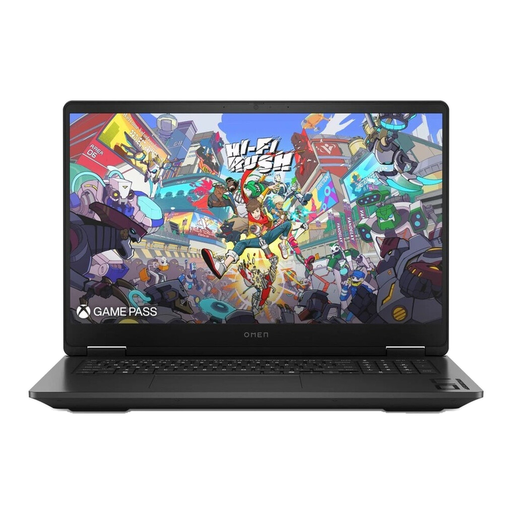
HP OMEN 17-db1077ng, 17.3-inch QHD, Ryzen AI 7 350, 24 GB, 1 TB SSD, RTX 5070, Windows 11 Home
This gaming laptop configuration is worth considering if you’re looking for a device with a QHD display built in, rather than a separate tower PC.
The product name lists a 17.3-inch QHD display, a Ryzen AI 7 350, 24 GB RAM, a 1 TB SSD and a GeForce RTX 5070. Check whether these exact laptop specifications suit the games you play and the video output you want.
Joybuy
Frequently asked questions
Do I need a 4K gaming PC just because I have a large screen?
No. What matters is your screen’s actual resolution and refresh rate. Compare the output on the exact PC variant with your screen and connection; an HDMI specification alone doesn’t guarantee a particular device feature or in-game frame rate.
What can I adjust after connecting my screen?
In Windows, you’ll find the resolution and refresh rate under Settings > System > Display > Advanced display. According to Microsoft, the available refresh rates depend on the connected screen.
What can I try if large strategy games are stuttering?
For Age of Empires IV, Support recommends trying lower graphics settings, smaller maps or fewer units, among other things. For Total War, SEGA suggests running the in-game benchmark and adjusting detail and shadow settings. These suggestions don’t guarantee a specific performance improvement.
What’s the difference between statutory rights for faulty goods and a voluntary warranty when buying a PC?
If you buy from a retailer in Germany as a consumer, your statutory rights against the seller if goods are faulty are separate from any additional voluntary warranty. According to consumer information from the European Union, new goods have a statutory minimum period of two years from the date you receive them; the terms of a voluntary warranty are set out separately.
Can I cancel an online gaming PC order in Germany?
For an eligible online purchase from a business seller, you generally have 14 days from delivery to cancel without giving a reason. Before ordering, check for possible exceptions, such as goods made to your specifications, and whether return postage applies.


