What should you look for when buying?
First, compare the requirements of the simulator you’ll actually be using with your screen resolution and preferred graphics settings. Then factor in your flight controls, connections and available space. Microsoft’s specifications for Flight Simulator 2024 are a specific example and don’t automatically apply to other simulators.
| What matters |
What to check when buying |
Who should pay particular attention? |
| Scenery detail |
Compare the simulator version, screen resolution, full CPU and GPU specifications, graphics memory and RAM. |
If I mainly want to enjoy bush flying on one monitor, I’ll match the specification to my preferred resolution. Around 36% of consumers prioritise scenery detail. |
| Flight controls and connections |
Check the number and location of connections on the specific model against the controls you plan to use. |
If I’m planning a cockpit with a joystick or yoke and other controls, I’ll check that the connections and available space suit my setup. Around 29% of consumers prioritise flight controls and connections. |
| VR or multiple screens |
Check headset compatibility or monitor connections, as well as the requirements of the simulator you’ll be using. |
If VR or multiple monitors are part of my planned flight setup, I’ll check my devices against the PC’s graphics outputs. Around 21% of consumers prioritise VR or multi-screen use. |
| Long-term use and upgrades |
Check the case dimensions, ventilation clearance, memory configuration and documented upgrade options. |
If the PC will stay in my gaming room and I may upgrade it later, I’ll consider where it will fit and how easy the case is to access. Around 14% of consumers prioritise long-term use and future upgrades. |
For Microsoft Flight Simulator 2024, Microsoft lists 16 GB RAM as the minimum, 32 GB as recommended and 64 GB as ideal. For graphics memory, Microsoft lists 4 GB, 8 GB and 12 GB for these three tiers; these are simulator requirements, not measured frame rates. Microsoft lists bandwidth requirements of 10 Mbit/s, 50 Mbit/s and 100 Mbit/s. Check the full requirements for the version you use and make sure your internet connection is suitable.
Joybuy products
This selection includes desktop PCs and laptops with a range of screen, storage and graphics configurations. Check each variant against your simulator’s requirements and planned setup.
 No image available
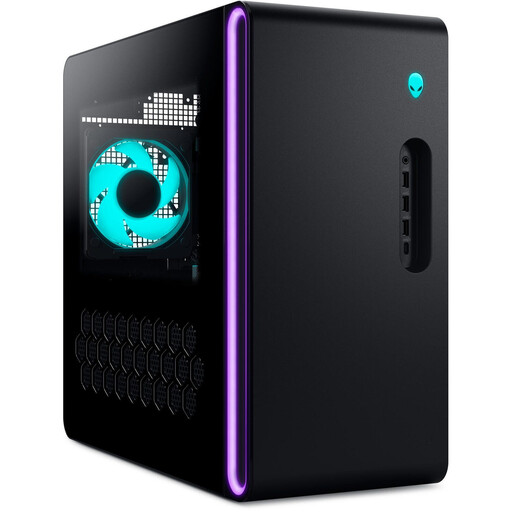
Dell Alienware Aurora ACT1250 1J3N5, Core Ultra 9-285K, 32 GB RAM, 2 TB SSD, RTX 5080
Could suit a fixed desktop setup with multiple displays; check your simulator’s requirements and the space you have available.
Listed specifications include 32 GB RAM, a 2 TB SSD and an RTX 5080 with 16 GB graphics memory.
The description lists HDMI, three DisplayPort outputs, several USB ports, a 240 mm liquid cooler and tool-free access for upgrades.
View at Joybuy
 No image available
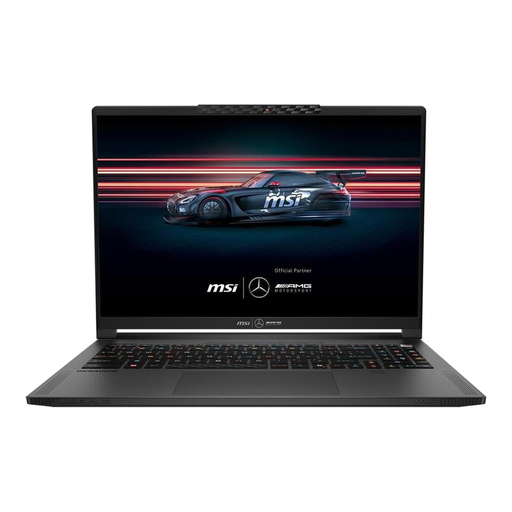
MSI Stealth A16 AI+ Mercedes-AMG Motorsport A3XWGG-052, 16-inch QHD+ OLED
Could be a good option if you want to include a laptop with a built-in screen and a specified RTX graphics card in your simulator comparison.
Listed specifications include a 16-inch QHD+ OLED screen, Ryzen AI 9 370, 32 GB RAM, a 2 TB SSD and an RTX 5070 with 8 GB graphics memory.
Compare the connections and the requirements of the simulator you’ll actually use with your planned setup.
View at Joybuy
 No image available
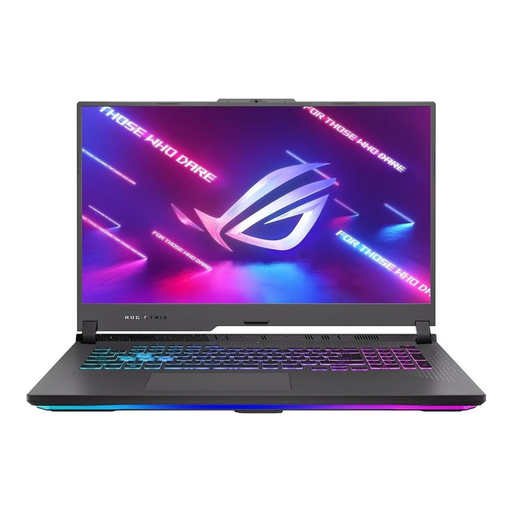
ASUS ROG Strix G17, 17.3-inch FHD 144 Hz, Ryzen 9 7940HX, RTX 4060
The built-in 17.3-inch screen may suit a laptop setup; compare the specification with the graphics quality you’re looking for.
Listed specifications include an RTX 4060 with 8 GB graphics memory, 16 GB RAM and a 1 TB SSD.
For Microsoft Flight Simulator 2024, the listed RAM is below Microsoft’s recommended 32 GB. This is a comparison with the requirements of this simulator, not a general statement about performance in other games.
View at Joybuy
 No image available
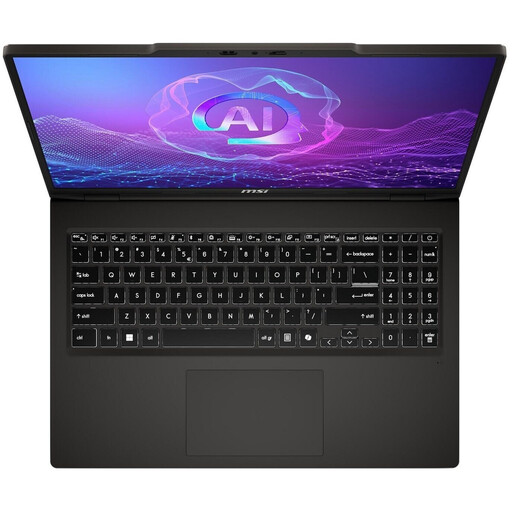
MSI VenturePro A16 AI+ A3HWEG-003, 16-inch 2K OLED, Ryzen AI 7 350, RTX 5050
Could be an option for a laptop setup with a built-in screen; check the specification against your simulator and the graphics quality you’re looking for.
Listed specifications include a 16-inch 2K OLED screen, 16 GB RAM, a 1 TB SSD and a GeForce RTX 5050.
For Microsoft Flight Simulator 2024, the listed RAM is below Microsoft’s recommended 32 GB. No graphics memory capacity is listed here; check the full specification for the specific variant.
View at Joybuy
 No image available
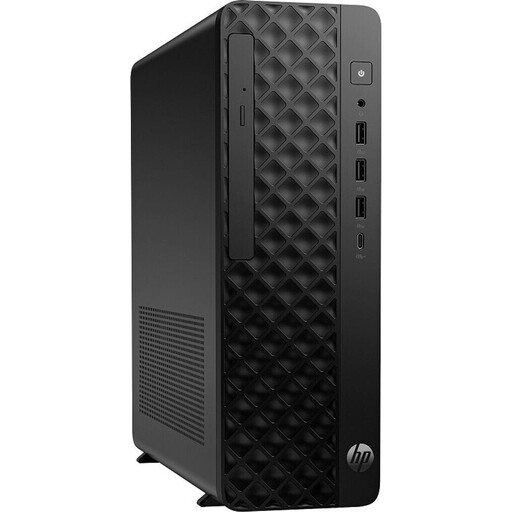
HP Z2 SFF G1i A40M2ET#ABD, Core Ultra 7 265K, 32 GB RAM, RTX A400
The small form factor case and two DisplayPort outputs may suit a compact desktop setup. Check first that the specific graphics card is suitable for the simulator you use.
Listed specifications include 32 GB RAM, a 1 TB M.2 SSD and an RTX A400 with 4 GB graphics memory.
At 4 GB, the graphics memory is below the 8 GB Microsoft lists for the recommended tier of Flight Simulator 2024. This is a comparison with this simulator’s requirements, not a general statement about other software.
View at Joybuy
Frequently asked questions
Will the minimum requirements for Microsoft Flight Simulator 2024 deliver the graphics quality I want?
No. They’re simply the minimum specification listed by the publisher and don’t guarantee a particular frame rate or graphics quality. Microsoft also distinguishes between minimum, recommended and ideal specifications; compare the right tier with your screen setup.
Do I need a yoke and pedals to get started?
Not necessarily. Microsoft lists a gamepad or joystick for aircraft control and describes compatible flight peripherals as part of more advanced PC setups. Make sure you have enough connections and space for the devices you actually plan to use.
What internet connection does Microsoft recommend for Flight Simulator 2024?
Microsoft lists 10 Mbit/s for the minimum tier, 50 Mbit/s for the recommended tier and 100 Mbit/s for the ideal tier. These are requirements for the simulator mentioned, not a guarantee of the speed available where you play.
What happens if a PC bought in Germany develops a fault?
Your statutory rights against the seller are separate from any voluntary guarantee. The Verbraucherzentrale explains that you can initially request a remedy, such as a repair or replacement; check the terms of any additional manufacturer services.
Where should you take an old PC?
Electrical and electronic waste shouldn’t go in your household bin. The Federal Ministry for the Environment lists local collection points and, subject to the relevant legal conditions, retailers required to accept returns as disposal options. Retailer take-back is subject to conditions, including rules about the size of the retailer and whether you’re buying a new product.


