Climbers with a smart trainer
If you want the resistance to change on a virtual climb, the app must be able to pair with your trainer as a controllable device. Zwift Support and ROUVY Support explain the device connections required.


For virtual cycling climbs, first make sure the app suits your needs and that your specific smart trainer can be paired with it as a controllable device; a more powerful graphics card alone won’t create resistance on climbs. Zwift Support distinguishes between minimum and recommended requirements, while ROUVY Support specifies 8 GB RAM and 4 GB of free storage for Windows. Downloaded ROUVY videos need additional space, depending on their quality. So choose your CPU, graphics, memory, storage and screen connections to suit the app, display and any other games you play, rather than automatically buying a high-performance tower.
If you want the resistance to change on a virtual climb, the app must be able to pair with your trainer as a controllable device. Zwift Support and ROUVY Support explain the device connections required.
If you ride virtual climbs on a large screen, check that your PC’s specifications match the display settings you want and the connections available on your particular screen. Zwift Support distinguishes between minimum and recommended requirements.
If you want to download ROUVY route videos before your ride, make sure you have enough free storage: according to ROUVY Support, higher-quality videos need more space.
First check that the app and trainer can pair. Then choose graphics, storage and a case to suit your screen, downloaded routes and where you plan to set up your PC.
This information is for consumers in Germany choosing a PC for virtual cycling climbs. Zwift Support distinguishes between minimum and recommended requirements; ROUVY Support specifies 8 GB RAM and 4 GB of free storage for its Windows app, while downloaded videos need additional space.
| What matters | What to check when buying | Who should consider this? |
|---|---|---|
| Trainer and climbing resistance | Check the trainer model, supported connection and whether it can pair as a controllable device. ANT+ alone is not enough for Zwift Virtual Shifting. | If I want the resistance to change appropriately on virtual climbs, my trainer needs to be able to pair with the app as a controllable device. Around 31% of consumers are likely to have this requirement. |
| Graphics and screen | Check the app requirements, screen resolution and inputs, and the outputs on the specific PC model. | If display quality on a large screen in the training room is a priority, make sure your PC and display are compatible. Around 25% of consumers are likely to focus mainly on picture quality. |
| Storage for route videos | Allow for the actual free SSD space and the download quality you want; the app’s minimum storage requirement is not a guide to how much space you need for a video library. | If I want to download filmed routes in advance, I’ll need more space than the app itself requires. Around 19% of consumers are likely to prioritise this extra storage. |
| Setup and expandability | Check the case dimensions, ventilation clearance, access to connections and the upgrade options available on the specific model. | If you have a permanent space for your PC or might want to replace components later, check the dimensions and access to the case first. Around 13% of consumers are likely to prioritise the space needed for their setup. |
| Complete system and support | Budget separately for the PC, any equipment you already own and your chosen app subscription. Keep a record of the seller and any voluntary warranty terms. | If I’m setting up a training system from scratch, I want to consider the PC, accessories and ongoing memberships together. Around 12% of consumers are likely to have this as their main focus. |
The graphics card displays the virtual route. For resistance to change automatically, the app must support and connect to the trainer as a controllable device.
Before upgrading your graphics card, check your trainer model and the connection you need. Zwift Virtual Shifting requires Bluetooth or Wi-Fi; ANT+ alone isn’t enough.
ROUVY Support specifies 4 GB of free storage for the Windows app. This isn’t a general storage allowance for downloaded route videos; file sizes increase with video quality.
Compare your free storage with the number and quality of the routes you want to save before your ride.
Configurations and what’s included can vary within a product range. For example, Lenovo lists 16 GB RAM and a 512-GB SSD for part number 90YACTO1WWDE1; this configuration does not include a keyboard or mouse.
Check the full model or part number, as well as the components actually being offered. For the specific model, also check the relevant product and conformity documentation.
For faulty goods, statutory rights are against the seller; an additional warranty is a voluntary service with its own terms. The Verbraucherzentrale (German consumer advice centre) clearly distinguishes between these rights.
Keep a copy of the product description and warranty terms, and check who is responsible in each situation.
The Orion 3000 range includes desktop configurations, so it’s important to check the full model number when comparing options.
You can compare the Legion Tower 5i Gen 10 by checking its part number and listed base configuration.
The HyperX OMEN 35L GT18-0770ng is a desktop option for buyers planning to play other demanding PC games as well as using it for cycling.
The MAG Infinite S3 14th range is worth comparing if the specific configuration and potential upgrades matter to you.
This selection includes gaming laptops and desktops for your training room. The key things to check are whether your chosen trainer can pair with the app, and whether the screen and storage suit your setup.
 No image available
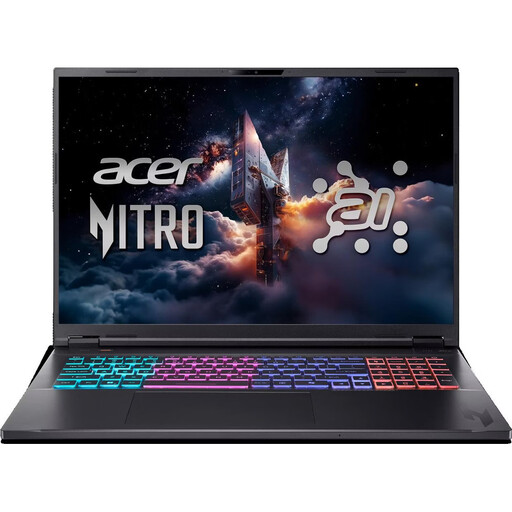
This 18-inch model is worth considering if you plan to use the laptop’s built-in screen.
Ryzen AI 7; 16 GB RAM; 1 TB; RTX 5070; Windows 11 Home.
Keep the vents clear while in use and don’t place the laptop on a soft surface such as a bed or sofa.
 No image available
This desktop is worth considering if you’re looking for a tower to use with a separate screen in your training room.
i5 Ultra; 16 GB RAM; 512 GB SSD; RTX 5060; Windows 11 Home.
Leave at least 10 cm of clearance around the vents when setting it up.
 No image available
This desktop could suit a permanent training room setup with a separate screen.
i5; 32 GB RAM; 1 TB; RTX 5060; Windows 11 Home.
Leave at least 10 cm of ventilation clearance on all sides when setting it up.
 No image available
This 16-inch laptop is worth considering if you want to use the screen built into the device.
QHD; Ryzen 9 8940HX; 24 GB RAM; 1 TB SSD; RTX 5070; Windows 11 Home.
Keep the vents clear while the laptop is in use.
 No image available
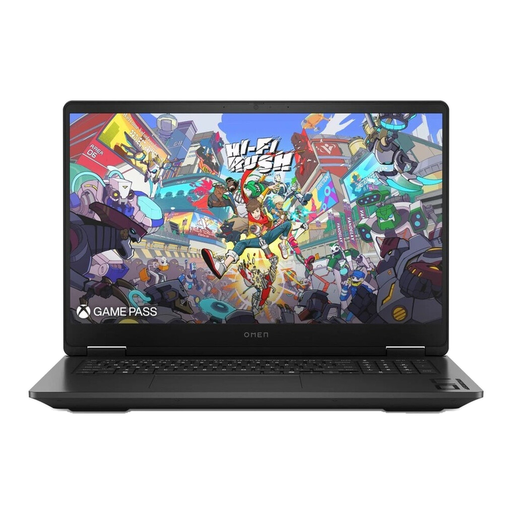
This 17.3-inch model is worth considering if a larger built-in screen suits your training room setup.
QHD; Ryzen AI 7 350; 24 GB RAM; 1 TB SSD; RTX 5070; Windows 11 Home.
Keep the vents clear while the laptop is in use and make sure there’s enough airflow.
No. For resistance to change automatically, the key is a compatible trainer connected to the app as a controllable device. The PC’s graphics don’t change the pedalling resistance.
In Zwift, check the connection for resistance control; in ROUVY, check that the trainer is paired as “Controllable”. ROUVY also recommends disconnecting other connected apps and, if necessary, updating the trainer’s firmware.
No. ROUVY specifies 4 GB of free storage for the Windows app, not for route videos. Allow for additional free storage if you want to download routes in advance; the amount you need depends on factors including the number and quality of the videos.
Depending on the app and membership, you may have ongoing costs. Zwift says that after a trial period, you’ll be charged for the monthly membership selected when you signed up. Check the current terms for Germany before subscribing.
For distance contracts, consumers generally have a right to cancel within 14 days; statutory exceptions may apply, for example, to goods made to the customer’s specifications (§ 312g BGB). For faulty goods, statutory rights are against the seller and are separate from a voluntary warranty, as the Verbraucherzentrale also explains.