What should you look for when buying?
For the recommended tier of MSFS 2024, Microsoft Flight Simulator Support specifies 32 GB RAM, 8 GB VRAM, 50 GB of storage and 50 Mbit/s bandwidth. Laminar Research recommends 16–24 GB RAM or more for X-Plane 12, along with a suitable graphics card with at least 8 GB VRAM.
| Buying consideration |
What to check before buying |
Who should pay particular attention? |
| Simulator compatibility |
Check the simulator version, operating system, CPU, GPU, VRAM, RAM, SSD storage and target screen resolution together. |
If I’m choosing between simulators, I compare their requirements with the exact PC configuration. Around 29% of consumers prioritise compatibility with their chosen simulator. |
| Bedroom noise |
Look for measurements of the exact model under gaming load, and plan where to place it so its vents remain unobstructed. |
If I share a bedroom, I want to know how noisy the entire PC is under load. Around 29% of consumers prioritise being considerate of their housemates. |
| Space and controls |
Check the case dimensions, including room for cables and ventilation, as well as the required ports, against your available space and flight controls. |
If my practice area is small, I check whether the PC, screen and flight controls I want will all fit. Around 24% of consumers focus mainly on space and controls. |
| Connectivity and equipment |
Compare your internet connection with the requirements of your target simulator tier, and make a note of which devices you already have. |
If I still need a screen or flight controls, I plan the whole setup, not just the PC. Around 18% of consumers prioritise connectivity and their overall equipment. |
Joybuy product pick
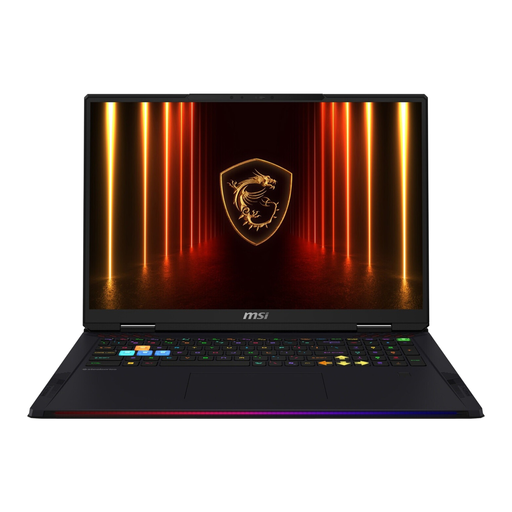
This Joybuy pick is a gaming laptop with an integrated 18-inch screen, for anyone who wants their PC and screen in one device at their practice area.
 No image available
MSI Raider 18 HX AI A2XWJG-074
As a laptop, it combines the PC and screen in one device if you don’t want a tower and separate monitor permanently set up.
Specifications include 64 GB RAM, a 4 TB SSD, an RTX 5090 with 24 GB and an 18-inch WQUXGA screen. The title specifies Windows 11; the product description lists a weight of 3.6 kg, which is worth bearing in mind if you’ll be moving it often.
View at Joybuy
Frequently asked questions
Do I need rudder pedals straight away for virtual taxiing practice?
No, rudder pedals aren’t a universal requirement when buying a PC. Microsoft Flight Simulator Team lists a gamepad or joystick for controlling the aircraft, and compatible rudder pedals as an optional upgrade. Check your control settings, available ports and the space you have for your practice.
How can I check whether a PC will fit in my bedroom?
Compare the dimensions of the exact version with the space you have, allowing for cables and unobstructed vents. Don’t judge how noisy it will be based only on advertised cooling technology; look for noise figures for the same model under load.
What internet connection should I plan for with Microsoft Flight Simulator 2024?
Microsoft Flight Simulator Support lists 10 Mbit/s as the minimum, 50 Mbit/s as the recommended and 100 Mbit/s as the ideal bandwidth tier. Compare the connection available where you’ll practise with the tier you’re aiming for.
What rights apply when buying a PC online from a business seller?
For goods bought online, you generally have a 14-day right to cancel, starting from delivery; exceptions and return costs should be checked. If the goods are faulty, you’re also covered by a statutory guarantee of at least two years from receipt. This is separate from any additional manufacturer’s warranty.
Can I use simulated taxiing and ATC procedures as guidance for real aviation?
No. Laminar Research explicitly states that the X-Plane 12 ATC manual is for simulation purposes and not for situations involving real aircraft.


