
Lieferung heute & morgen

Qualitätsgarantie

Willkommens-Angebote freischalten: KOSTENLOSE Lieferung | Bis zu 80 % RABATT | Kostenlose 30-Tage-JoyPlus-Testphase
App herunterladen
Upgrading from a standard office configuration to a dedicated gaming setup can be a daunting task. The market is flooded with a vast array of products, all promising superior performance. Many beginners and budget-conscious gamers are looking for a combination of a tangible performance boost, appealing aesthetics with RGB lighting, and a reasonable price point.
This guide is designed to bring clarity to your search. We focus on the essential components of gaming peripherals—keyboard, mouse, and speakers—and present objective criteria to help you make your choice. Our goal is to provide you with an informed basis for building your first custom setup or making a targeted upgrade.
The right equipment is the direct interface between you and the game. Three core areas are crucial here: input precision, control, and immersion.
A mechanical gaming keyboard is fundamentally different from conventional membrane keyboards. Each key has its own individual mechanical switch, which provides tactile and often audible feedback. This results in more precise and direct input. Pay attention to the following features:
A specialised gaming mouse offers decisive advantages over a standard model in terms of responsiveness and ergonomics.
A good audio system is a major contributor to immersion. Modern PC speakers for gamers often offer more than just sound.
Based on the criteria above, we have curated a selection of products that offer an excellent price-to-performance ratio for building an entry-level gaming set.
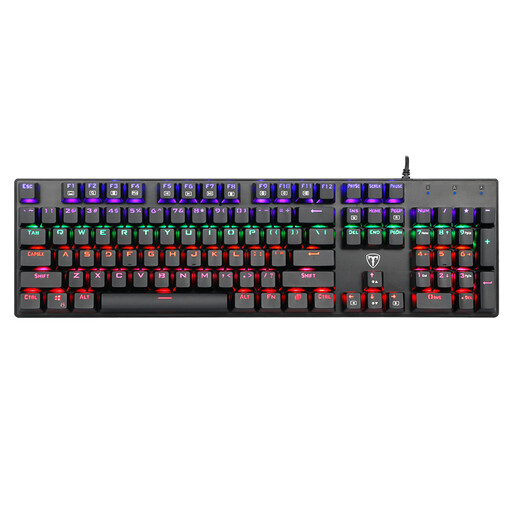
Why It Stands Out: This model combines the essential features of a mechanical keyboard with extensive RGB functionality. The blue switches deliver the tactile and audible feedback popular with gamers. As a special feature, this keyboard comes with a matching mouse, making it an attractive starting point for a keyboard, mouse, and speaker bundle.
Advantages:
Who is it for? For beginners who want to experience the noticeable difference of a mechanical keyboard without a large investment. Ideal for gamers upgrading from a basic office keyboard who value tactile feedback and customisable aesthetics.
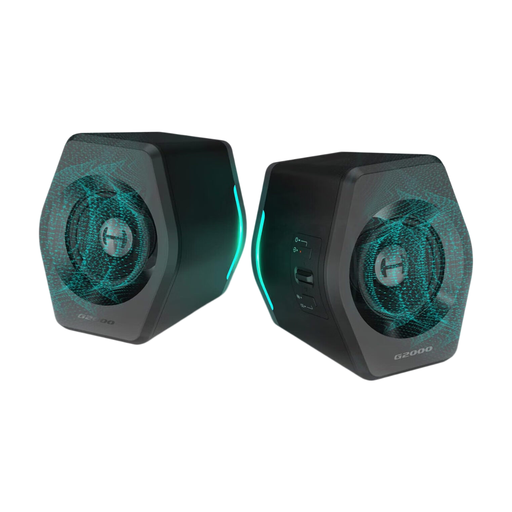
Why It Stands Out: The Edifier G2000 speakers not only deliver solid audio but are also a visual upgrade for any desk. With three EQ modes (Game, Music, Movie) and 12 RGB lighting effects, they adapt flexibly to any use case and desired atmosphere.
Advantages:
Who is it for? For gamers who want to significantly upgrade their setup's audio while rounding out the visual aesthetic with synchronised RGB lighting. The versatile connectivity options make them a flexible audio solution for PCs, consoles, and mobile devices.
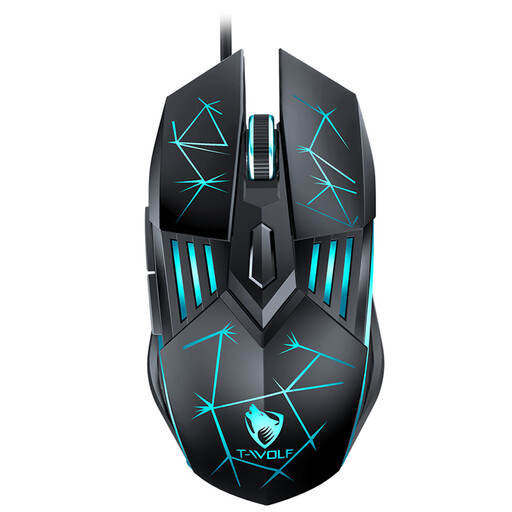
Why It Stands Out: The Rexsun G560 focuses on the core features that define a gaming mouse: precision and ergonomics. With four adjustable DPI levels up to 3600 DPI, it offers the necessary flexibility for various game genres.
Advantages:
Who is it for? For gamers looking for a reliable, responsive, and affordable mouse that offers a clear performance advantage over a standard office mouse. It is a solid choice for entering the world of PC gaming.
The products presented here form a solid foundation for a powerful and visually appealing gaming setup. If you are looking for other alternatives, complete bundles, or different components that match your personal style, it's worth taking a look at our broader assortment.
Discover our complete collection of Gaming Computers with LED Lighting and find the perfect components for your desk.
A basic gaming setup consists of the three core peripherals: a responsive gaming mouse, a precise mechanical gaming keyboard, and a good audio system in the form of headphones or PC speakers. These components are the direct interfaces to the game and have the biggest impact on performance and immersion.
Mechanical keyboards offer several advantages for gamers. The tactile and often audible actuation point provides unambiguous feedback for every input. They generally have a longer lifespan and, thanks to features like N-key rollover or anti-ghosting, allow for the simultaneous and error-free detection of multiple keystrokes, which is crucial in fast-paced games.
DPI stands for "Dots Per Inch" and describes the sensitivity of the mouse sensor. A higher DPI value means the cursor moves further on the screen with a small physical movement of the mouse. An adjustable DPI function is useful as it allows gamers to adapt the sensitivity to the situation at hand—for example, a high DPI for quick turns and a low DPI for precision aiming.