What should you look for when buying?
First check the games available and whether they work offline, then consider the device size and finally how you’ll manage charging while you’re away.
Play games directly on an iPad
A good fit if: the games you want are available for iPadOS or you’d like to play suitable Apple Arcade games.
Bear in mind: Apple’s statement about online and offline use of Apple Arcade doesn’t guarantee that every iPad game can be played offline.
Play games directly on an Android tablet
A good fit if: the games you want are available for Android and you can choose a size and specification to suit the way you play.
Bear in mind: display and battery figures for different devices aren’t directly comparable measures of actual gaming time.
Stream from a PC or the cloud
A good fit if: the game you want won’t run directly on the tablet and a suitable network connection is available.
Bear in mind: Steam Link connects the tablet to a running PC; cloud gaming can suffer from picture and sound problems if the connection is unstable.
| What you’re looking for |
What to check |
Who is it important to? |
| Game compatibility |
Check that the specific game is available for iPadOS or Android and review its requirements. |
If I want to play a particular adventure game, compatibility comes first. Around 33% of consumers prioritise the game they want to play. |
| Playing offline |
After downloading and updating, test that you can launch the game and save your progress without a connection. Steam Link needs a running PC; cloud gaming needs a suitable connection. |
If the Wi-Fi at my holiday cottage is unreliable, I want to be able to carry on playing locally. Around 27% of consumers put offline play first. |
| Charging during long sessions |
Check the charging options at your accommodation and what’s included with the exact variant; don’t assume battery capacity guarantees a certain playing time. |
If I’m planning longer gaming sessions, I want to make sure I can charge reliably. Around 20% of consumers put power arrangements first. |
| Handling and display |
Consider the screen size and weight of the exact variant, and think about whether you’ll mostly hold it or prop it up. |
If I’m using the tablet for a long time, its size needs to suit the way I play. For around 20% of consumers, this balance is their main consideration. |
Joybuy tablets for games installed directly on the device
These Joybuy tablets are intended for Android games installed directly on the device. Check that your specific games are compatible, as well as the variant, what’s included and the display and battery specifications.
 No image available
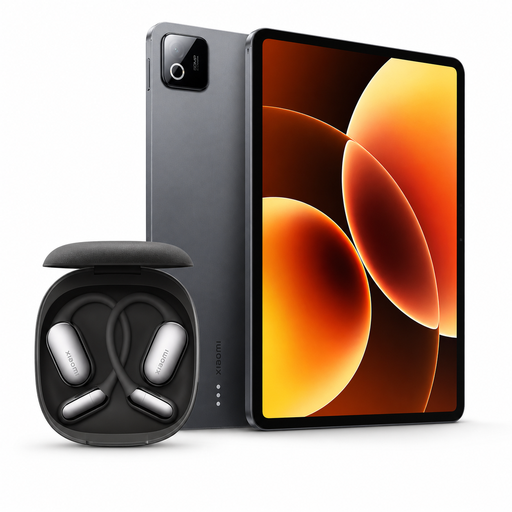
Xiaomi Pad 8 Pro, 12 GB RAM, 512 GB, Grey, with Xiaomi OpenWear Stereo Pro Graphite Black
An Android option for games installed directly on the device; according to the product name, the bundle includes Xiaomi headphones.
The manufacturer lists a refresh rate of up to 144 Hz for the Pad 8 Pro, which can vary depending on the game. Xiaomi says a power adapter isn’t included.
Joybuy
 No image available
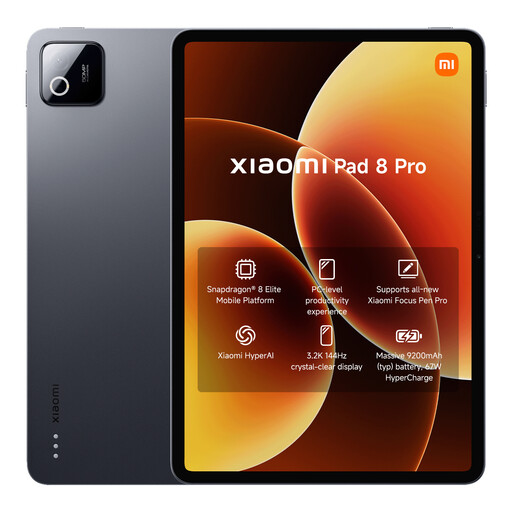
Xiaomi Pad 8 Pro, Grey, 12 GB RAM, 512 GB
An Android option for games installed directly on the device; the storage listed in the product title can help you choose based on your downloads.
The product title lists a Snapdragon 8 Elite, 9,200 mAh (typical) and a 144 Hz display. Xiaomi notes that the refresh rate can vary depending on the game and that a power adapter isn’t included.
Joybuy
 No image available
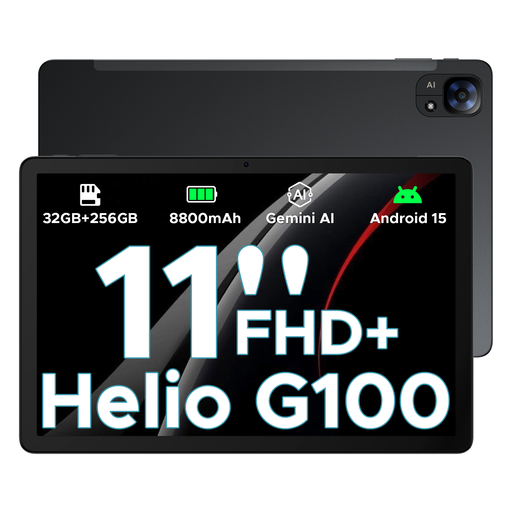
DOOGEE Tab E3, Android 15, 11 inches, 90 Hz, Helio G100, Black
An Android option for games installed directly on the device; check that your chosen games are compatible before buying.
The product title lists 32 GB + 256 GB/2 TB, an 11-inch display with 90 Hz and 8,800 mAh.
Joybuy
 No image available
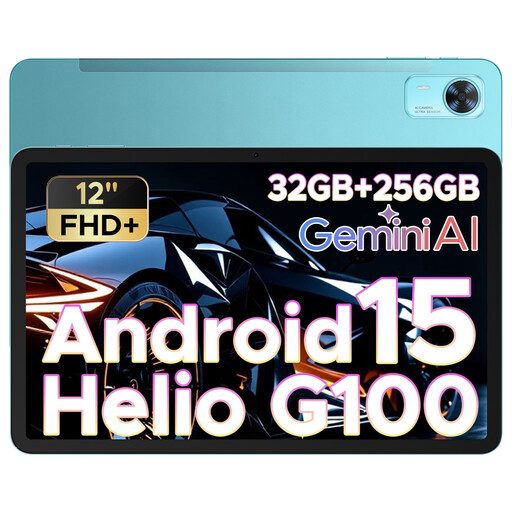
DOOGEE Tab E3+, Android 15, 12 inches, 90 Hz, Helio G100, Blue
An Android option with a larger screen than the DOOGEE Tab E3, which is also listed here.
The product title lists 32 GB + 256 GB/2 TB, a 12-inch display with 90 Hz, 8,800 mAh and four speakers.
Joybuy
 No image available
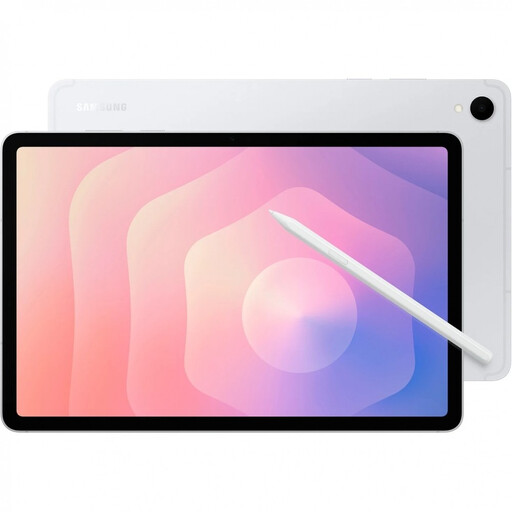
Samsung Galaxy Tab S11 X736, 5G, 11 inches, 12 GB RAM, 128 GB, Silver
An Android option for games installed directly on the device. The 5G specification doesn’t mean a particular game will work offline.
The product title lists 11 inches, 12 GB RAM and 128 GB storage. According to the product description, a charger isn’t included.
Joybuy
Frequently asked questions
Is downloading an adventure game before travelling enough?
No. Downloading a game doesn’t guarantee that it’ll work without the internet. After installation and updates, test that you can launch it and save your progress while offline. Apple says Apple Arcade can be used online and offline; Steam Link streams from a running PC, while cloud gaming depends on your network connection.
What should I set up before my first gaming session at the holiday cottage?
Install your chosen games and updates in advance, then check that you can launch them and save your progress offline. Test any controllers or other input devices you’ll need with the relevant game, too. For Steam Link, the tablet needs to connect to a PC running Steam.
Does a higher mAh figure automatically mean longer gaming time?
No. A capacity figure in mAh doesn’t tell you how long you can play. Plan charging around how you actually use the tablet and check what’s included with the exact variant; the manufacturer says the Xiaomi Pad 8 Pro doesn’t include a power adapter.
Should I choose a compact or larger tablet for adventure games?
It depends on whether you’ll mostly hold the tablet or play with it propped up. Compare the screen size and weight of the exact variant, and think about how you’ll use the device during longer sessions.
Can streaming replace playing a tablet game when the Wi-Fi isn’t reliable?
Not reliably, if the connection at your accommodation is unstable. Steam Link needs a running PC, while cloud gaming depends on a suitable network connection. If you want to play without relying on Wi-Fi, test your chosen game offline after downloading it.


