Gamers in a sunny living room
If you often play in daylight, assess the anti-reflection treatment and picture quality in the lighting conditions in your room – rather than relying on an advertised HDR peak brightness alone.


For arcade sports in a bright living room, first check how clearly you can see the picture in daylight and how it handles reflections. For responsive controls, also look at input lag in Game Mode and make sure the connections are right for your setup. Mini-LED LCD and OLED could both be suitable – the deciding factors are the light in your room, your seating, your gaming source and the limitations of each option.
If you often play in daylight, assess the anti-reflection treatment and picture quality in the lighting conditions in your room – rather than relying on an advertised HDR peak brightness alone.
If fast inputs matter to you, compare input lag in Game Mode and check that the refresh rate and HDMI connection are right for the console you actually use.
If several people will be playing or watching from different seats, check the picture from the side too, and measure the viewing distance and available space before choosing a screen size. The Verbraucherzentrale recommends measuring your usual viewing distance.
First check how the screen looks in your room’s lighting, then make sure its responsiveness, viewing angles and running costs suit your everyday use.
| Priority | What to check before buying | Who should pay particular attention |
|---|---|---|
| Picture in daylight | Assess the anti-reflection treatment and picture quality in lighting similar to your home; don’t mistake peak HDR brightness for consistently bright performance. | If I play during the day, I want to see how reflections and bright areas in games look in my own room. This is the top priority for around 36% of consumers. |
| Responsiveness and motion | Check input lag in Game Mode at the resolution you use, and make sure the HDMI input you plan to use supports the required refresh rate, VRR and ALLM. | When the action changes direction quickly, I want my inputs to appear on screen without distracting delay. Around 29% of consumers prioritise responsiveness when gaming. |
| Shared viewing and screen size | Measure your viewing distance, available space and TV stand; check the picture from the side seats you’ll actually use. | If several people will be playing or watching, the picture should look good from the side seats too. Shared viewing is a priority for around 21% of consumers. |
| Energy use and support | Compare the SDR and HDR figures on the EU energy label for the exact screen size, and check the delivery, installation and warranty terms. | If I’m weighing up the purchase price, ongoing energy use and after-sales support, I want to consider them all before deciding. Around 14% of consumers prioritise this. |
A peak brightness figure doesn’t tell you everything about reflections or how large, bright areas in games will look.
Assess the anti-reflection treatment and picture quality separately from the advertised HDR peak, ideally in lighting similar to your living room.
According to Sony, VRR is available only on HDMI 3 and 4 on the Sony K-65XR70; connections vary by model.
Plan where to connect your console, any other gaming source and, if needed, a sound system using the connection guide for the exact model.
The names TCL 65C7K and TCL 65Q7C are not an exact match; similar-sounding product descriptions don’t prove that they’re the same version.
Check the full model number and the features that matter to you before applying specifications from one model to another.
A larger screen needs more space and can use more electricity. The German Environment Agency recommends choosing a screen size that meets your actual needs.
Measure the space available, compare the energy label figures for the exact screen size and check in advance which delivery or installation services you’ll need.
The German GQ55QN90FATXZG model is a specific example of a Mini-LED TV worth considering if you’re looking at reflection handling and gaming features.
The TCL 65C7K is an example of a QD Mini-LED LCD with a high native refresh rate.
The German OLED55C57LA is an OLED option for buyers looking to combine gaming features with self-lit pixels.
The K-65XR70 is a good example of why the exact HDMI layout matters when planning a setup with a console and sound system.
This selection of Joybuy models includes Mini-LED and OLED TVs with gaming features. Compare them based on your room’s lighting, screen size and the connections your gaming sources actually need.
 Image unavailable
If you’re planning a very large screen, carefully measure the available space and viewing distance before installation.
The product title lists 4K, 144 Hz and Anti-Reflection. The quoted peak HDR brightness of 2,000 nits doesn’t prove consistently even brightness.
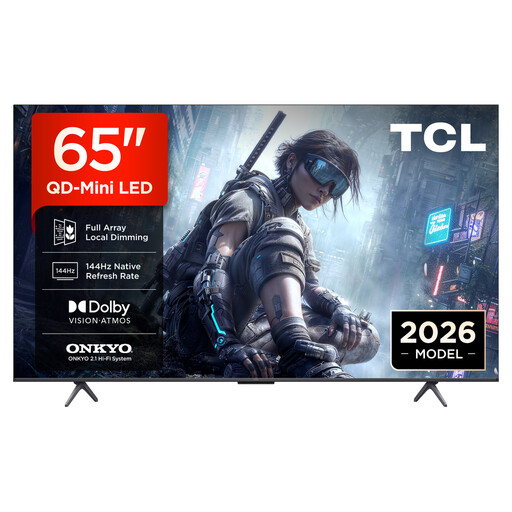 Image unavailable
If you’re looking for a 65-inch TV with gaming features, check that they’re available on the input you plan to use for your console.
The product details list 4K, QD Mini LED Dimming, 144 Hz, VRR and FreeSync Premium.
 Image unavailable
If you’re considering a large screen for gaming with friends and family, measure the viewing distance and available space before choosing a size.
The product details list 144 Hz, VRR and ALLM. Check the HDMI layout of the exact model to make sure it works with your gaming sources.
 Image unavailable
If you’re considering OLED for your room, check reflections and brightness in the lighting conditions you’ll be playing in.
The product description lists an anti-reflection OLED evo display, a native 120 Hz refresh rate and up to 165 Hz. It also lists VRR, ALLM, G-SYNC and FreeSync.
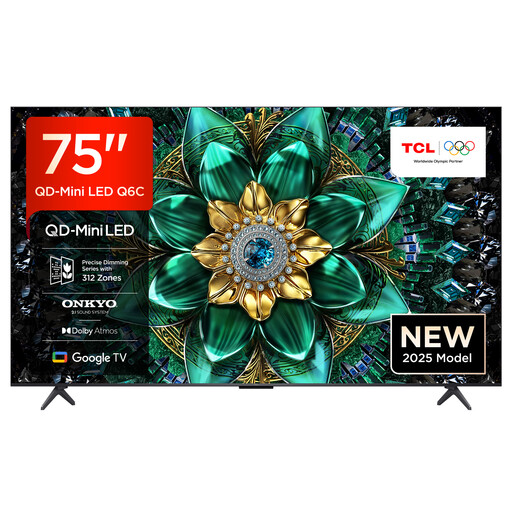 Image unavailable
If several people will be watching from different seats, check the picture quality and available space from the seats you plan to use.
The product description lists a matt HVA panel and wide viewing angle. The product title also lists 144 Hz, VRR and FreeSync Premium Pro.
No. The refresh rate alone doesn’t tell you anything about input lag. Also check input lag in Game Mode and the refresh rate the game and source can actually output. For 4K/120 and VRR, the input you use must support the features you need too.
Match the features you need to the HDMI sockets on the exact model. Sony lists VRR on HDMI 3 and 4, and eARC/ARC on HDMI 3, for the K-65XR70. If you use more than one gaming source, plan your connections before you buy.
Compare the SDR and HDR figures on the EU energy label for the exact screen size you’re considering. The European Commission explains that energy use is shown in kWh per 1,000 hours; to estimate your own costs, you’ll also need to factor in how long you use the TV and your electricity tariff.
When you buy a new TV online, the required EU energy label information must be displayed close to the purchase option. The European Commission describes this as a retailer obligation; the label doesn’t set a minimum efficiency class that you, as the buyer, have to meet.