Gaming TVs at Joybuy
This selection of Joybuy products includes OLED and Mini-LED/LCD TVs with gaming features. Choose a screen size to suit your viewing distance, and check that the features work with your source and the game you’re playing.
 No image available
Hisense 55E8S, 55-inch, 4K UHD QLED Mini-LED, 144 Hz, HomeOS U9, black
The 55-inch screen may suit you if it fits your viewing distance and available space; it doesn’t determine the subtitle size in a game.
The product title lists 4K UHD, QLED, Mini-LED and 144 Hz. The frame rate you actually get also depends on your source and game.
View at Joybuy
 No image available
LG OLED55B68LA, 55-inch, 4K OLED, 144 Hz
This 55-inch OLED TV could be an option if its screen size suits your viewing distance and you want to compare OLED with LCD or Mini-LED models.
The product title lists 4K, 144 Hz, G-SYNC and FreeSync Premium Support. Check that these features are supported by the connection you’re using and your source.
View at Joybuy
 No image available
LG OLED77C67LA, 77-inch, 4K OLED, 120 Hz
The 77-inch screen is only a good choice if it suits your viewing distance and the space you have available.
The product title lists 4K OLED, 120 Hz, webOS and energy rating D. If energy consumption matters to you, compare the figures for this specific TV.
View at Joybuy
 No image available
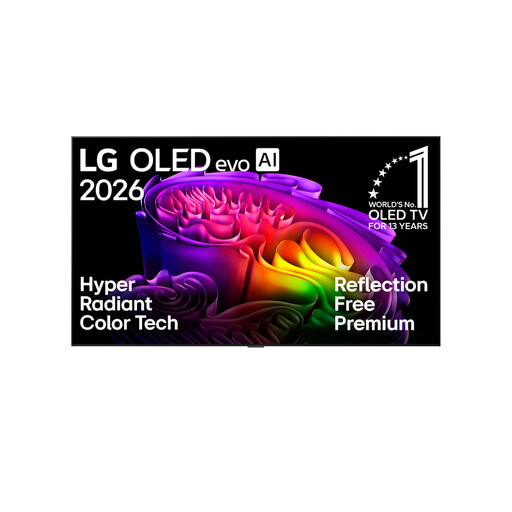
LG OLED83G67LW, 83-inch, 4K OLED evo, 165 Hz
At 83 inches, this model is only worth considering if the screen size, viewing distance and available space all work for you.
The product title lists 4K OLED evo, 165 Hz, the α11 Gen3 processor, Dolby Vision and Dolby Atmos. Check which gaming features your source and game support.
View at Joybuy
 No image available
LG 43QNED86B6B, 43-inch, Mini-LED, 144 Hz
The 43-inch screen may suit you if you’re looking for a smaller TV and it fits your viewing distance.
The product title lists Mini-LED, 144 Hz, AMD FreeSync and Dolby Atmos. Check that the gaming features are compatible with your source and the connection you’re using.
View at Joybuy
Frequently asked questions
Can I make in-game subtitles bigger using the TV’s subtitle button?
Not in every case. Sony Deutschland describes TV subtitles for programmes and apps; PlayStation also points to the settings and features available in each game. So check the subtitle options in the game you want to play.
How do I set up a TV for fast-paced console games?
Connect the console to an HDMI input that supports the features you want, then enable Game Mode. For 4K/120 Hz and VRR, both the TV and source need to support these features on the connection you’re using; also check what the game outputs.
How do I compare the energy consumption of gaming TVs?
Compare the model-specific energy consumption in kWh per 1,000 hours, then work out the cost based on your usage and electricity tariff. If you use HDR, also check the separate HDR figures on the EU energy label.
What are my rights if a TV bought online is faulty?
If the TV is faulty, you have statutory rights against the seller; these are separate from any voluntary warranty. Under Section 438 of the German Civil Code (BGB), claims for defects on a typical purchase of goods generally become time-barred two years after delivery. The Verbraucherzentrale also describes a regular 14-day right of withdrawal for online purchases; the conditions and exceptions depend on the circumstances.
How do I dispose of my old TV in Germany?
Take it to a separate collection point for waste electrical equipment. The German Federal Ministry for the Environment explains that retailers covered by the rules must take back old equipment under certain legal conditions; for large appliances, take-back is particularly relevant when you buy a corresponding new appliance.


