What should you look for when buying a gaming TV?
The right choice depends on what matters most to you during basketball matches. Check the exact model under the lighting and seating conditions in which you’ll be playing.
| Priority |
What to check before buying |
Who is this especially important to? |
| Daytime visibility |
Check how well the exact model handles reflections and how bright it gets in Game Mode; also consider where the windows are in relation to the screen. |
When I play during the day, I want to see the ball and on-screen indicators clearly, even with light in the room. Around 36% of consumers prioritise daytime visibility. |
| Control responsiveness |
Check input lag measurements in Game Mode, including the resolution and refresh rate tested. Only match 4K/120 Hz, VRR and ALLM with your game, source device and chosen input if you need them. |
When the action changes direction quickly, I want my inputs to register straight away. Around 29% of consumers prioritise gaming responsiveness. |
| Viewing from multiple seats |
Decide where people will sit and how far from the screen; check the exact model’s viewing angle and make sure there’s room for the stand or wall mounting. |
When we play together on the sofa, I want the picture to be easy to see from the seats at either end too. Around 21% of consumers prioritise a good shared view. |
| Energy consumption |
For TVs of a similar screen size, compare the EU label figures for SDR and HDR, as well as the delivery and installation terms for the specific offer. |
If running costs matter to me, I want to compare TVs that suit the room and seating arrangement. Around 14% of consumers prioritise energy consumption and choosing the right screen size. |
Joybuy’s gaming TV picks for a bright living room
This selection focuses on Mini LED and QLED TVs with listed gaming features. Check how visible the picture is in daylight and make sure you have the right viewing distance. An advertised refresh rate alone doesn’t prove low input lag or support for the signal output you need.
 No image available
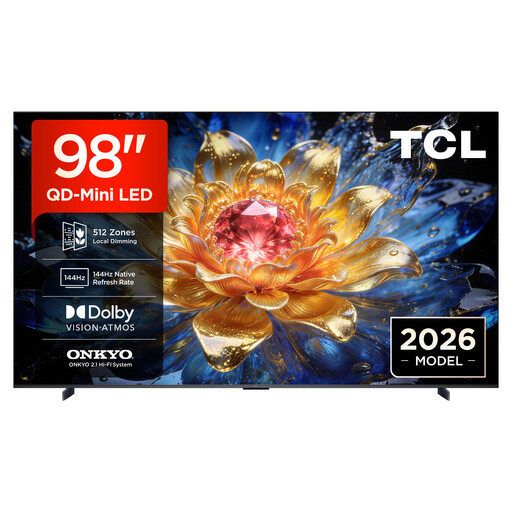
TCL 98T8D, 98-inch, QD Mini LED, 4K
Worth noting for a bright room: the product description says this model is designed for bright environments. Even so, check reflections and brightness in Game Mode where you plan to set it up.
4K, native 144 Hz and VRR. At 98 inches, it’s worth checking your viewing distance and available space in advance.
View at Joybuy
 No image available
TCL 98Q7D PRO, 98-inch, 4K SQD Mini LED
The product title mentions Anti-Reflection, but it’s still worth checking how reflections and picture brightness perform in Game Mode where you plan to place the TV.
The title lists 144 Hz, and the product description specifies VRR and AMD FreeSync Premium Pro. At 98 inches, choosing the right viewing distance is especially important.
View at Joybuy
 No image available
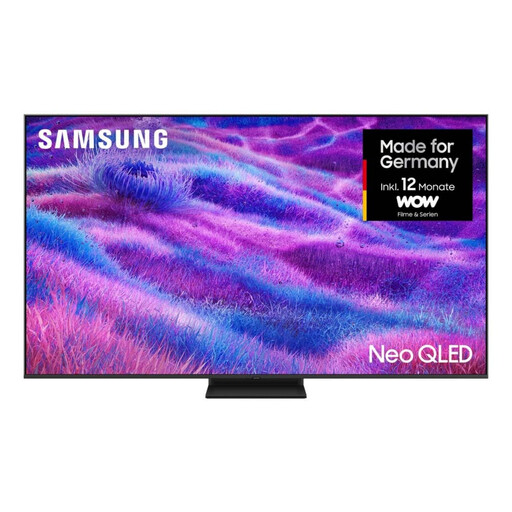
Samsung Neo QLED 4K QN80F, 85-inch, Mini LED
If you want to connect several devices, the product description lists four HDMI ports and automatic optimisation when you connect a console via HDMI.
4K and 120 Hz. Check which input supports the output you need and whether an 85-inch screen suits your viewing distance.
View at Joybuy
 No image available
TCL 75T8D, 75-inch, QD Mini LED, 4K
For smooth motion with a compatible source device and game, the product description lists 144 Hz, VRR and FreeSync Premium.
This model is described as a 75-inch 4K TV with QD Mini LED Dimming. Check Game Mode and the features you need on the input you’ll use.
View at Joybuy
 No image available
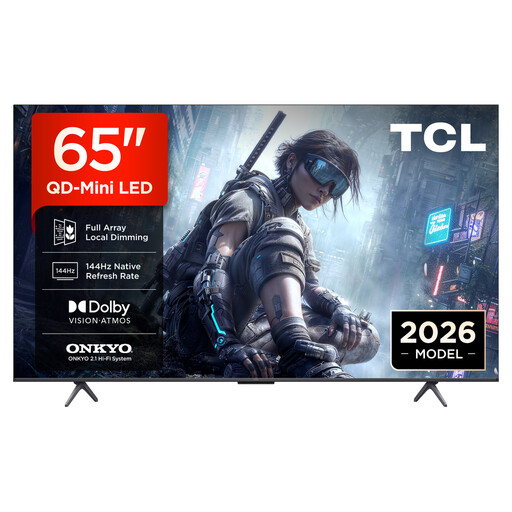
TCL 65T8D, 65-inch, QD Mini LED, 4K
For smooth motion with a compatible source device and game, the product description lists 144 Hz, VRR and FreeSync Premium.
This model is described as a 65-inch 4K TV with QD Mini LED Dimming. Compare the viewing distance and check the features you need on the input you’ll use.
View at Joybuy
Frequently asked questions about gaming TVs for basketball
Is 144 Hz or 165 Hz enough for console basketball games?
No, the figure alone isn’t enough. Check the refresh rate the game and console actually output, whether the TV input you’re using accepts the signal, and how low the input lag is in Game Mode. A higher TV refresh rate offers no proven benefit if the game outputs at a lower refresh rate.
What should I check if 4K/120 Hz or VRR isn’t available after connecting my device?
First, check your TV model, the HDMI input you’re using and the settings on the connected device. For compatible BRAVIA TVs, Sony Deutschland recommends setting the enhanced HDMI signal format for the port in use. This menu path doesn’t apply to every brand.
How do I compare the energy consumption of two TVs?
For TVs of a similar screen size, compare the separate SDR and HDR figures on the EU energy label, shown in kWh/1,000 hours. The European Commission explains this unit of consumption; actual usage also depends on how you use the TV and its picture settings.
How can I assess how visible a TV will be in a bright room?
Check reflection handling and brightness in Game Mode separately, and consider where the windows and lamps are in relation to the screen. An HDR brightness figure alone doesn’t show how well the specific model handles direct reflections.
Can I put an old TV in the household bin?
No. TVs are electrical waste and must be disposed of separately. The Umweltbundesamt lists recycling centres as a free return option. When you buy a new equivalent appliance, you can also return a large old one free of charge, including with online purchases where delivery is included.


